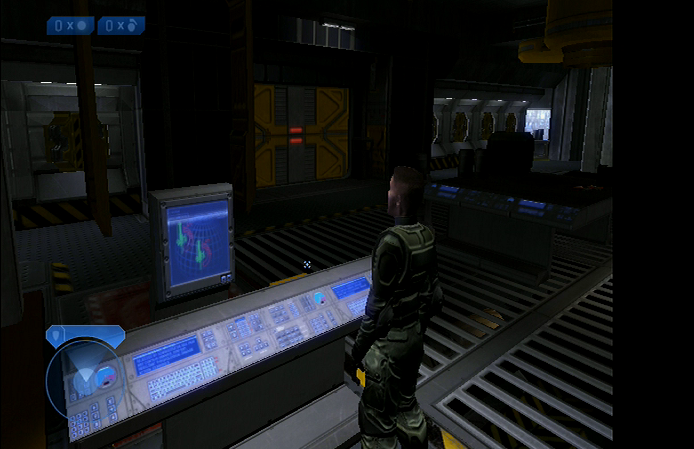
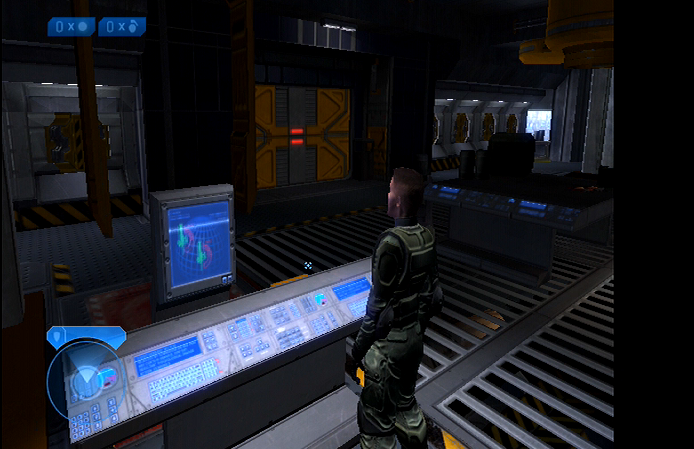
When using the ElectronXout, some customers have reported seeing wavy lines across the image, green/purple stripes, or vertical jailbars. Here are some examples of these image problems and ways to solve them, if possible.
Often times these image problems do not appear with the "normal" Xbox cables since those utilize Composite (CVBS) video - you can tell they are Composite cables if they use yellow, white, and red RCA jacks. The ElectronXout utilizes the higher fidelity Component (YPbPr) video which is a different video signal from CVBS altogether.
Type 1: Wavy Lines or Green/Purple Stripes?
You can open each of these images in a new tab to see them larger as examples of this behavior.
Examples of wavy lines. Examples of green/purple stripes.
If your Xbox is exhibiting this type of behavior, then more often than not the image quality can be improved significantly by replacing the main electrolytic capacitors on the power supply unit (PSU). The specific capacitors to replace vary for every PSU version and that information can be readily found online.
Type 2: "Jail Bars"
Some consoles have been known to produce faint jail bars in the image that are picked up and displayed by the high quality converter inside of the ElectronXout.
These consoles can also benefit from capacitor replacements as described above, but also forcing the system to output a 480p resolution instead of a 480i resolution has been known to solve this problem. That can typically be done by "soft modding" your console via the various methods found across the web.
Example of jail bars.
There are some consoles that are known to experience this more often than others as described in this nice write up here.
You can also try the following (suggested by @Batpixel on YouTube):
- While on the Xbox dashboard, hold the left trigger and right trigger at the same time and click the left & right stick at the same time. This 4-button combo forces the Xbox into 'component mode' for 480p instead of 480i. This can instantly get rid of jail bars if your console is displaying 480i.
- If that does not work, then you have an "old" version of the dashboard. You can put in a Xbox Live game in their Xbox, such as Star Wars: Battlefront 2, and it will install the dashboard update which will allow the top option to work.