


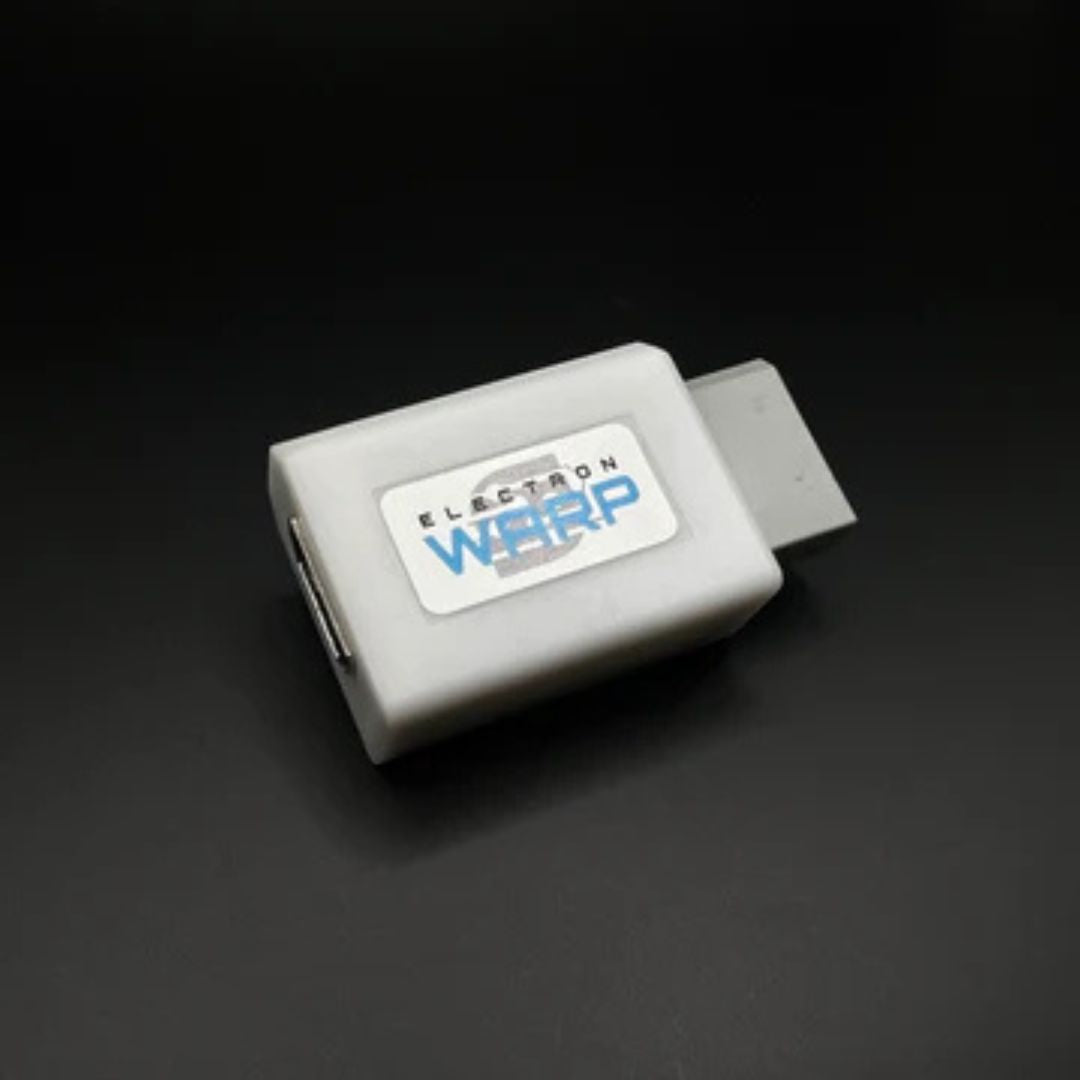
Most Wii HDMI adapters share the same fundamental flaw: they convert the wrong signal. The Wii's AV Multi Out port carries both composite and component video, and the cheap plug-in adapters most people reach for only use the composite channels. You get a picture, but it is composite quality — soft, prone to color bleed, and worse than what the Wii is actually capable of.
The ElectronWarp starts from the component output instead, which is the best analog signal the Wii can produce. The difference is visible.
What Generic Wii HDMI Adapters Get Wrong
The small plug-in adapters sold as Wii HDMI converters on Amazon and eBay physically connect to the Wii's AV Multi Out port, but internally they only route the composite signal to their conversion chip. Composite combines all video information onto a single wire — brightness, color, and sync — which forces the TV to decode them back apart imperfectly. The result is soft edges and color bleed that shows up clearly on a large flat-panel display.
Even among adapters that do use the component signal, generic chips handle the Wii's color space incorrectly. The Wii outputs component video in a limited color range. Most budget chips misinterpret this, producing an image that looks either washed out or oversaturated. It is a circuit design problem, not a settings issue.
Audio is a close second. Static and crackling in cheap adapters is not random — it comes from insufficient filtering in the audio circuit. It is most obvious in quiet moments in games and during menu screens, and no firmware update will fix it.
For more background on how composite, component, and RGB differ at the signal level, the composite vs. component vs. RGB guide covers the fundamentals.
What the ElectronWarp Does Differently
The ElectronWarp accepts the Wii's component video output — the three-cable YPbPr signal, not the composite — and converts it to HDMI. The color space is handled correctly, so the output looks the way the game was designed to look rather than pale or artificially saturated. The audio conversion is clean, with no static or crackling at any volume level.
It adds less than 1ms of input lag, measured with a Time Sleuth lag tester. There is no framebuffer, no upscaling, and no post-processing inside the unit. The signal goes in, gets converted, and comes out — nothing more. Whatever lag you experience is coming from your TV's own processing pipeline, not the adapter.
It draws power directly from the Wii's AV port. No USB cable, no wall adapter.
| Feature | Generic Wii2HDMI | ElectronWarp |
|---|---|---|
| Signal source | Composite (lowest quality) | Component YPbPr (best analog output) |
| Color accuracy | Often incorrect — washed out or oversaturated | Correct color space handling |
| Audio quality | Static and crackling common | Clean, artifact-free |
| Input lag added | Varies by model | Less than 1ms |
| Max resolution | 480i (interlaced) | 480p (progressive) |
| Power source | USB (separate cable required) | Wii AV port (no cable needed) |
480p: Getting the Best Picture
The Wii outputs in two formats: 480i (interlaced) and 480p (progressive scan). Most consoles ship defaulting to 480i, and most people never change it. On a CRT that was fine. On a modern flat-panel display, 480i requires the TV to de-interlace the signal, which adds processing and can introduce combing artifacts during fast motion.
480p draws every line of every frame in sequence. The result is a noticeably sharper image with no de-interlacing artifacts. Most first-party Nintendo Wii titles support it. Third-party titles vary.
To enable it: Wii Settings → Screen → TV Resolution → EDTV or HDTV (480p). Some games also respond to holding the B button at startup to activate progressive scan mode.
Not all games support 480p. For games that only output 480i, the ElectronWarp still improves the picture over a generic adapter through cleaner conversion and correct color handling.
Setup and Compatibility
The ElectronWarp plugs directly into the Wii's AV Multi Out port. Connect Wii component cables (five cables: red, green, blue for video plus red and white for audio) from the Wii to the ElectronWarp, then run an HDMI cable from the ElectronWarp to your TV. No drivers, no configuration menus.
Compatible with all original Wii models. Not compatible with the Wii Mini, which does not have an AV Multi Out port. It also works cleanly with capture cards for streaming or recording — the output does not include HDCP, which many capture cards require to be absent.
-
TV Resolution (Wii)
Wii Settings → Screen → TV Resolution → EDTV or HDTV (480p). Do this first — it is the single biggest picture quality improvement available.
-
Game Mode (TV)
Enables Game Mode on the HDMI input your Wii is connected to. Disables most image processing and reduces TV-side lag. Usually found under Picture settings.
-
Input label (TV)
Label the HDMI input as "Game Console" or "PC" if your TV offers that option. This prevents the TV from applying video processing that can soften the image.
Common Questions
-
Does it upscale the Wii's output?
No. The Wii's maximum output is 480p, and that is what the ElectronWarp delivers over HDMI. It converts cleanly — no upscaling, no additional processing. Your TV handles any upscaling it needs to do starting from an accurate source signal rather than a degraded one.
-
How does it compare to using a TV with component inputs?
Component at 480p is an excellent signal path. If your TV has component inputs and you are happy with the picture, you do not need this. The practical problem is that most modern TVs no longer include component inputs, which is why a clean HDMI solution has become necessary for most setups.
-
Does it work with the Wii U?
No. The Wii U has a built-in HDMI output and does not need a converter. The ElectronWarp is designed for the original Wii.
-
Will it improve games that only support 480i?
Yes. Even at 480i, the correct color handling and clean audio conversion produce a better result than a generic adapter. The improvement is more pronounced when 480p is available, but the color and audio improvements apply regardless of resolution.
For a broader comparison of external adapters versus internal Wii modifications, the Wii HDMI adapter vs. internal mod guide covers both options in detail.
The ElectronWarp — $23.99
Component video in, HDMI out. Less than 1ms of added lag. No external power needed. Compatible with all original Wii models except the Wii Mini.
Designed and tested by Electron Shepherd. Ships from California.
Share:
Getting the Best Picture From Your PS2 on a Modern TV
How the ElectronWarp Transforms Your Nintendo Wii Gaming Experience