


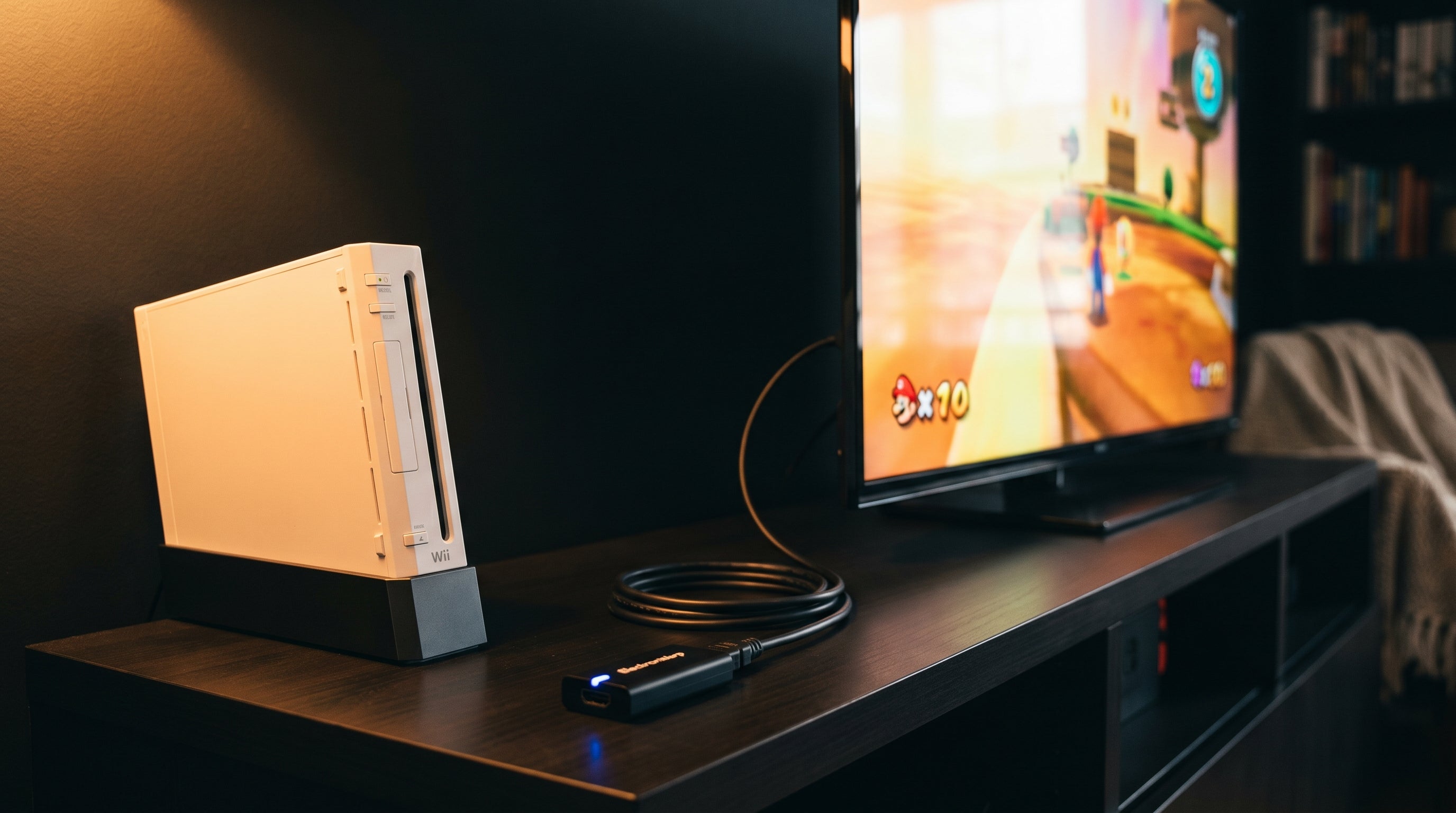
The Wii was built for CRT televisions. Its AV Multi Out port carries composite and component video — analog signals that most modern flat-panel displays cannot accept directly. If you want to connect a Wii to a current TV, you need a converter.
The question is which one. Most adapters sold as Wii HDMI converters use the composite signal, which is the worst analog output the Wii produces. The ElectronWarp starts from the component output instead, handles color correctly, and adds less than 1ms of input lag.
The Problem With Cheap Wii HDMI Adapters
Generic Wii HDMI adapters are widely available for a few dollars. Most share the same chip from the same supplier, sold under dozens of brand names. The price differences between them reflect packaging and margin, not engineering.
The fundamental problem is composite input. These adapters physically plug into the Wii's AV Multi Out port, but internally they only route the composite signal to the conversion chip. Composite combines all video information onto a single wire — brightness, color, and sync together — and forces the display to decode them back apart imperfectly. On a large flat panel, that shows up as soft edges and color bleed.
Even when a budget adapter does tap the component channels, generic chips handle the Wii's color range incorrectly. The result is an image that looks washed out or oversaturated depending on how the chip misinterprets the signal. That is a circuit problem, not a settings problem.
Audio quality is the other common failure. Static and crackling in cheap adapters is a filtering issue in the audio circuit. It appears most clearly in quiet passages and menu screens, and it cannot be fixed by any firmware update.
For more on why composite and component produce different results at the signal level, the composite vs. component vs. RGB guide covers the fundamentals.
What the ElectronWarp Does Differently
The ElectronWarp accepts the Wii's component video output — the three-cable YPbPr signal, not the composite — and converts it to HDMI. Color is handled correctly. The Wii outputs component in a limited color range that generic chips frequently misinterpret. The ElectronWarp maps this accurately, so the output looks the way the game was designed to look rather than pale or artificially saturated.
Audio conversion is clean throughout the volume range. The static and crackling in cheap adapters is a filtering problem. The ElectronWarp addresses this at the circuit level, and the result is artifact-free audio properly synchronized with the video.
It adds less than 1ms of input lag, measured with a Time Sleuth lag tester. There is no framebuffer, no upscaling, no post-processing inside the unit. The signal converts and comes out. Any lag you experience is from your TV's own image processing pipeline, which you can reduce by enabling Game Mode on that input.
Power comes from the Wii's AV port. No USB cable, no wall adapter needed.
| Feature | Generic Wii2HDMI | ElectronWarp |
|---|---|---|
| Signal source | Composite (lowest quality) | Component YPbPr (best analog output) |
| Color accuracy | Often incorrect — washed out or oversaturated | Correct color space handling |
| Audio quality | Static and crackling common | Clean, artifact-free |
| Input lag added | Varies by model | Less than 1ms |
| Max resolution | 480i (interlaced) | 480p (progressive) |
| Power source | USB (separate cable required) | Wii AV port (no cable needed) |
Setup and Compatibility
The ElectronWarp plugs directly into the Wii's AV Multi Out port. Connect Wii component cables (five cables: red, green, blue for video plus red and white for audio) from the Wii to the ElectronWarp, then run an HDMI cable from the ElectronWarp to your TV. No drivers, no configuration.
Compatible with all original Wii models. Not compatible with the Wii Mini, which does not have an AV Multi Out port. It also works cleanly with capture cards for streaming or recording — the output does not include HDCP, which many capture cards require to be absent.
-
TV Resolution (Wii)
Wii Settings → Screen → TV Resolution → EDTV or HDTV (480p). This is the most impactful setting change you can make. It switches the output from interlaced to progressive scan, which looks noticeably sharper on a flat panel. Most first-party Nintendo titles support it. Third-party titles vary.
-
Game Mode (TV)
Enable Game Mode on the HDMI input the Wii is connected to. This disables most image processing in the TV and reduces display-side lag. Usually found under Picture settings.
-
Input label (TV)
Label the HDMI input as "Game Console" or "PC" if your TV supports it. Some TVs apply different processing pipelines depending on input type. This prevents video softening that can happen on inputs labeled as standard TV sources.
Who This Is For
If your Wii is connected to a modern TV and the picture looks soft, colors look wrong, or there is audio static, the ElectronWarp addresses all of those problems in one step.
If you are using a CRT, you do not need it. The Wii's analog output is native to CRT displays and works correctly without conversion.
If you already have a TV with component inputs and the picture looks right, component at 480p is a legitimate and excellent signal path. The practical issue is that most modern TVs no longer include component inputs, which is why a clean HDMI converter has become necessary for most setups.
If you want the highest possible image quality from the Wii, an internal digital mod is worth considering. That option taps the Wii's digital signal before it reaches the analog encoder, bypassing the conversion step entirely. The Wii HDMI adapter vs. internal mod guide compares both approaches in detail.
Common Questions
-
Does it work with the Wii U?
No. The Wii U has a built-in HDMI output and does not need a converter. The ElectronWarp is designed for the original Wii.
-
Will it improve games that only support 480i?
Yes. Even at 480i, the correct color handling and clean audio conversion produce a better result than a generic adapter. The improvement is more pronounced when 480p is available, but the color accuracy and audio quality gains apply at any resolution.
-
Is this the same thing as a generic Wii2HDMI adapter?
The function is the same — both convert the Wii's output to HDMI. The execution is different. Generic Wii2HDMI adapters use the composite input and off-the-shelf chips not designed for the Wii's signal. The ElectronWarp uses the component input and handles the Wii's color space correctly. The results are visibly different.
-
Does it upscale the output?
No. The Wii's maximum output is 480p, and that is what the ElectronWarp delivers. No upscaling, no added processing. Your TV handles any scaling it needs to do from an accurate source signal rather than a degraded one.
The ElectronWarp — $23.99
Component video in, HDMI out. Less than 1ms of added lag. No external power needed. Compatible with all original Wii models except the Wii Mini.
Designed and tested by Electron Shepherd. Ships from California.
Share:
ElectronWarp: The Next-Generation Wii2HDMI Adapter
Wii to HDMI: Why Most Adapters Fail on Modern TVs (And What to Use Instead)