


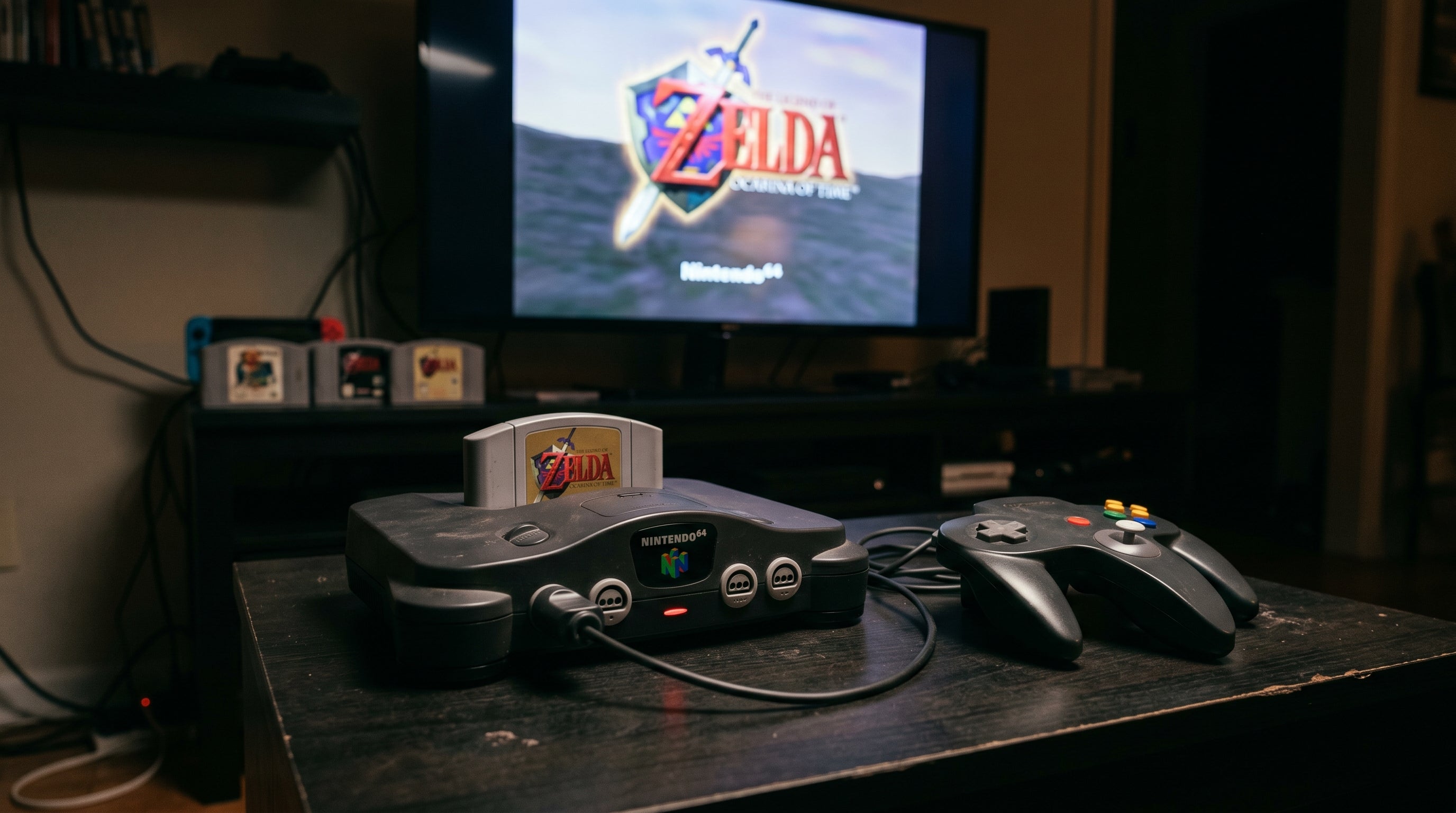
The Nintendo 64 is one of the harder retro consoles to connect to a modern TV in a way that actually looks good. The standard cable that shipped with the console outputs composite video — the lowest-quality analog format any retro console supports. The N64 was also capable of S-Video output in certain configurations, which is meaningfully better, but getting either signal to an HDMI screen cleanly still requires some decisions.
This guide covers the realistic options in order of signal quality, with honest expectations for what each delivers.
What the N64 Actually Outputs
The N64 uses the same Nintendo Multiout connector found on the SNES, GameCube, and Wii. Through that connector, the standard NTSC N64 can carry:
Composite video (CVBS). The standard output — one signal that blends all color and brightness information together. 480i. Available on all N64 consoles via the gray AV cable that shipped with the console.
S-Video. Separates luminance (Y) and chrominance (C) into two signals, eliminating the color smearing that composite produces. Noticeably sharper. Available on NTSC N64 consoles (US and Japan) via the Multiout connector — requires a separate S-Video cable. Some non-NTSC regions lack S-Video support on the connector.
One thing the N64 does not support natively: component video (YPbPr). Unlike the PS2, Wii, GameCube, and Xbox, there is no component cable you can buy for a stock N64. Component output does not exist on the connector. This is the primary reason the N64 is harder to get clean output from than sixth-generation consoles.
For background on what separates composite, S-Video, and component at the signal level, see our retro video signal formats guide.
Option 1: Composite to HDMI
This is the most common approach and the easiest to set up. An adapter takes the composite output from the N64's AV cable and converts it to HDMI. The result is a working picture on any modern TV.
The limitation is the signal itself. Composite is 480i with all the blending and quality trade-offs that entails — color smearing, dot crawl along high-contrast edges, and a generally soft picture. On a large 4K panel, composite from the N64 looks noticeably blurry compared to how the same games looked on a well-calibrated CRT.
If your goal is just to play and picture quality is not a priority, composite-to-HDMI works fine. If you care about how the games look, it is the floor, not the target.
Option 2: S-Video to HDMI
S-Video is a meaningful step up from composite on the N64. By separating luminance and chrominance, it eliminates the chroma-luma bleed and dot crawl that make composite look soft. Fine details hold together better, color is more accurate, and the image is noticeably cleaner — particularly on games with fine text or complex backgrounds.
Getting S-Video to HDMI requires two things: an N64 S-Video cable (available from multiple third-party suppliers) and an S-Video-to-HDMI converter. Many composite-to-HDMI adapters also accept S-Video — confirm the inputs before purchasing.
For a stock, unmodified NTSC N64, S-Video is the best option available without any hardware modification or significant cost. It does not reach the quality of RGB or a direct digital output, but the gap between composite and S-Video is noticeable and worth the cable cost.
Option 3: Dedicated Upscalers
Dedicated retro gaming upscalers — the RetroTINK-2X, RetroTINK-5X, OSSC (Open Source Scan Converter) and similar — accept composite and S-Video input and convert to HDMI with significantly better processing than budget adapters. They apply optimized deinterlacing, allow precise resolution scaling, and are built specifically around the timing characteristics of retro console video.
The RetroTINK-5X in particular produces a noticeably better image from N64 S-Video than most simple adapters, with configurable scaling modes. If you play multiple retro consoles and want the best possible result from analog sources without internal hardware mods, a dedicated upscaler is worth the investment. For a single console, the cost-benefit calculation is closer.
Option 4: Internal HDMI Mod
The highest-quality option is an internal mod that adds a direct digital HDMI output to the N64. The N64Digital is the most accessible current option — it outputs a native digital HDMI signal from the console's video processor, bypassing the analog output entirely.
The result is a sharp, accurate image with no analog degradation at any stage. Games with fine texture detail and sharp geometry look substantially cleaner than they do via any analog path. The N64Digital also supports various display modes including scanlines and integer scaling.
Installation requires opening the console and connecting to the main PCB. The mod hardware itself is not cheap, and installation experience matters. For collectors or serious N64 players who want the best possible output and plan to keep the console long-term, it is the right answer.
Connecting Multiple Displays or a Capture Card
One problem specific to the analog N64 setup: the console has one AV output. If you want to play on a TV while simultaneously feeding a capture card for recording, you normally have to pick one or use a signal splitter that may introduce quality loss or latency.
The ElectronNMB — the Nintendo Multiout Breakout — addresses this directly. It fits the N64's Multiout connector and splits the analog output to multiple connections simultaneously. You can run one output through a composite-to-HDMI adapter to your display and route another directly to a capture card at the same time. The signal is passed through without any processing — no added latency, no quality reduction from the split.
Which Approach Makes Sense
Casual play, no investment. Composite to HDMI. Works, limited picture quality.
Best quality without opening the console. S-Video cable plus an S-Video-to-HDMI converter. For a stock NTSC N64, this is as good as it gets without mods.
Multiple consoles, best analog quality. RetroTINK-5X or similar — handles composite and S-Video from any console with better processing than simple adapters.
Best overall quality, long-term investment. N64Digital internal mod. Expensive and requires hardware work, but the output quality is in a different category from any analog path.
Capture card or multi-display setup. The ElectronNMB splits the N64's Multiout to multiple destinations simultaneously — no switching, no added latency.
The ElectronNMB splits your N64's analog output to multiple displays or a capture card simultaneously — plug-and-play, no added latency.
Get the ElectronNMB — $41.99 Composite vs. Component vs. RGB: The Full Guide
Share:
PS2 No Signal on Modern TV: Fix Guide