


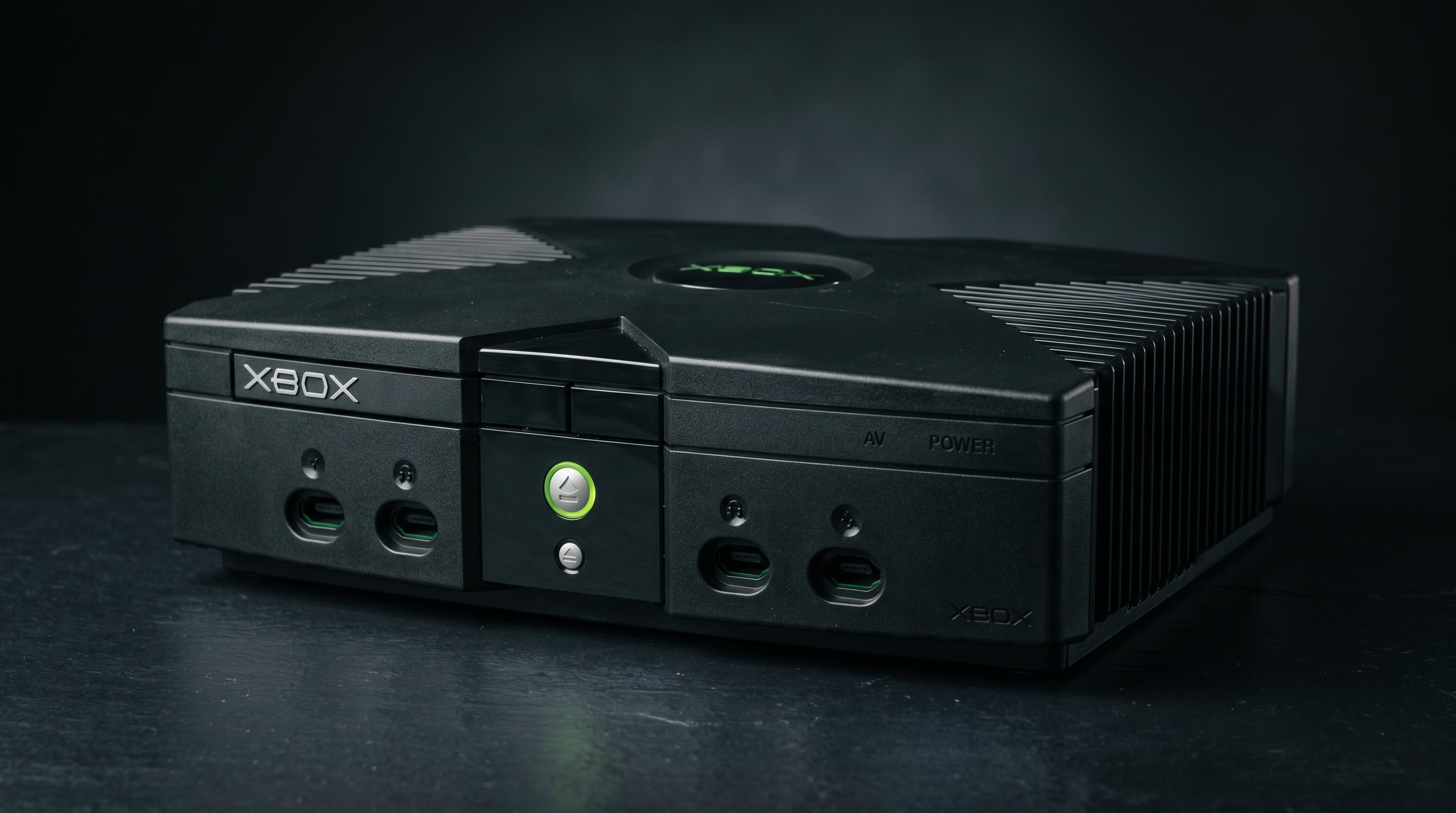
If you search for "Original Xbox HDMI cable," you will find a lot of products listed under that name. Some are HDMI adapters mislabeled as cables, some are for different consoles entirely, and a few are outright counterfeits. What you will not find is an actual HDMI cable that plugs into an Original Xbox — because the Original Xbox has no HDMI port. There is nothing to plug one into. This post explains why that is, what the Xbox does have, and what your actual options are for getting a clean picture on a modern TV.
What the Xbox Actually Has: The Proprietary 24-Pin AV Connector
The Original Xbox shipped in 2001 with a single rear-panel audio/video output. It is a 24-pin proprietary connector — Microsoft's own format, not a standard consumer interface. You will not find it on any other console or consumer electronics device.
That connector carries quite a bit on its pins. Analog video signals (composite, S-Video, YPbPr component), analog stereo audio, and an S/PDIF digital audio signal on pin 3. The video format the connector outputs depends on which cable or AV pack is attached — the cable grounds specific mode-select pins to tell the encoder chip what to do.
Composite / S-Video. 480i NTSC (or 576i PAL). Lowest quality option, included cable in the box.
YPbPr Component. 480i, 480p, 720p, 1080i. Requires the Microsoft High Definition AV Pack or a compatible third-party component cable.
S/PDIF Digital Audio. Present on pin 3 at all times, regardless of video mode. Carries Dolby Digital 5.1 for games that support it.
None of those signals are HDMI. HDMI is a digital protocol that carries video and audio in a specific encoded format. The Xbox's AV connector outputs analog video. Getting from one to the other requires active conversion electronics — not a passive cable.
For a detailed breakdown of the full pinout and mode select logic, see the Original Xbox AV connector guide.
Why an HDMI Cable Does Not Exist for Original Xbox
HDMI 1.0 was released in December 2002. The Original Xbox launched in November 2001, a full year before the specification existed. Even if Microsoft had wanted to include HDMI, there was no standard to implement yet.
More fundamentally, a cable is a passive conductor. It can carry a signal from one point to another, but it cannot change the nature of that signal. The Xbox outputs analog video. HDMI carries digital video. Converting between those two formats requires a chip — an active device that digitizes the incoming analog signal and repackages it in the HDMI protocol. A cable cannot do that.
What the market sells as "Xbox HDMI cables" are almost always one of two things: an HDMI adapter (a device with active conversion electronics built in), or a product designed for a different console entirely. If you see something marketed as a straight cable with an Xbox AV plug on one end and an HDMI plug on the other, it either does not work or it is not actually passive — it has electronics embedded in one of the plugs.
The correct mental model is: you need an HDMI adapter, not an HDMI cable. The distinction matters because it affects what you should look for and what to expect from each option.
The Adapter Approach: How It Works
An HDMI adapter for the Original Xbox plugs into the 24-pin AV connector on the back of the console. Inside the adapter is an analog-to-digital video converter — it takes in the Xbox's component or composite signal, digitizes it, and outputs it over HDMI. Some adapters also handle the audio conversion; others pass audio separately.
The quality of the output depends on the converter chip used, how the adapter handles the mode select pins on the AV connector (which determines whether it can access 480p and higher resolutions), and whether it taps the S/PDIF digital audio line or falls back to the analog stereo pins.
For more context on how the various adapter types compare, see the Original Xbox HDMI adapter guide and the best Original Xbox HDMI adapters for 2026.
The ElectronXout: What It Does Differently
The ElectronXout is Electron Shepherd's HDMI adapter for the Original Xbox. It plugs directly into the 24-pin AV connector and outputs HDMI — no breakout box, no separate power supply. It draws power from the +5V and +12V pins on the AV connector itself.
It supports all Xbox output resolutions: 480i, 576i, 480p, 720p, and 1080i. The adapter reads the resolution the Xbox is outputting and handles it correctly without requiring manual mode switching.
The part that separates it from most competing adapters is the audio path. The ElectronXout taps pin 3 of the AV connector directly — the S/PDIF digital audio line. That pin is active at all times and carries the raw bitstream from the Xbox's audio hardware. For games that encode Dolby Digital 5.1, that bitstream contains the full surround mix. The ElectronXout encodes that signal into the HDMI audio stream, so a compatible AV receiver or soundbar on the HDMI output will receive Dolby Digital 5.1.
The main competitor in this space is the POUND HD Link cable. The POUND reads the analog audio pins — pin 1 (Audio Right) and pin 14 (Audio Left) — which carry a stereo downmix regardless of what the game is actually outputting. Even if a game renders Dolby Digital 5.1, the POUND delivers stereo. That is not a defect in the POUND specifically; it is a consequence of which pins it reads. If Dolby Digital matters to you, the audio path is the deciding factor.
ElectronXout audio path. Taps S/PDIF on AV connector pin 3. Passes Dolby Digital 5.1 bitstream over HDMI for supported games.
POUND HD Link audio path. Reads analog stereo pins. Always outputs stereo, regardless of game audio encoding.
Resolutions supported. 480i, 576i, 480p, 720p, 1080i — all standard Xbox output modes.
Power. Bus-powered from the AV connector. No USB cable required.
Price. $41.99.
For a broader look at how analog video signals compare across formats, the composite vs component vs RGB guide covers the underlying signal differences that make these adapter choices matter.
Other Options: Component Cable Path and Internal Mods
If you already have a component-capable TV or a component-to-HDMI converter, the Microsoft High Definition AV Pack (part number X08-25301) is a passive breakout box that outputs YPbPr component video via RCA connectors plus S/PDIF optical audio (Toslink) and analog stereo. Third-party component cables from Monster and similar brands are electrically equivalent and fully passive.
This path gives you good video quality at all supported resolutions. The audio situation is slightly more involved: the Toslink output carries Dolby Digital 5.1 from supported games, but that signal goes to your AV receiver separately from the video. If your TV or monitor only accepts HDMI input, you need a component-to-HDMI converter for video, and a receiver with a Toslink input for audio. Those two signals do not merge into a single cable in this configuration.
For those who want the cleanest possible output and are comfortable opening the console, internal HDMI mod kits are available from third-party vendors. These tap the digital video signal before the DAC and output it directly over HDMI, bypassing the analog conversion chain entirely. The result is genuinely excellent image quality. The tradeoff is that the installation requires disassembly and soldering — it is not a plug-and-play option. Electron Shepherd does not sell this product, but it is worth knowing exists if you are considering a full restoration.
Frequently Asked Questions
Will any HDMI adapter work with Original Xbox? Most adapters designed for the Original Xbox will deliver a working picture, but audio capability varies significantly. Adapters that read only the analog stereo pins will always output stereo regardless of the game's audio encoding. If you want Dolby Digital 5.1 passed through to your receiver, you need an adapter that taps pin 3 of the AV connector for the S/PDIF digital audio signal.
Does the ElectronXout require USB power? No. It draws operating power directly from pin 13 (+5V) and pin 20 (+12V) of the Xbox's 24-pin AV connector. No USB cable or external power supply is needed.
Can I get Dolby Digital 5.1 from the Xbox without the ElectronXout? Yes, but not over HDMI. The Microsoft High Definition AV Pack and the Advanced AV Pack both output S/PDIF optical audio via Toslink, which carries Dolby Digital 5.1 from supported games. You would connect that Toslink cable directly to an AV receiver. The limitation is that video and audio travel on separate cables in that setup — you cannot consolidate both into a single HDMI connection without an adapter that reads the S/PDIF pin.
The ElectronXout plugs directly into your Original Xbox's AV connector and outputs HDMI — with Dolby Digital 5.1 from the S/PDIF line for games that support it. No USB power, no separate audio cable.
Get the ElectronXout — $41.99 Compare all Original Xbox HDMI adapters
Share:
SNES on a Modern TV: Connection Options and What to Expect
Original Xbox AV Connector Guide: What Each Cable Unlocks