


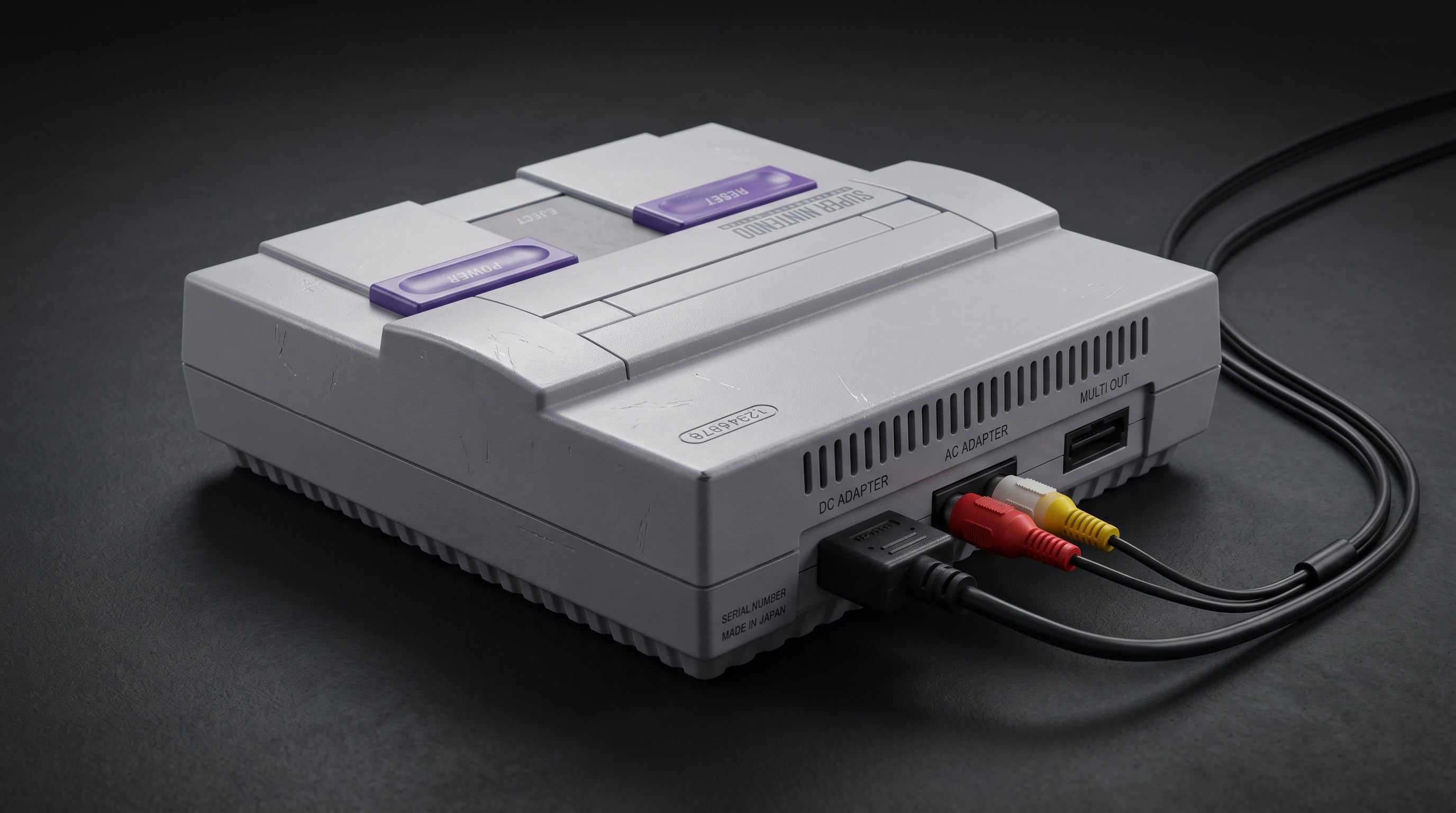
The Super Nintendo is one of the most beloved retro consoles, and getting it to look right on a modern TV is more nuanced than it should be. The hardware is 35 years old. Modern televisions were not designed with 240p in mind. The path from the SNES to your HDMI input involves several choices, and those choices have a noticeable effect on the final picture.
This guide covers the realistic options in order of signal quality, what each one involves, and what to expect from each approach on a modern display.
What the SNES Actually Outputs
The Super Nintendo uses the same Nintendo AV Multi Out connector found on the N64, GameCube, and Wii. Through that connector, the SNES can carry several signal types depending on the cable and the TV.
Composite video (CVBS). The cable that shipped with the SNES in most markets. One signal carrying all color and brightness information blended together. 240p output. The softest, most artifact-prone option.
S-Video. Separates luminance and chrominance into two signals, eliminating the color bleed that composite produces. Available on NTSC SNES hardware. A meaningful step up in sharpness and color accuracy. Requires a separate S-Video cable.
RGB (SCART). Three separate color channels — red, green, and blue — plus sync. The cleanest analog output the SNES produces, and one of the best RGB signals of any retro console. Available primarily in PAL regions via SCART output; NTSC consoles require a modification or specific cable type to output RGB. Typically used with an upscaler like the OSSC or RetroTINK-5X.
One hardware note: the SNES2 (SNS-101 in North America, Super Famicom Jr. in Japan — the smaller, rounded revision released in 1997) removes both S-Video and RGB from the connector. If you own the SNES2, composite is your only output option without a hardware modification. The original SNS-001 SNES supports all three signal types.
One signal note: the SNES outputs at 240p, not 480i. This is a progressive signal at half the vertical resolution of standard definition. Some TVs and adapters handle this well; others deinterlace it incorrectly, producing a doubled or blurry image. A quality upscaler handles 240p correctly.
For a full explanation of composite, S-Video, and RGB signal formats, see our retro video signal formats guide.
Option 1: Composite to HDMI
The simplest approach. A composite-to-HDMI adapter takes the signal from the gray multi-AV cable and converts it to HDMI. The result is a functional picture, but composite from the SNES shows all the typical composite artifacts — color smearing on high-contrast pixel art, dot crawl along edges, and a soft overall image.
At 240p on a 4K TV, these problems are more noticeable than they would have been on a CRT because the upscaling process magnifies every imperfection. If you are playing casually and do not have another cable option, composite works. As a long-term solution for a console this visually rich, it is a poor match.
Option 2: S-Video to HDMI
S-Video is a meaningful improvement over composite on the SNES. By separating luminance from chrominance, it eliminates the dot crawl and color bleed that make composite look soft. Sprites and backgrounds hold sharper edges; fine pixel art detail in games like Link to the Past or Super Metroid looks noticeably cleaner.
This requires an NTSC SNES and an S-Video cable (the SNES uses a slightly unusual pinout — confirm you have the correct cable for the console). Pair it with an S-Video-to-HDMI converter. Many composite adapters also accept S-Video; confirm the inputs before purchasing.
For many SNES owners who do not want to go further into the RGB path, S-Video is a reasonable stopping point. It is significantly better than composite and requires no hardware modification.
Option 3: RGB via Upscaler (Best Quality, No Mod Required for PAL)
The SNES outputs RGB, which is the cleanest analog signal any consumer retro console produces. In PAL regions, this RGB signal is available on the standard SCART connector and can be fed into an upscaler like the OSSC (Open Source Scan Converter) or RetroTINK-5X, which converts it to HDMI with excellent quality and correct 240p handling.
For NTSC SNES consoles, RGB is available on the Multi Out connector but is not exposed by standard cables. Certain cable manufacturers (Retro Access, HD Retrovision) produce cables that extract the RGB signal from NTSC SNES hardware. These work with RGB-compatible upscalers and produce the same quality as PAL SCART setups.
RGB from the SNES on a quality upscaler produces a sharp, accurate image. The pixel art the SNES was designed to produce looks the way it was intended, with accurate colors, clean edges, and correct handling of the 240p output. This is the ceiling for analog SNES output.
Connecting Multiple Displays or a Capture Card
If you want to play on a TV while simultaneously feeding a capture card, the SNES's single AV output is a constraint. The ElectronNMB — the Nintendo Multiout Breakout — fits the SNES's Multi Out connector and splits the analog signal to multiple destinations simultaneously. You can run one output to your display and another to your capture device at the same time, without any signal switching or added latency from the split.
Which Approach Makes Sense
Casual play, no investment. Composite to HDMI. Works, picture quality is limited by the signal format.
Best quality without modification. S-Video cable plus an S-Video-to-HDMI converter. For NTSC hardware, this is a meaningful improvement without any hardware work.
Best overall quality (NTSC). RGB cable (HD Retrovision or Retro Access) plus a RetroTINK-5X or OSSC. The definitive analog SNES output on NTSC hardware.
Best overall quality (PAL). SCART cable plus a RetroTINK-5X or OSSC — same result with standard equipment.
Capture card setup. The ElectronNMB splits the Multi Out to multiple destinations simultaneously.
The ElectronNMB splits your SNES's Nintendo Multiout to multiple displays or a capture card simultaneously — no signal switching, no added latency.
Get the ElectronNMB — $41.99 Composite vs. Component vs. RGB: The Full Guide
Share:
Best GameCube HDMI Adapters in 2026: An Engineer's Honest Comparison
Original Xbox HDMI: Why There Is No Cable and What You Need Instead