


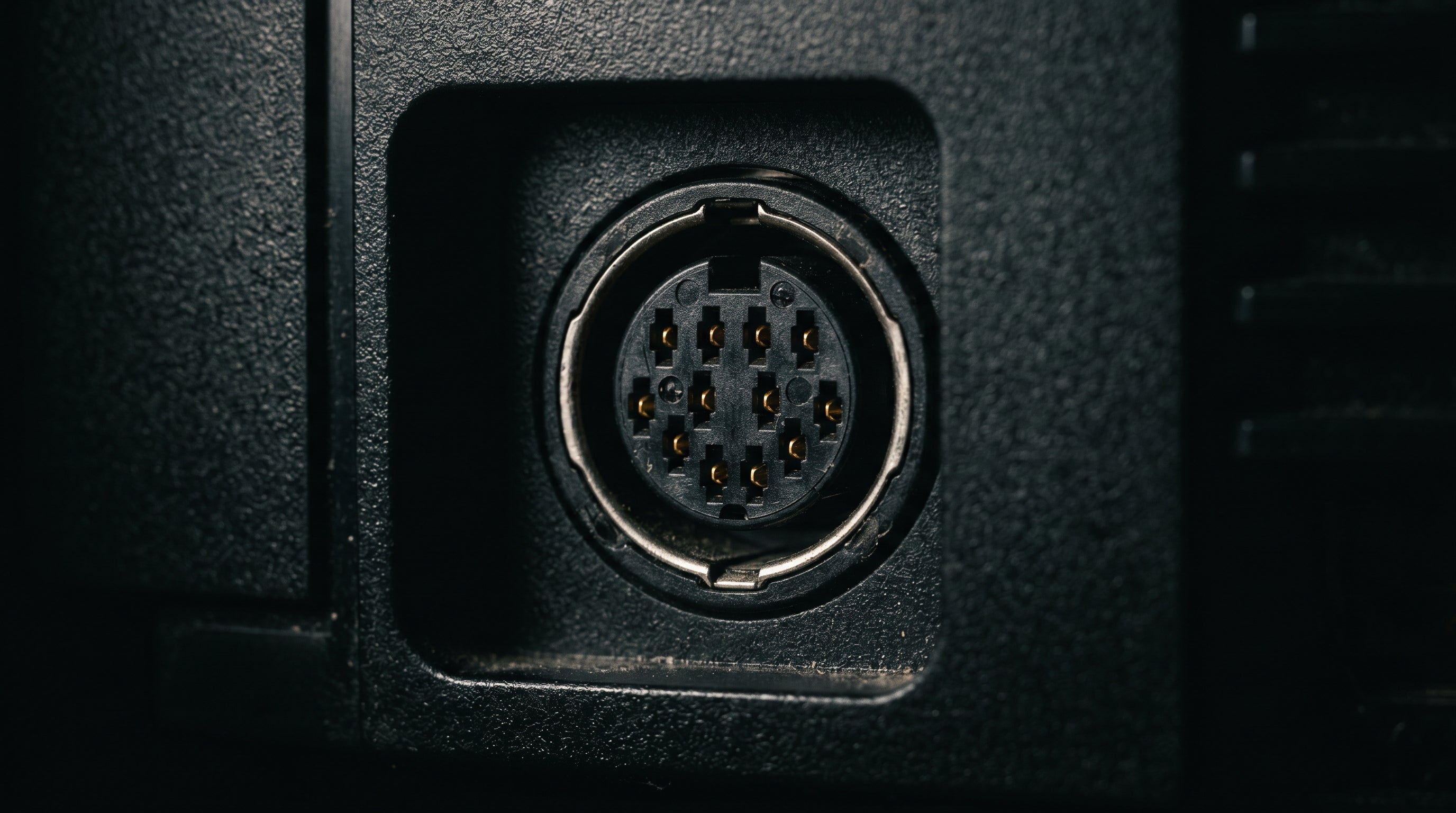
The Original Xbox has one port on the rear for all audio and video — a proprietary 24-pin connector that Microsoft designed from scratch. It carries composite, S-Video, component, VGA, and S/PDIF digital audio all at once, with the cable you attach determining which signals actually make it out. Most people plug in whatever cable came in the box and move on. But understanding what this connector actually does explains why your audio and video options are so different depending on the accessory, and why competing HDMI adapters can fall short in ways that aren't obvious until you're looking at the pinout.
The Connector Itself
Microsoft's AV connector is a 24-pin proprietary format — not DIN, not SCART, not any standard consumer multi-out. It's labeled "Audio Video Input/Output" on the rear panel. The male end is on the cable or AV pack, and the female socket sits on the console.
Because it's proprietary, you can't substitute a cable from another console. But the flip side is that Microsoft packed a lot of capability into a single port. The connector carries analog audio, digital audio, composite video, S-Video, component video, VGA-mode RGB, sync signals, and power pins for active accessories — simultaneously. The cable determines which of those signals are routed and presented at the output.
If you want to understand the full breakdown of what the Xbox outputs and how resolution support works, the Original Xbox best video quality guide covers the analog signal paths in more depth.
Pin 3: S/PDIF Is Always Present
This is the fact that catches most people off guard. Pin 3 of the AV connector carries S/PDIF (Sony/Philips Digital Interface) digital audio at all times — regardless of what cable is attached or what video mode the console is in. It's not activated by a mode select signal. It's just always there.
Pin 3 — S/PDIF Digital Audio. Present continuously on all Xbox units, in all video modes, with any cable connected. This signal can carry Dolby Digital 5.1 surround sound for games that support it. The cable determines whether that signal is exposed at the output.
Why this matters. The standard AV cable included in the box never exposes this signal. If you've been using the stock cable with a home theater receiver, you've been getting stereo analog audio even when the game is encoding Dolby Digital 5.1. The digital audio was there the whole time — the cable just didn't bring it out.
This distinction is what separates different Xbox audio setups, and it's central to how the ElectronXout works. More on that below.
If you're building out a proper retro gaming audio setup alongside your Xbox, the retro gaming audio setup guide covers receiver options and connection strategies.
Mode Select Logic: The Cable Chooses the Video Format
Pins 17, 18, and 19 are the mode select pins. The cable or AV pack grounds these pins in a specific combination, and that grounding pattern tells the video encoder chip which output format to activate. The console doesn't decide the video mode — the cable does.
How mode selection works. Pins 17, 18, and 19 are pulled to different states (grounded or open) by the cable. The encoder reads these states and routes the appropriate signal to the variable pins (9, 11, 22, 24). Attaching a different cable physically changes the electrical state of these pins, which switches the output format.
Practical implication. You cannot software-select between composite and component output. If a component cable is not physically connected, component video mode is not available — and the HD resolution options will not appear in the dashboard settings menu.
This is also why aftermarket passive component cables work fine. They don't contain active electronics — they just ground the mode select pins correctly and route the appropriate signals to RCA connectors.
What Each Cable or Pack Unlocks
There are three official Microsoft accessories for the Xbox AV connector, each enabling a different combination of video formats, resolutions, and audio outputs.
| Accessory | Video Output | Max Resolution | Audio Output | S/PDIF Exposed |
|---|---|---|---|---|
| Standard AV Cable (included) | Composite only | 480i | Stereo analog (RCA) | No |
| Advanced AV Pack (X08-47698) | Composite + S-Video | 480i / 576i | Stereo analog + Toslink S/PDIF optical | Yes (Toslink) |
| HD AV Pack (X08-25301) | YPbPr component | 480i, 480p, 720p, 1080i | Stereo analog + Toslink S/PDIF optical | Yes (Toslink) |
The Standard AV Cable ships in the box. It outputs composite video (a single cable carrying all color and luminance information together) at 480i and stereo analog audio. No S/PDIF, no S-Video, no component. It gets you connected, but it's the floor of what the Xbox can do.
The Advanced AV Pack is a breakout box that adds S-Video (Y/C — a separate luma and chroma signal, noticeably sharper than composite on a CRT) and, crucially, exposes the S/PDIF signal via a Toslink optical output. If you have a receiver with a Toslink input, this is how you get Dolby Digital 5.1 from the Xbox using standard Microsoft hardware — for games that support it. The trade-off is that it's still limited to 480i. No HD modes.
The High Definition AV Pack is the component cable option. YPbPr component video (three RCA connections carrying Y, Pb, and Pr — the luma and two color-difference signals) is the highest-quality analog video path the Xbox supports. It also includes a Toslink S/PDIF output for Dolby Digital. And it's what enables HD resolutions.
HD Resolutions Require the HD Pack and a Dashboard Setting
The Xbox supports 480p, 720p, and 1080i — but these modes require two things to be in place simultaneously. First, the HD AV Pack (or a compatible third-party component cable) must be physically connected. Second, the user must go into the Xbox dashboard and manually enable HD output in the display settings.
Without the HD Pack connected, the HD resolution options don't appear in the dashboard at all. The console reads the mode select pins at boot and knows what's attached. If it doesn't see a component cable, it doesn't offer the HD settings.
Resolution support by game. Not every game takes advantage of HD modes. 480p is supported by most titles, but roughly 20 games are confirmed 480i-only. 720p support covers around 50 games, all of which are widescreen (16:9). Fewer than 10 games output 1080i.
PAL consoles. On unmodified PAL Xbox units, 480p and higher resolutions are not accessible. Microsoft locked this out during development. Enabling 480p, 720p, or 1080i on PAL hardware requires a softmod or region change. The PAL default is 576i at 50 Hz.
For a full walkthrough of connecting the Xbox to a modern display — including resolution settings and display compatibility — see the Original Xbox modern TV setup guide.
Hardware Revisions and the Encoder Chip
The Xbox was manufactured in revisions 1.0 through 1.6, with the most significant video quality difference tied to the encoder chip used in each revision.
Revisions 1.0 through 1.3 use the Conexant CX25871, and revision 1.4 uses the Focus Enhancements FS454. Both chips process video as YCbCr 4:2:2 internally and apply a low-pass flicker filter before the signal reaches the RGB output pins. For RGB SCART users, this means the output has approximately composite-video color bandwidth — around 1.3 MHz chroma — producing a soft image even from a clean cable.
Revision 1.6 uses the Xcalibur chip, a custom Microsoft design. This chip outputs full-bandwidth RGB and YPbPr without the subsampling artifacts that affect earlier revisions. If you're using SCART, revision 1.6 is the one to look for.
For component video output, the revision difference doesn't matter in practice. All revisions produce clean YPbPr output — component signal quality is consistent across the production run.
There is one known issue with revision 1.6: a bug in the Xbox kernel causes garbage video output when certain games attempt a 480p mode switch mid-game. Confirmed affected titles include Fable, Gunvalkyrie, Jet Set Radio Future, and Panzer Dragoon Orta. Patching the kernel (available through modding) resolves the issue.
The ElectronXout: Tapping Pin 3 Directly
The ElectronXout is Electron Shepherd's HDMI converter for the Original Xbox, and the way it handles audio is worth understanding in the context of the connector architecture above.
Rather than reading stereo audio from the analog audio pins (pins 1 and 14), the ElectronXout taps the S/PDIF signal directly from pin 3 at the AV connector. This is the raw digital audio source — not routed through a Toslink optical stage, not converted to analog and back. It's the same signal that the Advanced and HD AV Packs expose via their Toslink outputs, but accessed at the source.
This is why the ElectronXout delivers Dolby Digital 5.1 where games support it, and why adapters like the POUND HD Link do not. The POUND HD Link reads only the analog stereo pins. Those pins carry stereo audio regardless of what the game is encoding — the Dolby Digital bitstream lives on pin 3 and is never part of the analog signal path. If the adapter doesn't tap pin 3, it doesn't get Dolby Digital.
Dolby Digital 5.1 requirement. The game must support it. Not every Xbox title encodes Dolby Digital. When a game does support it, the Xbox outputs the encoded bitstream on pin 3, and the ElectronXout passes that to your HDMI-connected receiver or soundbar for decoding.
Resolution support. The ElectronXout supports all Xbox output resolutions: 480i, 576i, 480p, 720p, and 1080i. No hardware changes are needed between resolutions.
For a direct comparison of Xbox HDMI adapter options, including a breakdown of what to look for, see the Original Xbox HDMI adapter guide.
The broader topic of video signal formats — composite versus component versus RGB — is covered in the composite vs. component vs. RGB guide.
The ElectronXout is built specifically for the Original Xbox — with direct S/PDIF tap for Dolby Digital 5.1, zero-latency conversion, and support for every resolution the console outputs.
Shop the ElectronXout Compare Xbox HDMI adapters
Share:
Original Xbox HDMI: Why There Is No Cable and What You Need Instead
PS1 HDMI: How to Get a Clean Picture From Your PlayStation 1