Getting HDMI out of a GameCube is straightforward once you know what you have. The problem is that the two hardware revisions are not equivalent, and every HDMI path worth discussing depends on which one you own. Before we get into specific adapters, that question has to be answered first.
The DOL-001 Requirement
The GameCube shipped in two hardware revisions: the DOL-001 and the DOL-101. The revision number is printed on the serial sticker on the bottom of the console. If yours says DOL-101, you can skip ahead to the section on Multi-AV options and DOL-101 upgrades -- that revision has a different set of choices.
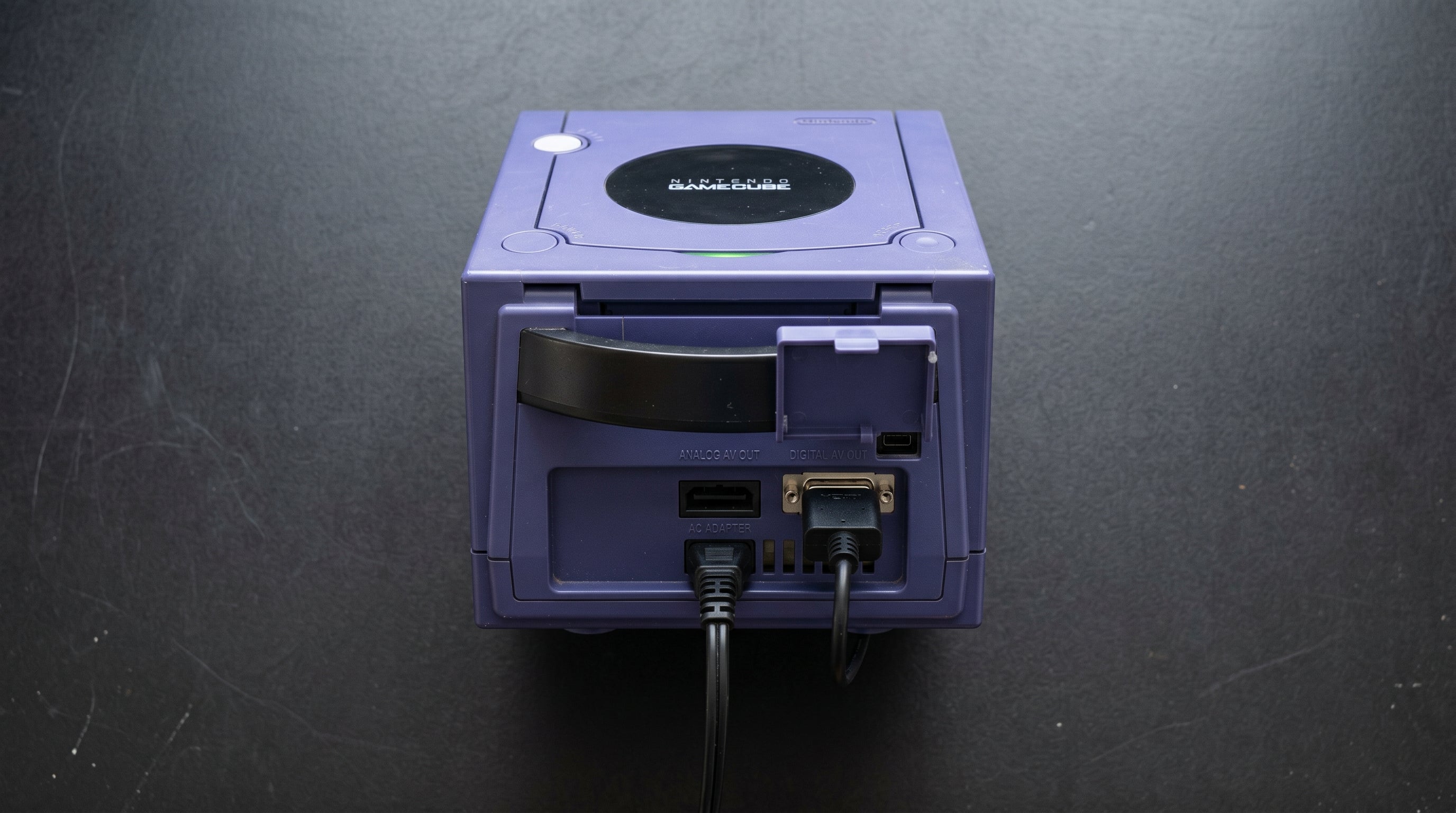
The DOL-001 has a second AV port on the underside of the console, behind a small flip-up flap. This is the Digital AV Out port. It carries the GameCube's internal digital video signal (Y'CbCr) directly from the GPU, before any analog conversion happens. The DOL-101 has that port removed entirely.
Every high-quality HDMI output method for the GameCube -- GCVideo adapters, official component cables, and third-party component cables -- requires that port. Without it, you are limited to what the Multi-AV connector on the rear of the console can provide. See our GameCube revision guide if you need help identifying which unit you have.
Option 1: GCVideo Adapters (Carby, Retro-Bit Prism HD)
GCVideo adapters plug directly into the Digital AV Out port on the underside of the DOL-001. They bypass the analog conversion step entirely and output HDMI directly from the digital source signal. No intermediate cables, no DAC, no analog noise floor -- the signal goes from the console's digital output to HDMI in one step.
The Carby is the most well-known GCVideo adapter and the one most people refer to when they say "GameCube HDMI adapter." The Retro-Bit Prism HD is a well-regarded alternative with a slightly different form factor. Both implement GCVideo firmware and deliver equivalent quality at the fundamental level.
This is the best-quality output path available for the GameCube, full stop. If you have a DOL-001 and want the simplest, cleanest result, a GCVideo adapter is the right choice. The GameCube HDMI adapter guide covers the Carby and Prism HD in more detail if you want a side-by-side.
Revision required. DOL-001 only. The Digital AV Out port must be present.
Progressive scan. DOL-001 supports 480p. Games with progressive scan support show a prompt on boot ("Press A for progressive") when a compatible cable is connected.
Quality. Best available for GameCube. No analog stage in the signal path.
Option 2: Official Component Cable + ElectronAnalog
The official Nintendo component cable (part number DOL-010) also connects to the Digital AV Out port, not the Multi-AV connector on the rear. This surprises some people -- the cable does not go in the same place as a standard AV cable.
The DOL-010 is not a passive cable. It contains an active DAC chip (Macronix MXB012355 or MXB012455) that converts the GameCube's digital Y'CbCr signal to analog Y'PbPr component video (the red, green, and blue RCA connectors). From there, a component-to-HDMI converter completes the path to a modern display.
The ElectronAnalog accepts that Y'PbPr component signal and converts it to HDMI with under 1ms latency. It is a two-device chain -- the component cable handles digital-to-analog, and the ElectronAnalog handles analog-to-digital -- but it works well and produces a sharp picture. Third-party cables like the Retro-Bit Prism (note: not the Prism HD) use the same internal DAC architecture and work the same way.
The component path is worth considering if you already own a DOL-010 cable, or if you prefer having the converter be a separate unit you can reuse with other consoles. The ElectronAnalog also accepts VGA input, so it doubles as a general-purpose analog-to-HDMI converter.
-
1
DOL-001 Digital AV Out -- internal digital Y'CbCr signal exits the console through the underside port.
-
2
Component cable internal DAC -- Macronix chip converts Y'CbCr to analog Y'PbPr and outputs via three RCA connectors.
-
3
ElectronAnalog -- accepts Y'PbPr component input via RCA, outputs HDMI with under 1ms latency.
-
4
HDMI display -- clean 480p or 480i signal on any modern TV or monitor.
DOL-001 required for this path. The DOL-010 cable and third-party equivalents (Retro-Bit Prism) all use the same Macronix DAC architecture.
Revision required. DOL-001 only. The component cable plugs into the Digital AV Out port.
Progressive scan. Supported. 480p games prompt on boot when a component cable is connected.
Quality. Excellent. One analog conversion stage, but the Macronix DAC is well-implemented and the result is very close to GCVideo in practice.
Option 3: Multi-AV Path (All Revisions)
The rear Multi-AV connector is present on both the DOL-001 and the DOL-101. What it can carry depends on your hardware revision and region.
On NTSC hardware, the Multi-AV outputs composite video and S-Video. On PAL hardware, it outputs composite and RGB (via SCART). NTSC GameCubes do not output RGB through the Multi-AV connector -- this is a common misconception. S-Video is the best analog signal available from the rear port on NTSC hardware.
Component video (Y'PbPr) is not available through the Multi-AV on any GameCube, regardless of revision or region. Component requires the Digital AV Out port on the DOL-001.
The ElectronNMB connects to the Multi-AV connector and splits the analog signal so you can run multiple displays or a capture card simultaneously. It passes through the signal unmodified -- it is a splitter, not a converter. If you want to send the Multi-AV signal to an HDMI display, you need a separate analog-to-HDMI converter downstream. For the composite or S-Video signal paths, see our overview of composite vs. component vs. RGB for retro gaming.
Quality note. Composite and S-Video are noticeably softer than component or GCVideo output. If you have a DOL-001 and image quality matters to you, use the Digital AV Out path instead. The Multi-AV path is worth using on DOL-101 hardware where the better options are not available without modification.
Comparison: All Three Paths
| Path | GCVideo (Carby / Prism HD) | Component + ElectronAnalog | Multi-AV (Composite / S-Video) |
|---|---|---|---|
| Revision required | DOL-001 only | DOL-001 only | DOL-001 or DOL-101 |
| Output quality | Best -- no analog stage | Excellent -- one analog stage | Fair (S-Video) / Poor (composite) |
| 480p support | Yes | Yes | No |
| Device count | 1 (plug into console) | 2 (cable + ElectronAnalog) | 1-2 (cable + optional converter) |
| Approximate cost | $30-50 | $50-80 (cable + ElectronAnalog) | $15-40 |
| Plug-and-play | Yes | Yes (two plugs) | Yes |
| Reusable with other consoles | No (GC-specific) | ElectronAnalog works with any component source | ElectronNMB works with SNES, N64, Wii |
DOL-101 Options
If you have a DOL-101, you have two realistic paths: use the Multi-AV output as-is, or add the Digital AV Out port through a hardware modification.
The BlackDog Tech DOL-101 Digital Port Kit adds the Digital AV Out connector to a DOL-101 via soldering. Once installed, the console behaves like a DOL-001 and can accept component cables and GCVideo adapters. It is not a simple install -- you need to be comfortable with fine soldering work -- but it is a well-documented mod with a good track record.
Full internal mods like the GCDual and PicoPAD work on both revisions. These replace the entire video output path internally and output HDMI directly from inside the console. They are more involved than the BlackDog kit but produce excellent results and do not require the Digital AV Out port.
If you are not comfortable with soldering and do not want to send the console to a modder, the Multi-AV path is your practical option. S-Video is genuinely usable on a good display -- it is not the same as component, but it is a clean signal with no color bleed.
480p on DOL-101. Not available, even after adding the Digital AV Out port via BlackDog kit. The DOL-101 lacks the 54MHz RTC clock connection required for progressive scan mode. Full internal mods (GCDual, PicoPAD) bypass this limitation.
Which Option Is Right for You
If you have a DOL-001 and want the best image quality with the fewest moving parts, buy a Carby or Retro-Bit Prism HD. One piece of hardware, plug it in, done.
If you have a DOL-001 and already own a component cable, the ElectronAnalog is a clean, low-cost way to get that signal onto a modern display. It also serves as a general-purpose component-to-HDMI converter for other consoles, so it is useful beyond just the GameCube.
If you have a DOL-101 and are not planning to mod it, use the Multi-AV path. S-Video on NTSC hardware or RGB on PAL hardware gives you a reasonable picture. The ElectronNMB is useful here if you want to feed a capture card and a display simultaneously.
If you want to mod a DOL-101 to enable better options, the BlackDog kit adds the Digital AV Out port. That gives you component cable and GCVideo adapter compatibility, though 480p remains off the table without a full internal mod.
The ElectronAnalog handles the component-to-HDMI conversion for the DOL-001 + component cable path -- under 1ms latency, clean signal, no fuss. It also works with any other console that outputs component video.
Shop ElectronAnalog -- $13.99 ElectronNMB for Multi-AV splitting
Share:
PS2 480p Games: Which Titles Support Progressive Scan and How to Enable It
SNES on a Modern TV: Connection Options and What to Expect