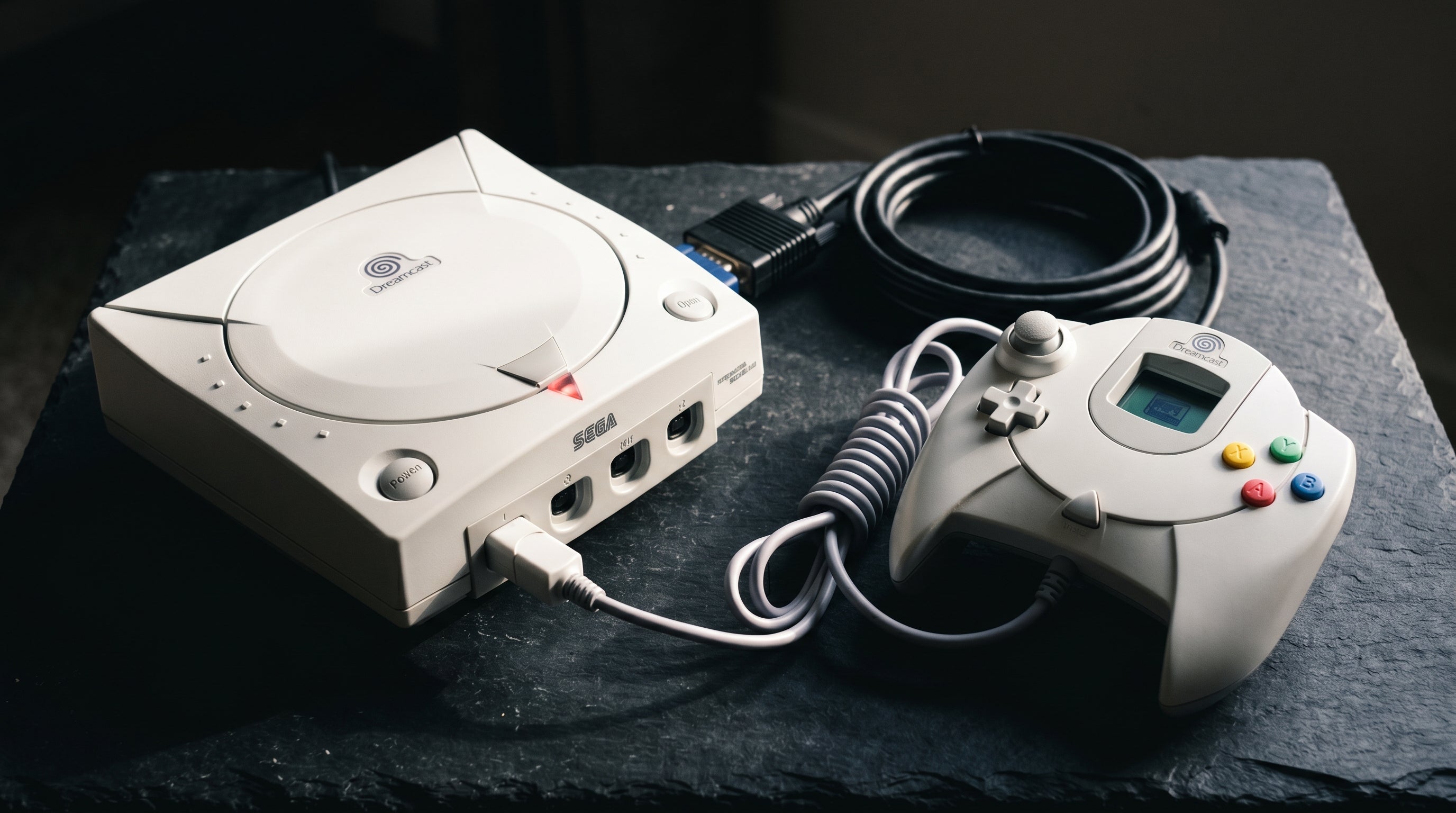
The Sega Dreamcast has one of the best native video outputs of any retro console from its era: a standard VGA (RGBHS) port that outputs a clean 480p progressive signal. This is the same connector and resolution standard that computer monitors used in the late 1990s, which means the Dreamcast can produce a sharper, more accurate picture on modern displays than most of its contemporaries — if you use the right adapter.
Getting that VGA signal to an HDMI TV is straightforward with the right hardware. Here is what the options look like and what each one delivers.
What the Dreamcast Outputs
The Dreamcast's rear panel includes a dedicated VGA output — a standard DB-15 connector carrying red, green, blue, horizontal sync, and vertical sync signals (RGBHS). At 480p progressive scan, this is a higher-quality output than composite, S-Video, or even component video from fifth-generation consoles that top out at 480i.
VGA output. 480p progressive. Clean RGBHS signal on a standard DB-15 connector. Available directly without any additional cables. The best native output the Dreamcast provides and one of the best from any console of its generation.
Composite / S-Video / RF. Also available via the AV Out connector on the Dreamcast's rear. These are all lower quality than the VGA output and should be used only as a fallback.
One caveat: not all Dreamcast games support VGA output. The console included a BIOS check that allowed developers to flag VGA compatibility. Games that are not VGA-compatible will fail to boot when the VGA cable is connected, or will display a compatibility warning. A small number of games require composite or S-Video specifically. The Dreamcast VGA compatibility list is widely documented online if you need to check a specific title.
For an overview of analog video signal formats and why VGA's RGBHS format is a step up from component and composite, see our retro video signal formats guide.
Option 1: VGA to HDMI Converter
The most direct approach: connect the Dreamcast's VGA output to a VGA-to-HDMI converter and plug the converter into your TV. This is a short signal chain with no unnecessary steps.
The quality of the converter matters here. A converter that correctly accepts 480p VGA and outputs it to HDMI with minimal processing delay and accurate color will produce an excellent picture. A cheap converter that adds framebuffer buffering will add latency, which matters for games with precise timing.
The ElectronAnalog accepts VGA (RGBHS) input with audio and converts it to HDMI with under 1ms of latency. This is exactly the signal path the Dreamcast needs — a clean VGA input, no framebuffer, minimal processing. At 480p progressive via the Dreamcast's VGA port, the result is a noticeably sharper picture than any composite or S-Video path can produce.
Option 2: VGA-to-HDMI via Upscaler
Dedicated retro gaming upscalers (OSSC, RetroTINK-5X) accept VGA input and can apply integer scaling and optional scanline filters before outputting via HDMI. The OSSC in particular handles VGA sources well and can produce a clean integer-scaled output at 2x, 3x, or 4x the native 480p resolution.
For most Dreamcast setups, the upscaler does not add a significant quality improvement over a well-designed direct VGA-to-HDMI converter — the source signal is already clean and at 480p progressive, so the upscaler's processing advantages (which matter most for composite and S-Video sources) are less important here. The main advantage of going through an upscaler is access to scanline filters and integer scaling modes if those are important to you.
Option 3: HDMI Mods
Internal HDMI mods for the Dreamcast exist, with the DCHDMI being the most established option. This mod taps the Dreamcast's internal video signal and routes it through a direct digital HDMI output, bypassing the analog VGA conversion entirely.
For a console whose VGA output is already this clean, the improvement over a direct VGA-to-HDMI path is incremental rather than transformative. The DCHDMI adds features like direct digital output, scanline support, and resolution control, but the VGA path is already starting from an excellent analog source. The internal mod is a worthwhile investment for collectors or enthusiasts who want the absolute best from the hardware.
Audio: What to Expect
The Dreamcast's VGA output carries stereo audio on 3.5mm jacks alongside the VGA connector. Some VGA-to-HDMI converters accept this audio and embed it into the HDMI signal. The ElectronAnalog accepts audio input alongside the VGA signal and passes it through the HDMI output.
If your converter does not accept audio, you can route the Dreamcast's audio output separately to an amplifier or TV audio input. The composite AV cable's audio connectors are the simplest way to extract audio if the VGA cable you are using does not include audio passthrough.
Games Without VGA Support
A small number of Dreamcast games do not support VGA output. If you want a single cable to handle both VGA-compatible and non-compatible games, an HDMI switch paired with a secondary composite connection is the simplest approach. Connect the VGA path to one HDMI input and a composite-to-HDMI adapter to another, and switch between them for the few titles that need it.
The ElectronAnalog accepts the Dreamcast's VGA output directly and converts it to HDMI with under 1ms of latency. No framebuffer, no configuration needed.
Get the ElectronAnalog — $13.99 Composite vs. Component vs. RGB: The Full Guide
Share:
N64 Video Upgrade Guide: From S-Video to N64Digital
Cheap Composite-to-HDMI vs Component-to-HDMI: Why the Signal Path Matters