


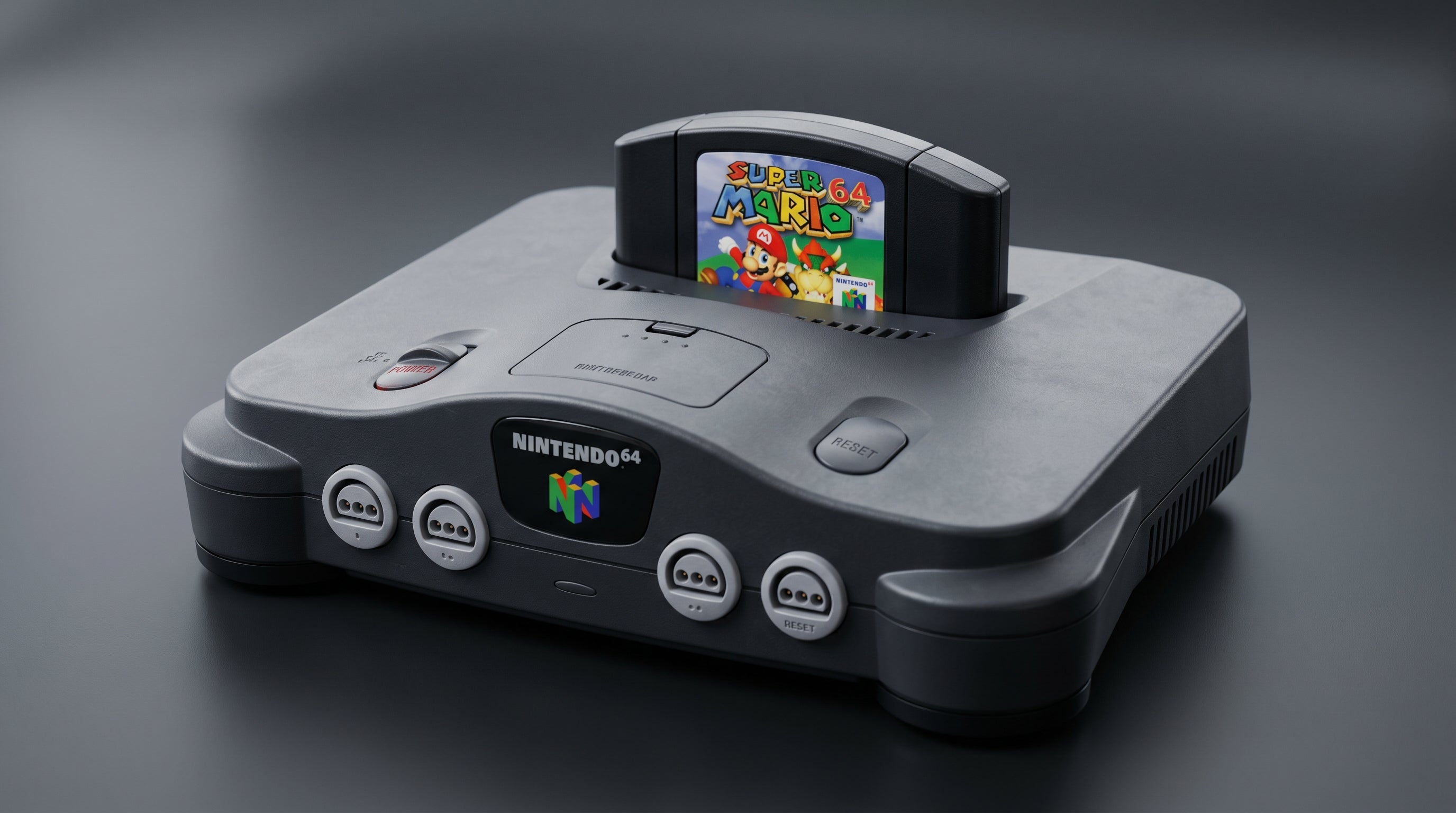
The Nintendo 64 is a capable console with a frustrating video output story. It ships with composite video and S-Video — and that's it. No RGB, no component, no 480p. If you're used to the SNES having RGB or the GameCube having component, the N64 feels like a step backward. This guide walks through every viable upgrade path, what each one actually involves, and where the ElectronNMB fits into the picture.
What the stock N64 actually outputs
The N64 connects to your TV through a 12-pin card-edge connector on the rear of the console — the same physical Multi-AV port used by the SNES, GameCube, and Wii. Despite sharing the connector, the N64 uses fewer of its signal lines than those other consoles.
On an unmodified NTSC N64, you get composite video and S-Video. That's the complete list. The N64 does not output RGB from the Multi-AV port on any board revision. It has no component (YPbPr) output either. Nintendo never released an official component cable for the N64, and the signal simply isn't available on the connector.
Composite. Standard-definition analog video on a single signal line. Available on all N64 revisions.
S-Video. Splits the video signal into luma (brightness) and chroma (color) on separate lines. Better than composite, available on NTSC N64 consoles.
RGB / Component. Not available on any stock N64 via the Multi-AV port.
Native output resolution. 480i, though many N64 games render at 240p and double-scan to fill the frame. There is no 480p output.
This trips up a lot of people. The SNES outputs RGB natively, so it's reasonable to assume the N64 does too. It doesn't. The misconception is common enough that it's worth being clear about up front.
For a deeper look at how composite, component, and RGB differ from each other, see the composite vs. component vs. RGB signal guide.
Upgrade path overview
There are four meaningful options for getting the N64 to a modern display, ordered from simplest to most involved.
| Tier | Signal Type | Quality | Mod Required | Cost Range | ES Product |
|---|---|---|---|---|---|
| Tier 0 — Composite | Composite | Poor | None | $0–$15 | ElectronNMB (splitter) |
| Tier 1 — S-Video | S-Video | Good | None | $10–$30 | ElectronNMB (splitter) |
| Tier 2 — RGB Mod | RGB | Very Good | Yes (internal) | $80–$150+ | — |
| Tier 3 — N64Digital | HDMI | Best | Yes (internal) | $150–$250+ | — |
Tier 0: Composite — where most consoles start
If you plugged an N64 into a modern TV using the cable that came with the console, you're running composite. The video signal carries everything on a single analog line — brightness, color, and sync all multiplexed together.
On a modern flat panel, composite from the N64 looks soft and smeared. The color information blends into the luma signal, producing a characteristic rainbow fringing around hard edges called dot crawl. It's functional, but not great.
Composite does have one advantage: virtually every TV made in the last 40 years accepts it, including modern sets with an AV input. If your goal is just to play games without spending money, composite gets you there. If you want to enjoy the picture, there's a better option that doesn't require opening the console.
Tier 1: S-Video — the best free upgrade
S-Video (Separate Video) keeps the luma and chroma signals on separate lines rather than encoding them together. The result is a noticeably sharper picture with cleaner color — no dot crawl, and edges in the image are substantially crisper than composite.
Getting S-Video from an NTSC N64 requires only a compatible cable. The signal is already available on the Multi-AV connector. Third-party N64 S-Video cables are widely available and inexpensive. Your display or upscaler needs to accept S-Video, but many modern retro gaming setups handle this through an upscaler like the RetroTINK-5X or OSSC.
For anyone who wants a meaningfully better picture without touching the inside of the console, S-Video is the answer. It's the ceiling for an unmodified NTSC N64, and it's a real ceiling worth reaching.
PAL N64 note. S-Video availability varies by PAL regional variant. Some PAL N64 consoles do not output S-Video at all. If you're in a PAL region, verify your specific console variant before buying an S-Video cable. The situation gets complicated fast, and the right answer depends on exactly which PAL N64 you have.
Tier 2: RGB mod — more complex than it sounds
The N64 does not output RGB natively, but certain board revisions can be modified to enable RGB output through the Multi-AV port, typically terminating in a SCART connector for use with European CRT televisions or an upscaler with SCART input.
The appeal is real — RGB carries separate red, green, and blue channels with no combined-signal encoding artifacts. In theory, it should be a clean, high-quality picture.
In practice, the N64 RGB mod is more complicated than it sounds, and quality varies considerably depending on which board revision you have and which mod implementation you use. Not all N64 boards respond equally to the mod. The work requires opening the console and soldering to the board. If you want to get the output to HDMI afterward, you'll also need an upscaler that accepts RGB — something like the RetroTINK-5X or OSSC.
The RGB mod occupies a complicated middle tier: more involved than S-Video, more affordable than N64Digital, but often delivering results that are harder to predict. It's less commonly done than either of the alternatives above and below it.
Tier 3: N64Digital — the best picture available
The N64Digital is an internal modification that connects directly to the console's video processor and outputs a digital HDMI signal from inside the console. Instead of converting an analog signal, it taps the digital video data before it ever gets encoded to analog — and outputs it directly via an HDMI port added to the console's case.
The result is the best picture quality available from an N64, period. No analog encoding artifacts, no upscaler required, no additional boxes in the chain. The N64Digital also includes features like scanlines, 240p passthrough, and various output options.
The tradeoff is cost and complexity. N64Digital requires opening the console and hardware installation work. It's not a DIY project for most people — professional installation is common. Total cost with installation typically runs between $150 and $250 or more depending on installer rates and component availability.
The UltraHDMI is an older internal HDMI mod that predates N64Digital. It's less commonly available now, and N64Digital is the current community-standard choice.
For more on getting retro consoles to modern displays, the N64 to HDMI guide covers the full picture.
Where the ElectronNMB fits in
The ElectronNMB is not an upgrade path. It does not convert composite or S-Video to HDMI. What it does is split the N64's Multi-AV output so you can connect the console to multiple destinations at the same time without signal degradation.
A common use case: running S-Video to a CRT for the authentic display experience while simultaneously running composite to a capture card for recording or streaming. Without a splitter, you have to choose one destination or use a passive splitter that degrades both signals. The ElectronNMB passes the signal through cleanly to each output.
If you're setting up a capture card alongside a CRT, the ElectronNMB solves the routing problem without touching signal quality. That's the right use case for it. If you need a composite-to-HDMI or S-Video-to-HDMI conversion, you'll need a separate adapter or upscaler downstream.
Honest recommendation
For most people, the decision is between two options: S-Video or N64Digital.
If you want a better picture than composite and don't want to open the console, get an S-Video cable and a display or upscaler that accepts it. S-Video from an NTSC N64 is a real, meaningful improvement and costs almost nothing to achieve. It's the right answer for the majority of N64 setups.
If you want the best picture the N64 can produce and you're willing to spend the money and have someone do the hardware work, N64Digital is the right answer. It's a significant step up and produces a picture that holds up well on a modern display.
The RGB mod sits between those two options in terms of cost and complexity, but it's not a clean recommendation. The variability in results and the amount of work involved make it a harder sell compared to the cleaner choice on either side. Unless you have a specific reason to go that direction, S-Video and N64Digital are the more predictable paths.
ElectronNMB — Nintendo Multiout Breakout
The ElectronNMB splits the N64's Multi-AV output to multiple displays or capture cards simultaneously. It's a passthrough splitter, not a converter — useful when you need the signal in two places at once without degrading either output.
View ElectronNMB N64 to HDMI guide
Share:
Does the SNES Have Component Video? What It Has and What to Use Instead
Dreamcast HDMI: How to Connect a Sega Dreamcast to a Modern TV