


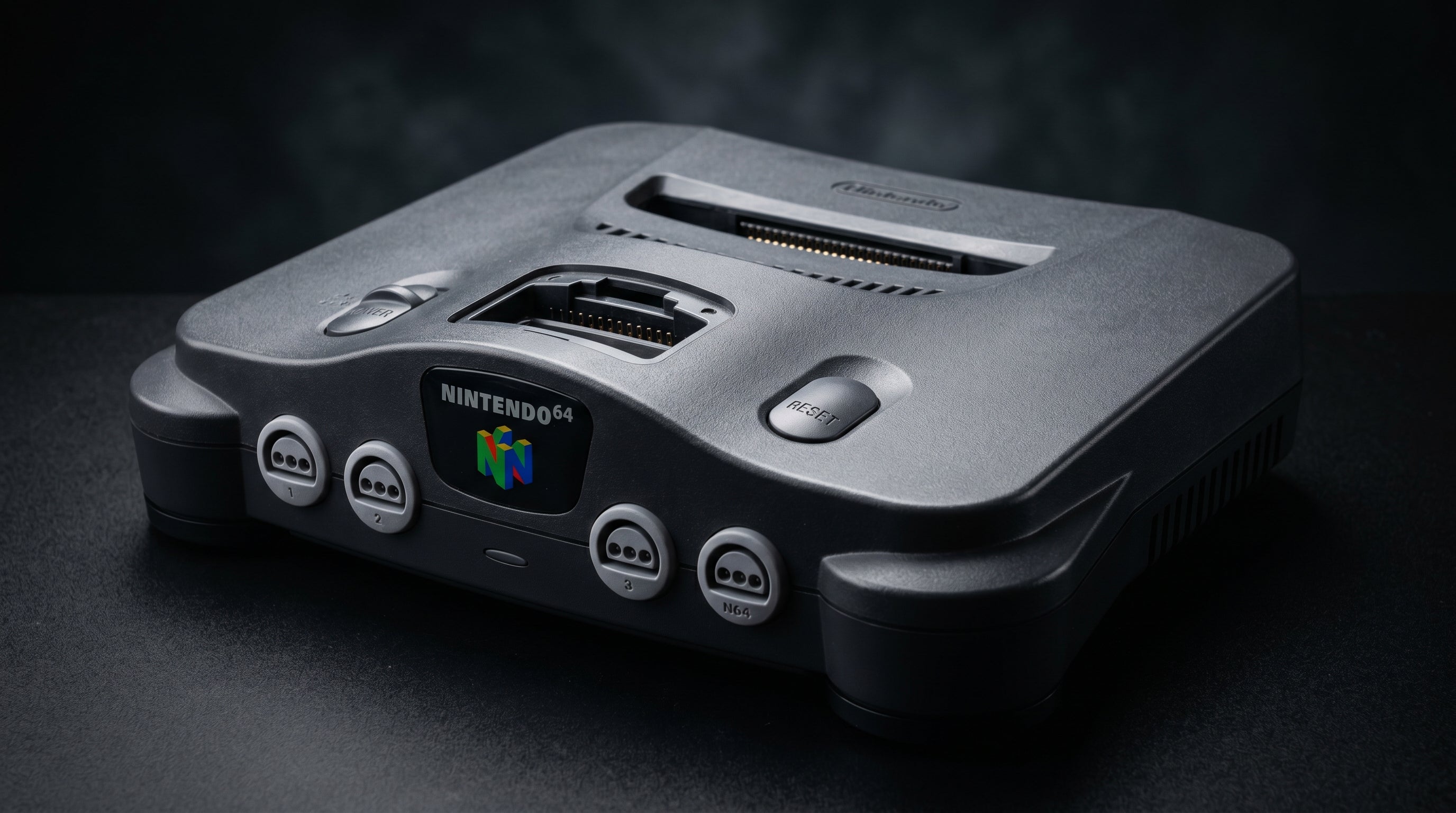
If you own an unmodified NTSC Nintendo 64 and want the best picture it can produce, S-Video is the answer. The N64 has no RGB output, no component output, and no HDMI. On stock hardware, your options are composite or S-Video. S-Video is the better one, and the difference is visible. This post covers what S-Video is, what cable you need, and how to connect it to a modern TV that may not have an S-Video input.
What S-Video Is and Why It Beats Composite
Standard composite video combines everything, brightness, color, and sync, into a single signal on one wire. That seems simple, and it is, but it comes with a problem. When the decoder inside your TV tries to separate the color information back out from the combined signal, the process is imperfect. The result is dot crawl (a shimmering, crawling pattern along high-contrast edges) and color smearing into adjacent areas.
S-Video (also called Y/C) solves this by keeping the signals separate before they ever leave the console. It carries two signals: Y (luminance, which is the brightness and detail information) and C (chrominance, which is the color information). Because the TV receives them already separated, it never has to decode them from a combined signal. The dot crawl artifact goes away, edges are sharper, and colors are more accurate.
On the N64 specifically, the improvement is meaningful. The N64's output has enough detail that composite's blurring noticeably softens it. S-Video reveals that detail cleanly.
NTSC vs PAL: Which N64s Output S-Video
NTSC N64 consoles, meaning the North American and Japanese units, output S-Video through the Multi AV Out on every revision. If you have a gray cartridge-top N64 bought in North America, you have S-Video.
NTSC N64 (North America, Japan). S-Video available on all revisions via the Multi AV Out connector.
PAL N64 (Europe, Australia). S-Video availability varies by specific regional variant. Not all PAL N64s output S-Video. Check your specific console before buying a cable.
All N64s. No RGB output. No component output. No exceptions on stock hardware.
The connector used is the Nintendo Multi AV Out, a 12-pin card-edge style port. This is the same physical port used on the SNES and GameCube, but what signals are available through it differs by console. On the SNES and GameCube, RGB is available. On the N64, it is not.
The S-Video Cable You Need
The official Nintendo N64 S-Video cable is the NUS-008. One end has a Nintendo Multi AV Out plug that fits the port on the rear of the console. The other end splits into two outputs: a 4-pin mini-DIN S-Video connector for the video signal, and a pair of RCA plugs (red and white) for stereo audio.
Third-party cables using the same connector work the same way. The connector is passive, so signal quality depends on the console's analog output stage, not on the cable manufacturer. A reasonable third-party cable produces the same picture as the official one. The S-Video plug carries only video. The RCA plugs carry left and right audio, and both are needed for sound.
Video connector. 4-pin mini-DIN (S-Video). Plug this into your TV's S-Video input or into your converter.
Audio connectors. RCA stereo pair (red = right, white = left). Connect to the corresponding audio input on your TV or converter.
Console end. Nintendo Multi AV Out. Fits the port on the rear of the N64. The same cable also fits the SNES and GameCube, though those consoles may have different signal options available.
Connecting S-Video to a Modern TV
Most TVs manufactured after around 2015 do not include S-Video inputs. Even TVs that have composite inputs, the yellow RCA jack, often dropped S-Video. If you plug the S-Video cable into your TV and there is nowhere for it to go, you need a converter in the signal chain.
The simplest option is a dedicated S-Video to HDMI adapter. Generic units are available for under $20 and produce acceptable results. They take the S-Video and audio RCA plugs as inputs and output HDMI to your TV. Picture quality will be noticeably better than composite, though the scaling and deinterlacing in budget adapters is basic.
The better option for anyone who takes picture quality seriously is a purpose-built upscaler like the RetroTINK-5X Pro. It accepts S-Video, handles deinterlacing properly, and outputs a clean HDMI signal with significantly better results than a generic adapter. The price difference is substantial, but so is the output quality.
If your TV does have an S-Video input (older sets, or some monitors), plug in directly. No converter needed.
-
1
Connect the N64 S-Video cable to the console. The Multi AV Out plug fits the port on the rear of the N64. It only goes in one way.
-
2
If your TV has an S-Video input: plug the 4-pin mini-DIN into it, and the red and white RCA plugs into the corresponding audio inputs. Set the TV input to match and you are done.
-
3
If your TV has no S-Video input: connect the S-Video plug and audio RCA plugs to an S-Video to HDMI converter. Run an HDMI cable from the converter to your TV. Set the TV to that HDMI input.
-
4
Power the converter if required. Most S-Video to HDMI adapters draw power via USB. Plug into a USB wall adapter or the TV's USB port. Power on the N64 and confirm a picture.
If you see a picture but no color, confirm the TV or converter is set to accept an NTSC signal. Some adapters default to PAL and show black-and-white until switched.
Where the ElectronNMB Fits
The ElectronNMB (Nintendo Multiout Breakout) connects to the N64's Multi AV Out and provides multiple simultaneous output paths from a single port. It does not convert the signal to HDMI, it passes the analog signal through so you can route it to more than one destination at once.
The practical use case for N64 owners is running a capture card alongside a TV. Without the NMB, you have to choose one destination or run through a converter that may not pass the signal to both. With the NMB, the composite and S-Video signals are available on separate connectors simultaneously. Connect one path to your upscaler or TV, the other to your capture card, and both receive the same signal from the console.
If you only need one output, a standard S-Video cable is all you need and the NMB adds nothing. It earns its place in dual-output setups.
When to Consider an Internal Mod Instead
S-Video is the ceiling for a stock N64. It is a meaningful upgrade over composite and produces a clean, detailed image. But it is still an analog signal from a late-1990s video encoder, and there are limits to how good it can look.
The two internal mod options for the N64 are the N64Digital and the UltraHDMI. Both tap the N64's digital video output before the signal reaches the DAC (digital-to-analog converter) and deliver a native digital HDMI signal directly. The improvement over S-Video is significant, particularly in sharpness and in eliminating the analog noise floor that comes with any analog output chain.
These mods require opening the console, installing hardware on the board, and some degree of technical comfort or a willingness to send the console to an installer. The N64Digital is the more current and commonly installed option. The UltraHDMI is an earlier design that is harder to find now.
For a fuller comparison of N64 upgrade options, including when each one makes sense, see the N64 upgrade options guide. If you are comparing the N64 to other consoles that do support RGB or component natively, composite vs component vs RGB explains what each signal type is and why it matters.
Frequently Asked Questions
Is there a quality difference between official and third-party N64 S-Video cables? No meaningful difference in practice. The official Nintendo NUS-008 cable and a quality third-party cable with the same Nintendo Multi AV Out connector will both pass the same S-Video signal from the console. The connector is a passive plug, not an active circuit, so signal quality comes from the console's output stage, not the cable brand. Avoid the cheapest possible no-name options, but any reasonably made third-party cable works fine.
Does the N64 output RGB? No. The N64 does not output RGB on any revision through the standard Multi AV Out connector. This is a common misconception, partly because the SNES and GameCube use the same physical connector and both support RGB. The N64's video encoder does not carry RGB on that port. RGB output requires an internal hardware modification. See the N64 modern TV guide for more on what signal options actually exist.
Can I split S-Video to multiple TVs? Not cleanly with a simple passive splitter. Splitting an analog video signal passively degrades it. The better approach is to use the ElectronNMB, which taps the N64's Multi AV Out and routes the signal to multiple destinations from a single console port. For true simultaneous multi-display output, you want a powered distribution approach, not a bare Y-splitter.
The ElectronNMB taps the N64's Multi AV Out and splits the signal to multiple destinations simultaneously. Built for capture card setups, A/V routing, and dual-output configurations.
Shop the ElectronNMB ($41.99) N64 Upgrade Options Guide
Share:
What Is a Retro Gaming Upscaler and Do You Need One?
Original Xbox Dolby Digital 5.1: How to Get Surround Sound From Your Xbox