


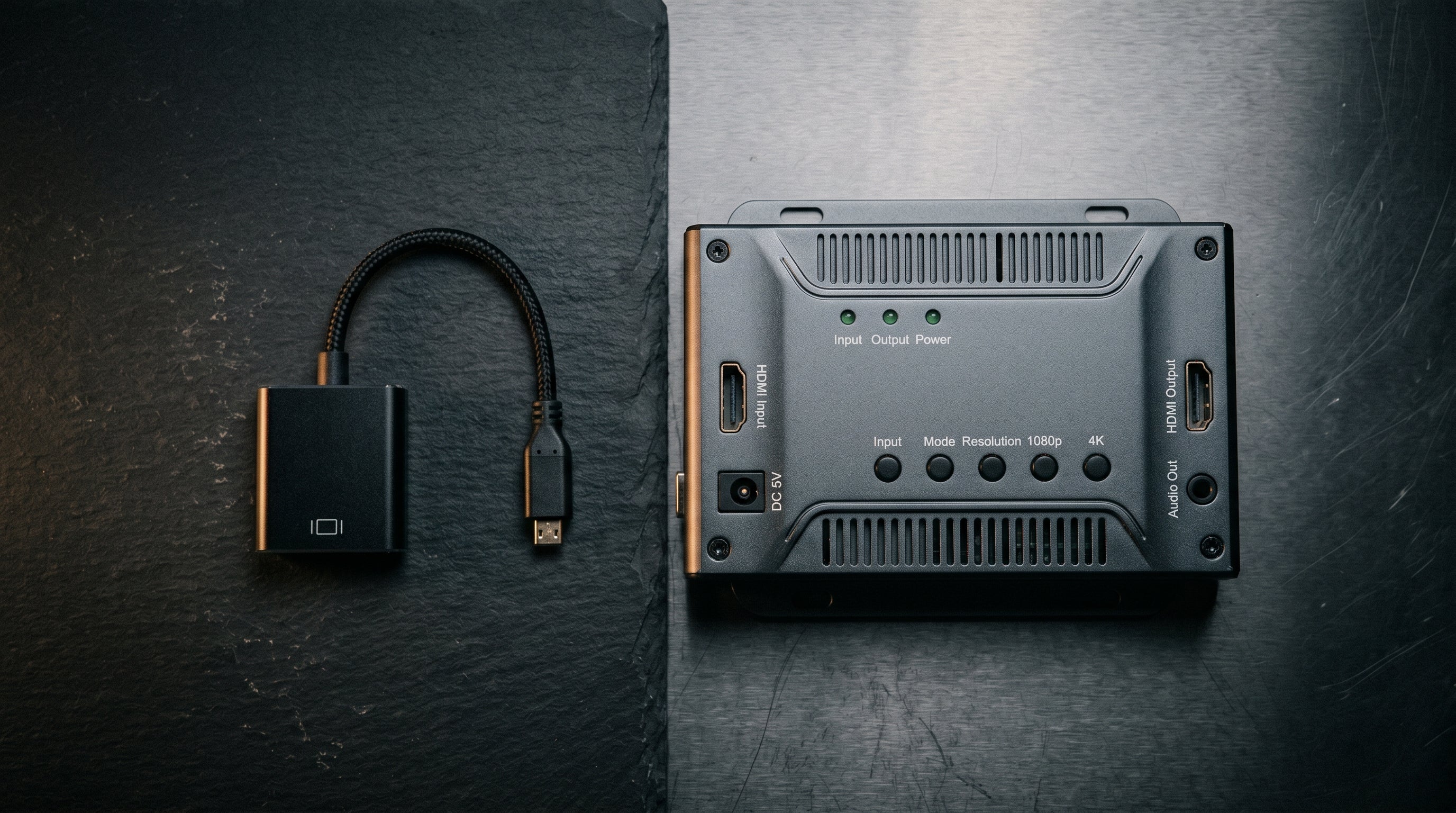
A retro gaming upscaler is a device that takes analog video from a retro console and converts it to HDMI with more processing intelligence than a simple converter. The difference between an upscaler and a basic adapter is not just marketing — for certain consoles and certain setups, the distinction produces a visibly better image.
Whether you need one depends on which console you are using, how you are connecting it, and what you are willing to spend. This guide explains what upscalers actually do, which situations call for them, and when a console-specific adapter is the better choice.
What an Upscaler Actually Does
Modern TVs accept HDMI inputs and expect digital video at 720p, 1080p, or 4K. Retro consoles output analog signals at resolutions like 240p and 480i that predate HDMI by decades. To display retro console output on a modern TV, something has to bridge that gap — converting analog to digital, handling the resolution difference, and outputting in a format the TV accepts.
A basic composite-to-HDMI adapter does this at the minimum viable level: it digitizes the analog signal and sends it over HDMI. The TV's own scaler then handles the resolution conversion. This works, but the TV's internal scaler was designed for broadcast and streaming content, not the specific quirks of retro console output — like 240p, which many TVs misidentify and deinterlace incorrectly.
A dedicated upscaler does the scaling itself, before the signal reaches the TV. It applies algorithms optimized for retro console video: correct 240p handling, optional scanline filters, integer scaling modes, and deinterlacing tuned for 480i sources. The result is a sharper, more accurate image than a TV's internal scaler typically produces from the same source.
When a Dedicated Upscaler Makes Sense
Dedicated upscalers earn their cost when the source signal is already clean and the processing quality is the limiting factor. The cleaner the input, the more an upscaler can do with it.
RGB sources. SNES, PS1, Mega Drive/Genesis, and similar consoles with RGB output benefit most from a dedicated upscaler. The input quality is high, and a RetroTINK-5X or OSSC can apply precise integer scaling and scanline filters that transform the output into something that looks intentional on a modern panel.
240p sources. Consoles that output 240p (SNES, NES, most fourth-generation and earlier hardware) are often mishandled by basic adapters. A dedicated upscaler correctly identifies and processes 240p, avoiding the doubled or blurry output that results from incorrect deinterlacing.
Multiple consoles. An upscaler that accepts composite, S-Video, component, and RGB handles the full range of retro outputs. If you play five different consoles, one upscaler is more practical than five console-specific adapters.
When a Console-Specific Adapter Is the Better Choice
For sixth-generation consoles — the PlayStation 2, Original Xbox, Nintendo Wii, and GameCube — the output quality is high enough and the component video signal clean enough that a well-designed console-specific adapter produces excellent results without the cost of a dedicated upscaler.
The PS2, Xbox, and Wii all output component video (YPbPr) at up to 480p, and in the Xbox's case up to 1080i. A component-to-HDMI adapter that handles these signals correctly — with minimal latency and accurate color — produces a picture that is not meaningfully improved by running it through a dedicated upscaler instead. You are already getting the best analog signal the console can produce, and the conversion step adds little.
| Console | Best Output | Better Solution |
|---|---|---|
| SNES, N64, PS1 | S-Video or RGB | Dedicated upscaler (RetroTINK-5X, OSSC) |
| PS2 | Component (YPbPr) | ElectronPulse or component adapter |
| Original Xbox | Component (YPbPr) | ElectronXout — also handles Dolby Digital 5.1 |
| Nintendo Wii | Component (YPbPr) | ElectronWarp or internal mod |
| GameCube | Component (YPbPr) | Component cable plus ElectronAnalog |
Which Upscaler to Buy
If you decide a dedicated upscaler is right for your setup, the two most commonly recommended options are the RetroTINK-5X and the OSSC.
RetroTINK-5X. The most polished option for most users. Accepts composite, S-Video, component, and SCART. Has built-in presets for common consoles and resolutions. Better deinterlacing for 480i sources than the OSSC. The $250 price is the main barrier.
OSSC (Open Source Scan Converter). Less expensive (~$130) and excellent for RGB sources. Better suited to users who want fine-grained control over the output. Weaker at composite and S-Video than the RetroTINK-5X. Requires more configuration to get right.
RetroTINK-4K. The current top-of-the-line option for users who want the best possible output from every retro console. Expensive, but handles every analog format with best-in-class processing.
The Latency Question
Dedicated upscalers are typically designed with low latency as a priority. The RetroTINK-5X and OSSC both operate with minimal processing delay — under 1ms in most configurations — which makes them appropriate for timing-sensitive games. Basic composite adapters with framebuffer upscaling can add 30–100ms of latency, which is the more common source of input lag complaints in retro setups.
Console-specific adapters like the ElectronXout, ElectronWarp, and ElectronPulse also operate with near-zero latency. Latency is not a reason to choose an upscaler over a well-designed console-specific adapter. For more on this, see our retro gaming input lag guide.
Frequently Asked Questions
What does a retro gaming upscaler actually do? It converts analog retro console output to HDMI using processing optimized for retro video formats — correct 240p handling, deinterlacing tuned for 480i, and integer scaling modes. A basic composite adapter just digitizes the signal and lets your TV handle the rest; a dedicated upscaler does the processing itself.
Do I need an upscaler for my PS2, Xbox, or Wii? Probably not. Sixth-generation consoles output component video, which is already a clean signal. A well-designed console-specific adapter — ElectronPulse, ElectronXout, ElectronWarp — produces results that a general upscaler would not meaningfully improve. Dedicated upscalers earn their cost primarily on older hardware: SNES, PS1, Mega Drive.
Does an upscaler add input lag? Quality upscalers (RetroTINK-5X, OSSC) operate with under 1ms of latency in most configurations. Budget composite adapters with framebuffer upscaling are a much more common source of lag — they can add 30–100ms. An upscaler is not the part of the chain to worry about.
What is the difference between the RetroTINK-5X and the OSSC? The RetroTINK-5X ($250) is easier to set up, has built-in presets, and handles composite and S-Video sources better. The OSSC (~$130) is less expensive, better for RGB sources, and provides more fine-grained control — but requires more configuration to get right.
For PS2, Xbox, and Wii, a console-specific adapter beats a general upscaler on value. The ElectronXout, ElectronWarp, and ElectronPulse use the component signal path and operate with near-zero latency.
Shop Console Adapters Composite vs. Component vs. RGB: The Full Guide
Share:
Playing PS1 Games on a PS2: Does the Picture Look Better or Worse?
N64 S-Video: The Best Stock Signal and How to Use It on a Modern TV