


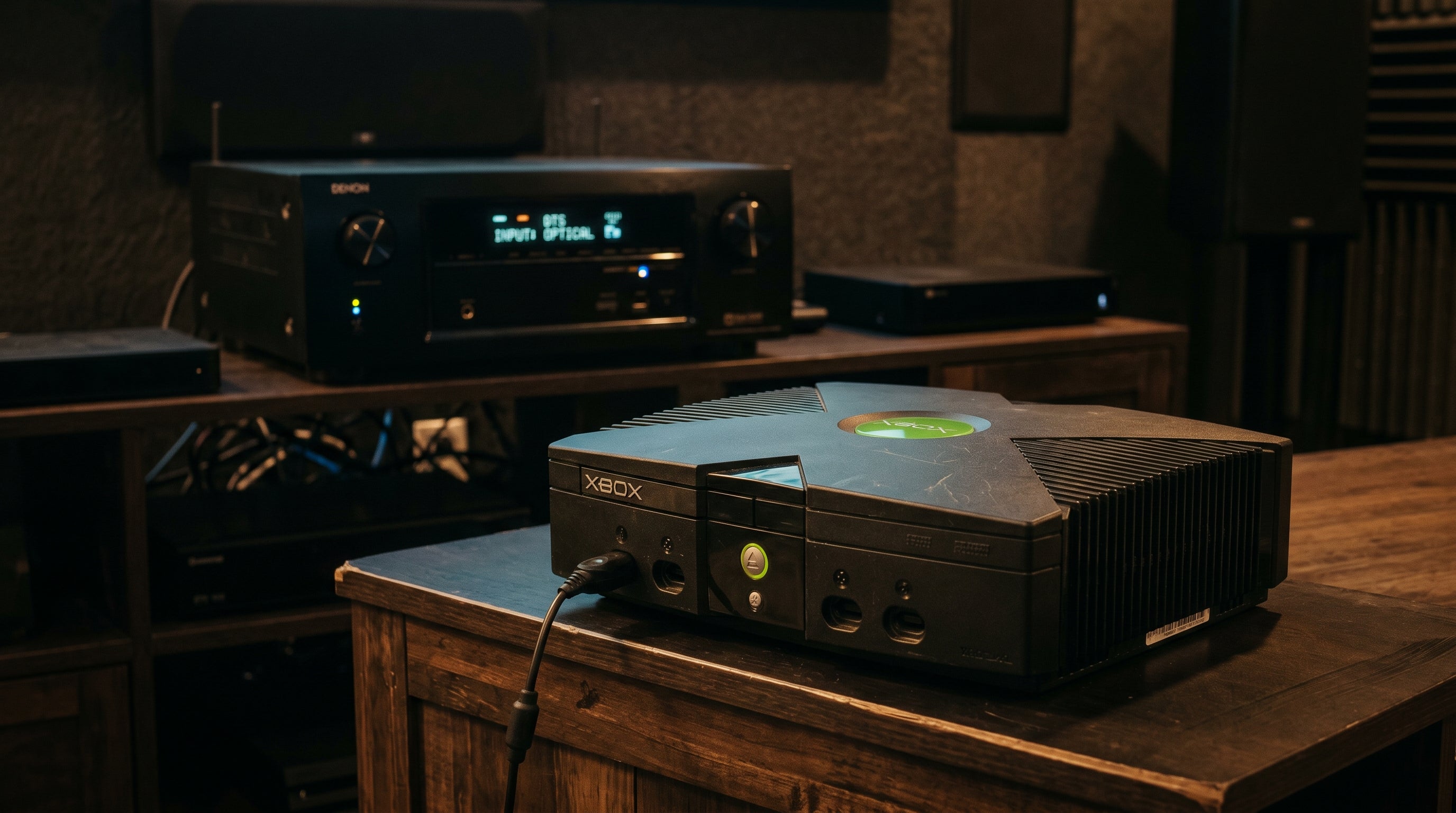
The Original Xbox was the first console to support Dolby Digital 5.1 surround sound in games. Not just as a feature of the DVD player — as an actual real-time audio path for games that encoded their output as Dolby Digital (AC-3). If you have a receiver that can decode Dolby Digital, the Xbox can feed it a full 5.1 bitstream. Whether your current setup actually delivers that signal is a different question, and the answer depends entirely on which adapter you are using.
What Dolby Digital 5.1 on Xbox actually means
Dolby Digital, also called AC-3, is a compressed multi-channel audio format. A receiver or processor that supports Dolby Digital decodes the bitstream and drives six channels: front left, center, front right, surround left, surround right, and subwoofer (the ".1" low-frequency effects channel).
On the Original Xbox, games that support Dolby Digital output the encoded bitstream over a digital audio interface called S/PDIF (Sony/Philips Digital Interface). This is different from the analog stereo audio that carries the left and right channels. S/PDIF carries a compressed digital signal that a receiver unpacks into 5.1 channels. The Xbox dashboard has an audio settings menu where you can enable this output when the feature is supported by the connected hardware.
Games that support it include Halo: Combat Evolved, Halo 2, Knights of the Old Republic, Fable, Forza Motorsport, and many others. The list is long enough that Dolby Digital support is essentially expected for major Xbox titles of the era.
Where the S/PDIF signal actually lives
The Original Xbox uses a proprietary 24-pin AV connector on the rear panel. This is not a standard consumer connector — it is a custom Microsoft format, and the cable or adapter that plugs into it determines which signals you get out.
The full pinout is documented in our Original Xbox AV connector guide. The relevant detail for audio is pin 3.
Pin 3 — S/PDIF Digital Audio. Carries the S/PDIF digital audio signal at all times, regardless of which video mode is selected. Composite, component, VGA, SCART — it does not matter. Pin 3 is always active whenever the console is on.
Pins 1 and 14 — Analog Audio. Right and left analog stereo channels. These are what most adapters read. They carry two-channel stereo only — no matter what game is running or what audio mode is selected in the dashboard.
This distinction is the entire story. If an adapter reads pins 1 and 14, it gives you stereo. If it also reads pin 3, it can give you Dolby Digital 5.1. Most adapters only read the analog pins.
The problem with cheap HDMI adapters
The market is full of inexpensive Xbox-to-HDMI adapters. The POUND HD Link for Xbox is one of the most commonly purchased. These adapters are plug-and-play, affordable, and work for basic use. But they read only the analog stereo audio pins from the AV connector.
The result is that no matter what your game is outputting, no matter what audio mode you have enabled in the Xbox dashboard, the adapter always delivers stereo audio over HDMI. You never get Dolby Digital 5.1. The digital bitstream on pin 3 is ignored entirely.
This is not a configuration problem. There is no setting you can change to fix it. The hardware simply does not connect to pin 3. If Dolby Digital 5.1 matters to you, a cheap HDMI adapter is not the solution. See our comparison of the best Original Xbox HDMI adapters for the full breakdown.
The official Microsoft solution: separate audio path
Microsoft released two accessories that expose the S/PDIF signal from pin 3: the Advanced AV Pack and the High Definition AV Pack. Both include a Toslink optical output that carries the S/PDIF signal to an external receiver.
| Adapter | Video output | Max resolution | S/PDIF output |
|---|---|---|---|
| Advanced AV Pack | Composite + S-Video | 480i / 576i only | Toslink optical |
| HD AV Pack | YPbPr component | 480i, 480p, 720p, 1080i | Toslink optical |
| ElectronXout | HDMI | 480i, 576i, 480p, 720p, 1080i | Embedded in HDMI signal |
The Advanced AV Pack gets you Dolby Digital 5.1 audio, but its video output is limited to 480i or 576i. It has no HD output at all. You would need a separate adapter to handle video at any useful quality. That means two cables, two connections, and a receiver that has to be on and decoding audio for the setup to function.
The HD AV Pack is more practical: component video up to 720p, plus Toslink for audio. If you already have a receiver with Toslink input and a display with component input, this is a workable solution. But it still requires a separate audio connection and a receiver in the chain. Component video on modern displays also varies — some TVs have dropped component inputs entirely, and signal quality depends on cable quality and display processing. For more on video options, see our guide on composite vs. component vs. RGB for retro gaming.
The single-cable solution: ElectronXout
The ElectronXout taps pin 3 of the Xbox AV connector directly and carries the S/PDIF signal into the HDMI output. One cable from the adapter to your TV or receiver carries both video and Dolby Digital 5.1 audio as a single HDMI stream.
If you connect the ElectronXout to a receiver, the receiver sees the incoming HDMI signal, detects the Dolby Digital bitstream, decodes it, and drives your speakers in 5.1. No Toslink cable. No second connection. No need to have a receiver powered on for video to work when you just want to play without surround sound.
If you connect the ElectronXout directly to a TV with HDMI ARC (Audio Return Channel) or eARC, the TV passes the audio back to a receiver or soundbar via ARC. The specifics depend on your TV's ARC passthrough capabilities, but the point is that the digital audio signal is in the HDMI stream where it belongs.
The ElectronXout also supports all Xbox resolutions: 480i, 576i, 480p, 720p, and 1080i, with zero processing latency. For a full technical comparison against other adapters, see our Original Xbox HDMI adapter guide.
Which games support Dolby Digital 5.1
A large number of Xbox titles support Dolby Digital 5.1. The Xbox dashboard includes an audio settings page where you can enable it. The setting applies globally and takes effect in any game that implements the Dolby Digital output path.
Some titles that confirmed support: Halo: Combat Evolved, Halo 2, Knights of the Old Republic, Fable, Forza Motorsport, Project Gotham Racing 2, Burnout 3, and many others. The majority of major first-party and third-party Xbox releases from the era support it. If a game does not support Dolby Digital, it falls back to stereo automatically.
Enabling the dashboard setting does not force Dolby Digital where the game does not support it. It just makes the output available to games that opt into it. There is no downside to leaving the setting enabled. For more on audio and video setup for retro consoles generally, see our retro gaming audio setup guide.
How to set it up
If you have an ElectronXout and a receiver that decodes Dolby Digital, the setup is straightforward.
-
1
Enable Dolby Digital in the Xbox dashboard. Go to Settings, then Audio, and enable Dolby Digital. This tells the console to output the AC-3 bitstream on the S/PDIF line when games support it.
-
2
Connect the ElectronXout. Plug the adapter into the Xbox AV connector, then run a standard HDMI cable to your receiver's HDMI input. If you are going TV-first, connect the HDMI cable to the TV's ARC-capable port and configure your TV's audio output to pass through bitstream audio to the receiver.
-
3
Verify the receiver shows Dolby Digital. Launch a game that supports Dolby Digital 5.1 (Halo 2 is a reliable test). Your receiver's display or OSD should show "Dolby Digital" or "DD 5.1" once audio is active. If it shows "PCM" or "Stereo," check that the dashboard audio setting is correct and that the receiver is set to decode incoming bitstream rather than convert to PCM.
ARC passthrough behavior varies by TV model. If your TV is converting the bitstream to PCM before sending it to the receiver, look for an audio output setting labeled "Bitstream," "Pass-through," or "Auto" in your TV's sound menu.
ElectronXout — HDMI for Original Xbox
The only Xbox-to-HDMI adapter that taps S/PDIF directly from the AV connector. One cable for video and Dolby Digital 5.1 audio. Supports all Xbox resolutions up to 720p at zero processing latency. Rated 4.86 stars across 800+ reviews.
View ElectronXout Compare Xbox HDMI adapters
Share:
N64 S-Video: The Best Stock Signal and How to Use It on a Modern TV
How to Capture Retro Console Gameplay for Streaming or Recording