


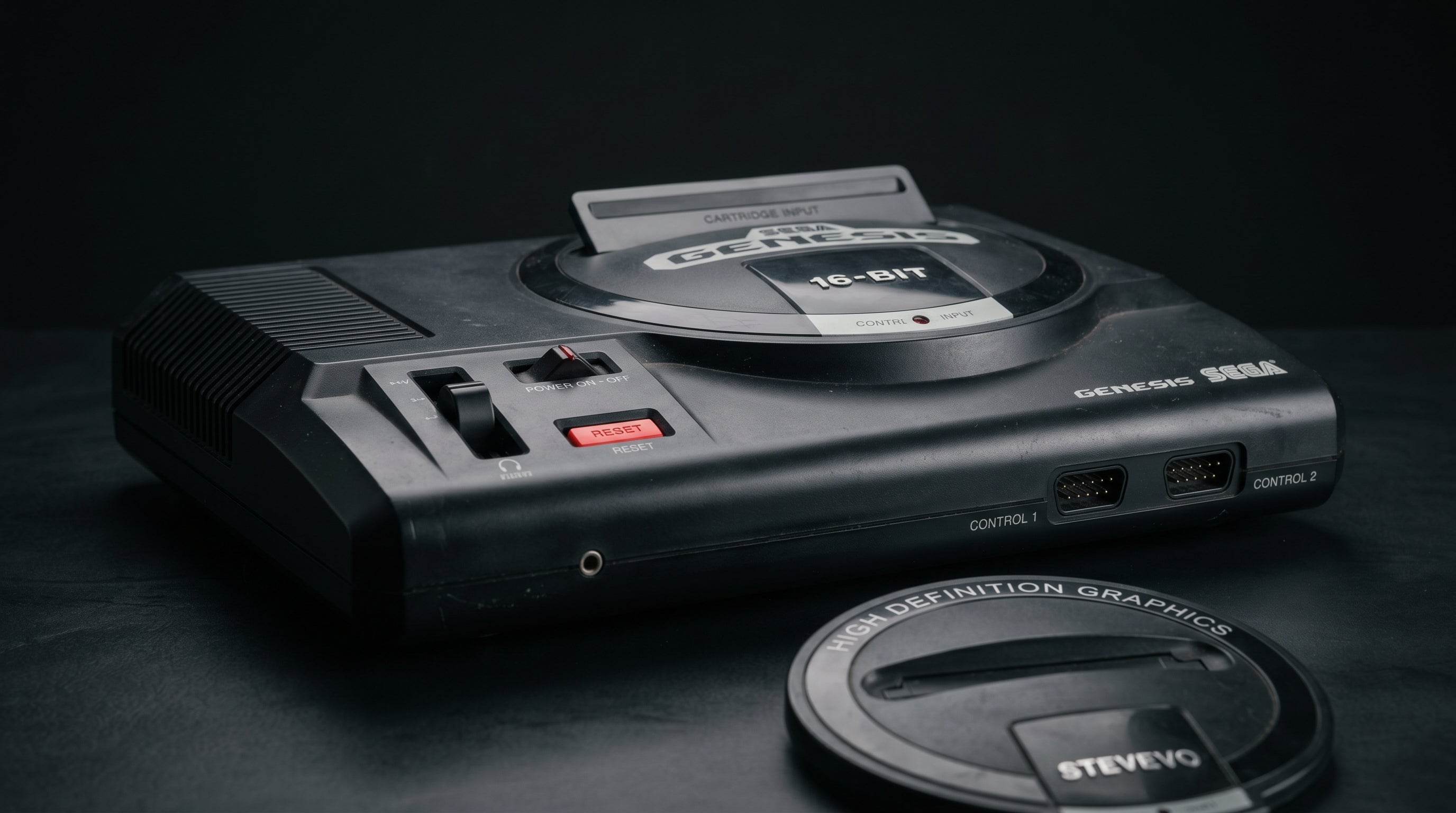
The Sega Genesis has one of the best game libraries of its era and one of the worst composite video outputs. Its composite signal carries a well-documented interference pattern called jailbars — vertical stripes baked into the picture by the hardware itself. Getting a clean image on a modern TV means understanding why the problem exists and which output path sidesteps it entirely.
What outputs the Genesis actually has
The Genesis does not have HDMI, component (YPbPr), or S-Video outputs. Every model of the Genesis and Mega Drive ships with exactly two video signals on its AV connector: composite video (CVBS) and analog RGB.
The connector itself changed between models. The Model 1 uses a large DIN-8 connector (the same U-shaped 262-degree DIN shell used by the Sega Master System). The Model 2, Model 3, Nomad, CDX, and 32X use a smaller Mini-DIN 9 connector. These are not physically interchangeable — Model 1 cables will not fit a Model 2 port and vice versa.
Model 1 — DIN-8 262°. Large U-shaped connector. Carries composite video, RGB (R, G, B), CSYNC, +5V, and mono audio. Stereo is available only via the front headphone jack, not the AV port.
Model 2 / Model 3 — Mini-DIN 9. Smaller round connector. Carries the same video signals plus stereo audio on dedicated pins. Model 3 is mono-only despite using the same connector.
S-Video. Not a native output on any Genesis or Mega Drive revision. An S-Video signal can be extracted on units with compatible video encoders (Sony CXA1145, CXA1645, or Fujitsu MB3514), but it requires soldering a passive adapter to internal encoder pins. Units with the Samsung KA2195D encoder cannot be S-Video modded at all.
The RGB signal is present on every production Genesis and Mega Drive, including all three models. The specific method for accessing it depends on what cable you use and what you connect it to — covered in the sections below.
For context on what composite, component, and RGB signals actually are and how they differ from each other, the composite vs. component vs. RGB breakdown covers that in detail.
Jailbars: what they are and why they happen
Jailbars are vertical interference stripes that appear over the entire image on a Genesis. They are caused by the color subcarrier signal trace on the PCB inducing electromagnetic crosstalk into the nearby RGB output traces. The color subcarrier is the reference clock that drives the composite video encoder, and it runs at approximately 3.58 MHz (NTSC) or 4.43 MHz (PAL). That signal couples into the RGB lines and rides on top of the video output.
Every Genesis and Mega Drive has this problem to some degree. It is a PCB layout issue, not a defect in any specific unit — it was present from the original design.
Why it looks the way it does. The subcarrier frequency creates regular periodic interference that maps onto the video signal as evenly spaced vertical stripes. The stripes are fine enough to look like prison bars behind the image, which is where the name comes from.
Composite vs. RGB. Jailbars are visible on the RGB output. They appear because the subcarrier couples into the RGB traces before the signal reaches the AV connector. Composite output shares this interference but compounds it further inside the encoder chip itself.
Severity by revision. Model 1 units with the Sony CXA1145 encoder (particularly VA7) tend to have the mildest jailbars. Model 2 VA2 units with the Samsung KA2195D encoder are generally considered the worst — the KA2195D also blurs composite output and cannot be S-Video modded. Model 2 VA4 units with the Sony CXA1645 are cleaner and can have most jailbars removed by lifting one GOAC subcarrier pin.
The key takeaway: jailbars are not a display problem. They are in the signal coming out of the Genesis. A better cable, a different TV, or a composite-to-HDMI adapter will not make them disappear. The interference has to be addressed at the source.
Upscalers like the RetroTINK-5X have some noise reduction processing that can soften the appearance of jailbars, but they cannot eliminate them from a composite signal. The only ways to fully eliminate jailbars are to bypass the composite encoder stage (which is what RGB output does), perform a subcarrier pin lift mod, or install a Triple Bypass mod.
The RGB SCART path
RGB SCART (Syndicat des Constructeurs d'Appareils Radiorécepteurs et Téléviseurs — a 21-pin connector standard developed in Europe) is the highest-quality native output path for the Genesis. Because it carries the RGB signal directly from the VDP output traces without going through the composite encoder stage, it bypasses the primary source of jailbar interference. An RGB SCART signal from a well-built cable with low jailbar hardware is noticeably cleaner than composite.
The Genesis outputs TTL-level CSYNC (approximately 5V) from the AV connector. A correctly built SCART cable includes a series resistor (typically 470 ohms) and a coupling capacitor (220 µF, 16V, positive leg toward the console) on the sync line to attenuate it to display-safe levels. Using a cable without this attenuation can damage downstream equipment. Buy from reputable cable makers (Retro Access, HD Retrovision) and confirm the cable is wired for your specific Genesis model.
PAL vs. NTSC relevance. RGB SCART is most practical for PAL users. PAL CRT televisions were built with SCART RGB inputs as standard — you could plug a SCART cable directly into the TV. NTSC televisions never adopted SCART, so NTSC users need an upscaler (OSSC, RetroTINK-5X, or similar) that accepts SCART RGB input to turn it into an HDMI signal a modern TV will accept. That additional device adds cost and complexity.
Exception: French Mega Drive 1. French PAL units output 75-ohm CSYNC rather than TTL CSYNC and have no composite video output at all. These units shipped with a dedicated SCART cable. If you have one, the sync attenuation circuit in the cable is different from what other Genesis regions require.
For NTSC users who want the RGB path, an upscaler is the right next step. The retro gaming upscaler guide walks through what these devices do and how to choose one.
Getting component video out of a Genesis
Component video (YPbPr — the red, green, and blue RCA cables that carry luminance and two color-difference signals) is not a native Genesis output. No Genesis or Mega Drive model outputs YPbPr from its AV connector. The connector has RGB, not YPbPr, and these are different signal types that require different encoding.
The practical solution for NTSC users who want component is the HDRetroVision component cable. HDRetroVision makes a third-party cable that taps the RGB signal from the Genesis AV connector and converts it to YPbPr component output using a small inline adapter. The result is a standard component video signal on three RCA jacks, which most upscalers and many older HDTVs accept natively.
This is a legitimate and widely used solution. The HDRetroVision cable produces clean output and is available for both the Genesis Model 1 (DIN-8) and Model 2 / 3 (Mini-DIN 9) connectors. It does not require any modification to the console.
What the cable does. Taps RGB and CSYNC from the Genesis AV connector, converts to YPbPr component, and outputs on standard RCA jacks. The conversion happens passively in the inline module.
Jailbar behavior. The HDRetroVision cable taps the same RGB traces as a SCART cable. Jailbar visibility on the component output is roughly equivalent to what you would see on an RGB SCART setup with the same console. It is better than composite but not a jailbar-elimination solution by itself.
Resolution. The Genesis outputs 240p in nearly all games. Some displays and upscalers handle 240p over component better than others — check your upscaler or TV documentation for 240p component compatibility.
Connecting to a modern TV
Modern televisions have HDMI inputs. The Genesis does not output HDMI, and the conversion from its analog signals to HDMI requires at least one intermediate device. The path you choose determines the signal quality.
The ElectronAnalog ($13.99) accepts VGA and component video (YPbPr) with audio and outputs HDMI. It is not a direct Genesis adapter and does not have a DIN-8 or Mini-DIN 9 input. What it does is accept the component signal from an HDRetroVision cable, making it a direct link in the Genesis-to-HDMI chain.
-
1
HDRetroVision component cable — plugs into the Genesis AV port (DIN-8 or Mini-DIN 9 depending on your model), outputs YPbPr component on three RCA jacks plus audio.
-
2
ElectronAnalog — accepts the component signal, converts it to HDMI. Connect component RCA cables from the HDRetroVision cable into the ElectronAnalog's component inputs, then run HDMI to your TV.
-
3
TV set to HDMI input. The Genesis signal arrives at the TV upscaled and digital. Most modern TVs handle this without issues.
This chain gives you RGB-quality video (same source signal as SCART) without needing a dedicated upscaler.
If you already own an upscaler that accepts SCART RGB input (such as the OSSC or RetroTINK-5X), you can also use it with a Genesis SCART cable and connect the upscaler's HDMI output directly to the TV. That path produces equivalent or better results depending on the upscaler's processing capabilities. The ElectronAnalog plus HDRetroVision cable is the simpler two-device chain for users who do not already own an upscaler.
One path to avoid: cheap composite-to-HDMI adapters. These convert the composite signal directly to HDMI without any noise reduction. Whatever jailbars and color noise are present in the composite signal come through unchanged. They are inexpensive for a reason.
Internal mods worth knowing about
If you want to go further, two hardware modifications address the jailbar problem more directly.
The subcarrier pin lift is the simpler of the two. On Genesis units with a GOAC integrated circuit (Model 2 VA4 and all Model 3 units), lifting pin 103 of the GOAC disconnects the color subcarrier from the PCB trace that couples into the RGB lines. This eliminates most jailbars at the cost of disabling composite video color — composite output becomes black and white. If you only use RGB or component and never plug into a composite input, this trade-off is usually acceptable.
The Triple Bypass mod goes further: it bypasses the video encoder entirely and taps the RGB signal directly from the VDP output. This eliminates jailbars completely and removes the encoder's contribution to composite noise. It also means composite video is entirely removed as an output. Audio is typically tapped from the Mega Amp stage in the same mod, which adds a pre-amplified stereo output directly from the sound chips. This is the best possible video quality from a stock Genesis, but it requires competent soldering skills or a professional installer.
Neither mod is necessary for a good result, but both are worth knowing about if you find the jailbars on your specific unit to be worse than average.
Frequently asked questions
Does every Genesis have jailbars? Yes. Every production Genesis and Mega Drive has jailbars to some degree — it is a PCB layout characteristic, not a unit-specific defect. Severity varies by board revision and video encoder. Model 1 VA7 units with the Sony CXA1145 encoder are among the mildest. Model 2 VA2 units with the Samsung KA2195D encoder are among the worst. Opening the console and reading the encoder chip is the only reliable way to know which encoder your unit has.
Is the Model 2 better or worse than the Model 1 for video quality? It depends on the specific board revision. The Model 2 VA4 (with Sony CXA1645 encoder, the GOAC revision) is generally considered the cleanest Model 2 for video. Early North American Model 2 units — particularly VA2 with the Samsung KA2195D — are among the worst Genesis boards produced, with heavy jailbars and blurry composite output. The Model 1 at its best (VA7, CXA1145) is considered very good. There is no blanket answer based on model number alone; it depends on what is inside.
Can I just use a cheap composite-to-HDMI adapter? You can, and it will produce a picture. What it will not do is improve the jailbars. The adapter converts whatever the composite signal contains — interference included — to HDMI. The Genesis's composite output is also not the cleanest in other respects: rainbow banding and color noise are common alongside the jailbars. For a library as good as the Genesis's, the RGB or component path is worth the modest additional cost.
The ElectronAnalog accepts component video from an HDRetroVision Genesis cable and outputs HDMI — a straightforward two-device chain that gets RGB-quality Genesis video to any modern TV without a dedicated upscaler.
ElectronAnalog — $13.99 Composite vs. Component vs. RGB
Share:
Wii on a 4K TV: What Works, What Doesn't, and Why
PS2 Component Cable Guide: Which Cables Work and What to Know