


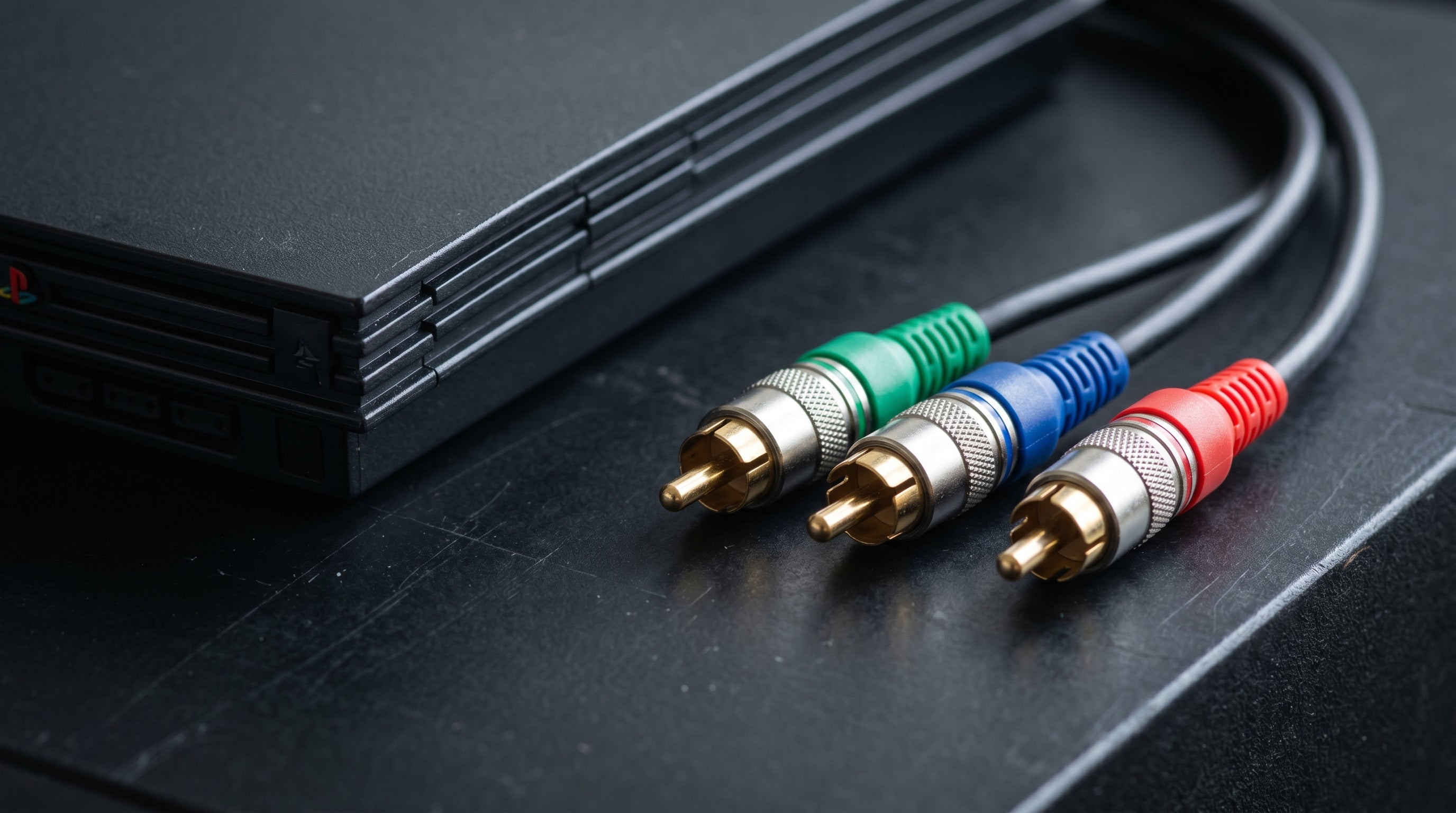
Component video is the best analog output the PS2 has. It is sharper than S-Video, it can run progressive scan, and it works on both fat and slim models with the same cable. There is one setup mistake that catches a lot of people, and it is worth knowing about before you buy anything.
What Component Video Is and Why It Matters for the PS2
Component video (YPbPr) splits the video signal into three separate channels: Y (luma, which carries brightness and sync), Pb (blue-difference chroma), and Pr (red-difference chroma). Each channel runs on its own RCA connector — green for Y, blue for Pb, red for Pr. Separating luma from chroma is what makes it sharper than composite or S-Video.
For a stock NTSC PS2, component video is the best output you can get without modifying the console. NTSC PS2s do not output RGB on the AV Multi Out — that is a PAL-region feature only. Component is the top of the analog signal chain here.
You can read more about how component compares to composite and RGB in the composite vs. component vs. RGB guide.
Which Cables Work
The PS2's output connector is the AV Multi Out — Sony's proprietary multi-pin port on the rear of every PS2 model. Any component cable designed for the PS2 AV Multi Out will work. This includes the original Sony PlayStation Component Cable and compatible third-party cables sold for the PS2.
The signal itself comes from the PS2's internal video encoder. The cable is passive — it routes Y, Pb, Pr, and stereo audio from the AV Multi Out pins to standard RCA connectors. There is no active conversion happening inside the cable. This is different from the GameCube component cable, which contained a DAC because the GameCube's digital video port needed one. The PS2 does not have that issue — the analog component signal comes out of the console ready to use.
Because the cable is passive, brand differences between component cables for the PS2 are minimal. The main thing to verify is that the cable is specifically made for the PS2 AV Multi Out and outputs Y Pb Pr component video, not composite or S-Video on the same RCA-style connectors.
The Color Space Trap: The Most Common Setup Mistake
This is the single most frequent reason component cables appear not to work. The PS2 has a system setting that controls the color space of the component output, and it does not default to the correct value in all configurations.
If the PS2 is set to output RGB color space while connected via component cables, the TV receives a signal encoded in the wrong color format. The result is a heavily washed-out image, incorrect colors, or no signal at all. The cable is fine. The TV is fine. The setting is wrong.
Required setting. Before using a component cable, go into the PS2 System Configuration menu and set Component Video Output to Y Cb/Pb Cr/Pr. This puts the console into proper YPbPr output mode.
Here is where to find it:
-
System Configuration
From the PS2 main menu (Browser screen), go to System Configuration.
-
Component Video Output
Find the Component Video Output setting. Set it to Y Cb/Pb Cr/Pr. Do not leave it on RGB.
If you are starting from scratch without a display that works yet, you may need to temporarily use a composite cable to access the settings menu, change the output mode, then switch to component. If you only have a component-capable display, some modern TVs will still show a usable (if badly colored) image in RGB mode — enough to navigate the menu.
More on this problem and its fixes is in the PS2 no-signal on modern TV guide.
480p and 1080i: What the PS2 Actually Supports
The PS2 supports two progressive or high-definition output modes via component: 480p and 1080i.
480p (progressive scan). The most useful mode. Most PS2 games that support progressive scan use 480p. It requires both a component cable and explicit support in the game itself — the PS2's internal hardware does not automatically upscale 480i games to 480p.
1080i. The PS2 hardware supports 1080i output, and a component cable can carry it. In practice, very few PS2 games enabled 1080i. If a game does not specifically list 1080i support, it will not run at that resolution.
Getting 480p requires two things: a component cable connected and the game must support it. Many games that support 480p activate it automatically when connected via component. Some require you to hold the Triangle and X buttons during startup, or have a video mode option in their settings menu. Check the specific game if the image looks interlaced after connecting component.
480i still looks better via component than via S-Video or composite, even before you factor in progressive scan. The signal separation alone is worth it.
Fat and Slim PS2 — Same Cable, Same Signals
Both the original fat PS2 (SCPH-1xxxx through SCPH-5xxxx) and the slim PS2 (SCPH-7xxxx and later) use the same AV Multi Out connector with the same pin configuration. Component video works identically on both.
There is no meaningful difference in video output quality between fat and slim models when using component. Buy whichever cable fits your budget and verified compatibility with the PS2 AV Multi Out — it will work on either console revision.
Getting PS2 Component Video to HDMI
Modern TVs frequently lack component inputs, and when they do have them, the signal handling is often poor — heavy post-processing, input lag, or upscaling artifacts. Converting to HDMI at the source gives you more control and typically a cleaner result.
The ElectronPulse accepts YPbPr component input directly from a PS2 component cable. The signal chain is straightforward:
-
1
PS2 AV Multi Out — component cable connects here. Verify Component Video Output is set to Y Cb/Pb Cr/Pr in system settings.
-
2
Component cable (YPbPr RCA) — three video RCA connectors plus stereo audio RCA. Run these to the ElectronPulse inputs.
-
3
ElectronPulse — converts YPbPr + stereo audio to HDMI. Near-zero latency. No additional upscaler or adapter needed.
-
4
HDMI to your TV or monitor — standard HDMI cable to any modern display.
The ElectronPulse handles 480i, 480p, and 1080i input from the PS2. No mode switching needed — it detects the signal automatically.
For more detail on the full range of PS2 video output options and how they compare, see the PS2 best video quality guide. For converter-specific setup, see the PS2 HDMI adapter guide.
PS3 Backwards Compatibility: You May Not Need a Separate Setup
Early PS3 models play PS1 and PS2 discs. If you already own a backwards-compatible PS3 and an ElectronPulse, that same hardware will handle PS2 games without a separate PS2 component cable solution.
The PS3 also outputs via component (or HDMI directly). If you are using the ElectronPulse with a PS3 already, plug in a PS2 disc and you are done. This is not the path for everyone — later PS3 models dropped PS2 backwards compatibility — but it is worth knowing if you already own one of the earlier models.
Frequently Asked Questions
My PS2 shows no signal with a component cable — what's wrong? The most common cause is the wrong color space setting. Go to PS2 System Configuration and set Component Video Output to Y Cb/Pb Cr/Pr. If the PS2 is outputting RGB while connected via component, the TV receives a signal it cannot decode correctly — you get a washed-out image or no signal at all. The second common cause is that some modern TVs reject 480i input entirely. If that is the case, try forcing the game to 480p if it supports progressive scan.
Can I use any component cable with the PS2? Any cable built for the PS2's AV Multi Out that outputs Y Pb Pr component video will work. This includes the official Sony PlayStation Component Cable and compatible third-party options. The PS2 generates the component signal internally — there is no active conversion in the cable, so differences between cable brands are minimal as long as the connector is correctly wired for component output.
Does the PS2 component cable support 1080i? Yes — the PS2 hardware supports 1080i, and a component cable can carry it. The limitation is software: 1080i support has to be explicitly enabled by the game, and very few PS2 titles did this. If you are aiming for the best image quality from a PS2, 480p progressive scan is the realistic target for the vast majority of the library.
Connect PS2 Component to HDMI
The ElectronPulse accepts YPbPr component input directly from a PS2 component cable and outputs clean HDMI with near-zero latency. No upscaler required. Works with fat and slim PS2, PS3, and any component video source.
View the ElectronPulse PS2 HDMI Adapter Guide
Share:
Sega Genesis on a Modern TV: HDMI Options and the Jailbar Problem
Original Xbox on a 4K TV: What Works, What Doesn't, and Why