


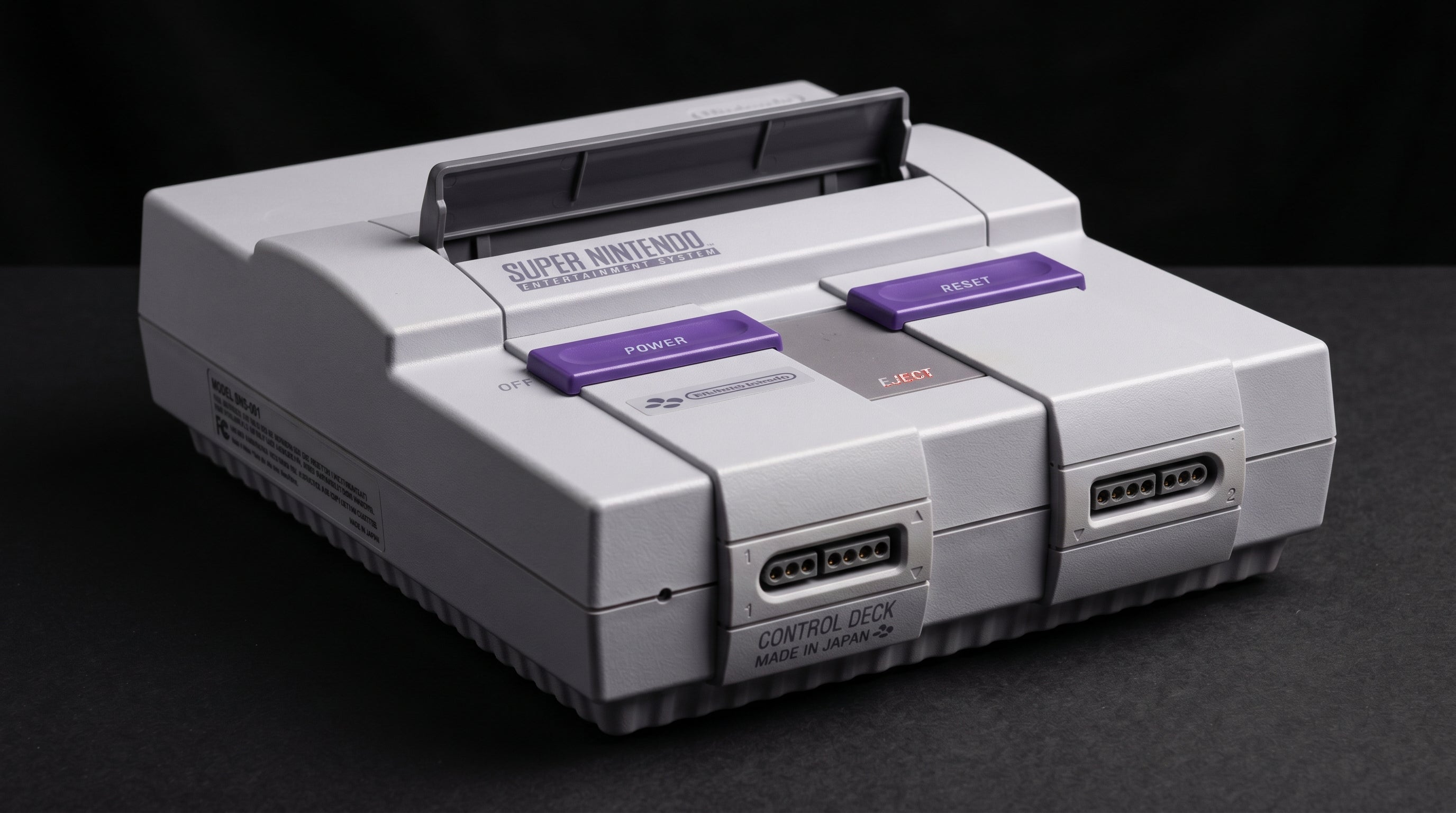
The SNES has genuinely good picture quality potential for a console from 1990. But a lot of people searching for the best way to connect one to a modern TV start looking for component video cables and come up empty. That is because the SNES does not output component video. It never did. What it does output is arguably more interesting, and understanding the difference matters if you want to get the best picture out of the hardware you have.
What the SNES Multi AV Out Actually Carries
Every SNES has a proprietary 12-pin card-edge connector on the rear panel — Nintendo called it the Multi AV Out. The same physical connector appeared on the N64, GameCube, and Wii, which is why Nintendo cables from different consoles sometimes look interchangeable (they are not always electrically compatible).
On the original SNES (model number SNS-001), that connector carries three analog video formats simultaneously: composite, S-Video, and RGB. Audio comes out as stereo analog left and right channels on the same connector. Component video (YPbPr — the red, green, and blue cables common on DVD players and game consoles from the early 2000s) is not present on any pin. There is no component output on any SNES model from any region.
Composite (CVBS). Available on all SNES models. Single-wire video that combines luma and chroma into one signal. Lowest quality option — soft image, visible dot crawl on colored edges.
S-Video (Y/C). Available on SNS-001 only. Separates luma (brightness) and chroma (color) into two wires. Significantly sharper than composite with no dot crawl. Best native output for NTSC users without a SCART setup.
RGB. Available on SNS-001 only. Three separate color channels at full bandwidth — the same signal format used in professional broadcast equipment. Requires a SCART cable or compatible upscaler input. Best analog output the console can produce.
Component (YPbPr). Not available. Not on any pin, not on any model, not in any region.
There is an important exception worth knowing: the SNES2 (SNS-101 in North America, Super Famicom Jr. in Japan) is the smaller, rounded revision released in 1997. It drops both S-Video and RGB entirely. If you own a SNES2, composite is your only option through the stock connector without a hardware modification.
For the rest of this post, references to "the SNES" mean the original SNS-001 with its full complement of outputs.
S-Video: The Best Option for NTSC SNES Without a SCART Setup
S-Video is what most NTSC SNES users should be using if they do not have an upscaler that accepts SCART. The improvement over composite is substantial. Dot crawl — the shimmering rainbow artifact that appears around colored text and sprites on composite displays — disappears entirely because the luma and chroma signals are no longer mixed together on a single wire.
The cable is straightforward. Any standard Nintendo S-Video cable for the Multi AV Out connector will work. The signal runs at 240p (progressive scan) for most SNES games, which a good upscaler will handle correctly. Not every TV does — some older sets will incorrectly try to deinterlace a 240p signal and produce a blurry or doubled image. A dedicated upscaler like the RetroTINK-2X or RetroTINK-5X handles 240p correctly and outputs HDMI.
S-Video is a real step up in picture quality. It is not the ceiling for the SNES, but it is a practical and affordable improvement that requires nothing more than a cable swap.
For a full walkthrough of connection options for the SNES, see the SNES modern TV connection guide.
RGB SCART: The SNES's Best Native Output
RGB (Red, Green, Blue) is the native color format the SNES Picture Processing Unit generates internally. The signal never has to be encoded into composite or S-Video — the PPU outputs raw RGB, and that is what hits the connector pins. When you use an RGB cable, you are getting the picture as close to the source as the hardware allows.
SCART (the 21-pin trapezoidal connector common in European consumer electronics) is the standard way to access RGB from the SNES. PAL SNES systems were built for SCART-equipped European televisions and work with a straightforward SCART cable. NTSC SNES systems also output RGB on the connector, but require capacitors in series on the R, G, and B lines for proper SCART compatibility — reputable cable manufacturers like Retro Access and HD Retrovision handle this in the cable itself.
One thing worth understanding about the SNES RGB signal: the PPU outputs at 15kHz (standard definition TV frequency). This is the same rate as composite and S-Video from the console. RGB SCART and component video (YPbPr) are both three-channel color formats and both produce a significantly better picture than composite — but they are different electrical formats operating at the same resolution. The advantage of RGB is separation and bandwidth, not a higher scan rate.
If you have a SCART-capable display or a SCART-capable upscaler, RGB is the path to take. If you do not, S-Video is the practical alternative.
For a deeper look at what RGB SCART delivers compared to other formats, see the SNES RGB best picture guide.
1-CHIP vs. early boards. The SNS-001 went through several internal board revisions. Early boards used two separate PPU chips. Later "1-CHIP" revisions combined the logic into a single chip, which produces a brighter RGB image with less color bleed. If you are buying a used SNS-001 for RGB output specifically, 1-CHIP boards are preferred. The board revision is on a sticker on the bottom of the console.
Getting SNES to a Modern HDMI TV
Modern televisions do not have SCART inputs, and most do not have S-Video inputs either. To connect an SNES to a current display, you need something between the console and the TV to convert the analog signal to HDMI. How good the result looks depends on what that something is.
For S-Video input, the RetroTINK-2X is an affordable upscaler that accepts S-Video and outputs HDMI at 480p. It handles 240p correctly, which puts it ahead of most cheap composite-to-HDMI boxes. The RetroTINK-5X accepts S-Video as well and offers significantly more processing and scaling options if you want to go further.
For RGB SCART input, both the RetroTINK-5X and the OSSC (Open Source Scan Converter) are well-regarded options. The OSSC line-doubles or multiplies the 240p signal and outputs HDMI. The RetroTINK-5X offers more flexible scaling and filtering. Either is a substantial improvement over anything in the cheap converter category.
The cleanest output from SNES hardware comes from feeding RGB SCART into one of these devices. But S-Video through a RetroTINK-2X is a reasonable and much less expensive starting point if you are not ready to invest in a full upscaler setup.
For a broader look at how these signal formats compare, the composite vs component vs RGB guide covers the full analog video quality spectrum.
Where the ElectronNMB Fits In
The ElectronNMB (Nintendo Multiout Breakout, $41.99) is a passive signal router for the Nintendo Multi AV Out connector. It connects to the SNES rear port and splits the output to multiple destinations at once — for example, feeding composite to a capture card and S-Video to an upscaler simultaneously, without needing to swap cables.
It does not convert signals or add HDMI output. Whatever comes out of the SNES Multi AV Out goes into the ElectronNMB, and the same analog signals come out the other side. For users who route their SNES to multiple devices — a CRT and a capture card, for instance, or an upscaler and a secondary display — it eliminates the need to swap cables when switching destinations.
If you are working with a single display and just need to get the best signal to that one destination, the ElectronNMB is not what you need. If you are building a more involved setup, it removes a real friction point.
Frequently Asked Questions
Can I convert the SNES signal to component with an adapter? Not with a passive adapter. Component video (YPbPr) is a different color encoding than the RGB or S-Video signals the SNES outputs. Converting between them requires active electronics, not just a cable rewire. Devices like the RetroTINK-5X can accept S-Video or RGB SCART and output HDMI, which is more useful than component for a modern TV anyway.
Is there a difference between SNES 1-chip and later board revisions for video quality? Yes. Early SNS-001 boards used two separate PPU chips. Later 1-CHIP revisions combined the PPU into a single chip, which produces a noticeably brighter and sharper RGB image with less color bleed. If you are buying an SNS-001 specifically for RGB output, 1-CHIP boards are preferred. The board revision is printed on a sticker on the bottom of the console.
Does the Super Famicom output the same as the NTSC SNES? The original Super Famicom (SHVC-001) uses the same Multi-AV connector and outputs composite, S-Video, and RGB — identical to the NTSC SNS-001. The Super Famicom Jr. (SHVC-101) is the equivalent of the SNES2 and drops S-Video and RGB, leaving only composite. So yes and no, depending on which Super Famicom you have.
The ElectronNMB lets you route the SNES Multi AV Out to multiple destinations at once — useful when you need to feed a capture card and a display simultaneously without swapping cables.
View the ElectronNMB SNES Modern TV Connection Guide
Share:
How to Capture Retro Console Gameplay for Streaming or Recording
N64 Video Upgrade Guide: From S-Video to N64Digital