


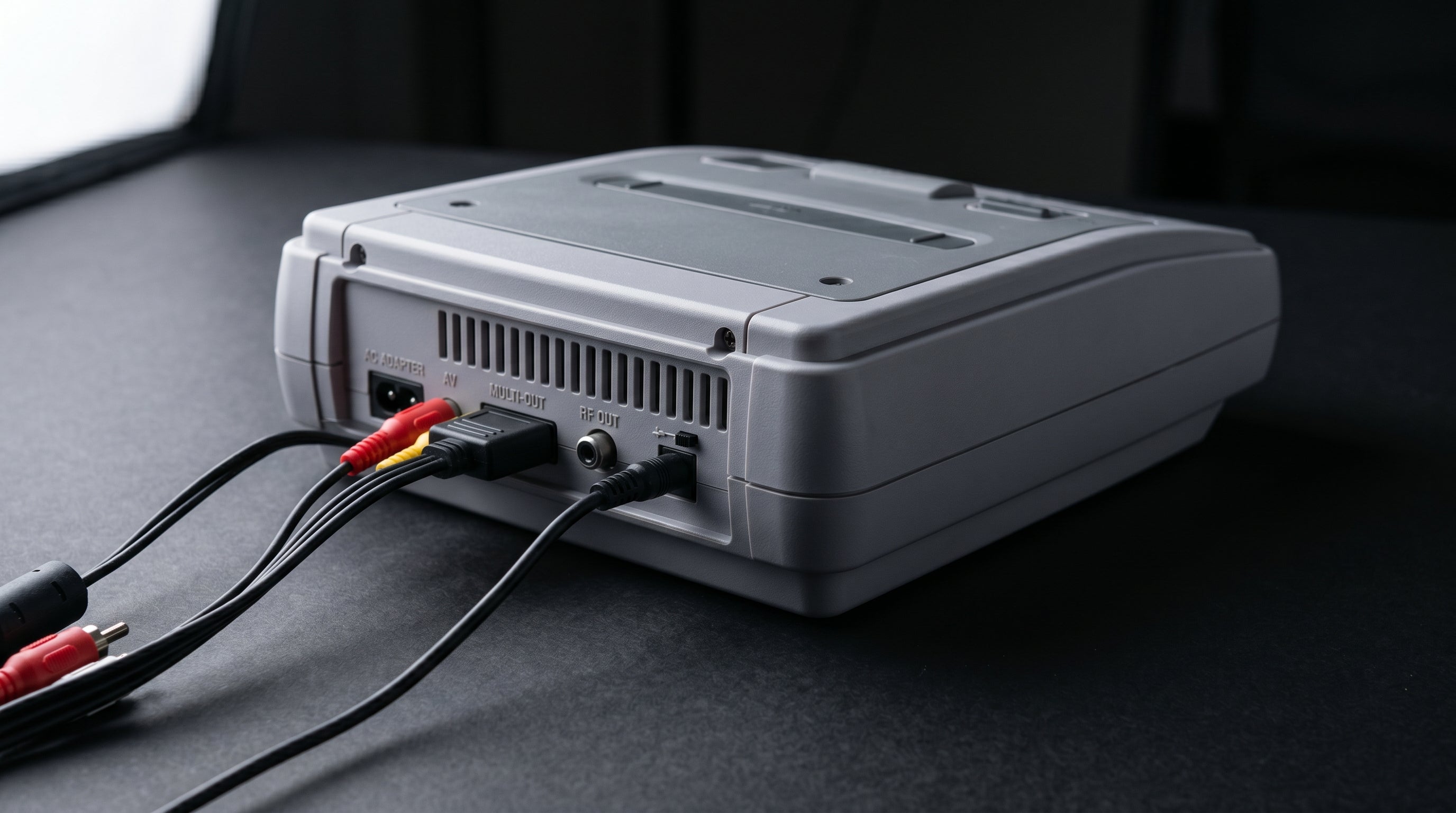
The original Super Nintendo is one of the best-equipped retro consoles for analog video output. The SNS-001 model puts composite, S-Video, and RGB all on the same Multi-AV connector simultaneously. RGB is the sharpest of those three — and getting it to a modern display is straightforward once you understand the signal path. This post covers exactly that.
What the SNES outputs and why RGB matters
The Multi-AV connector on the rear of an original SNES (model SNS-001) carries composite video, S-Video (luma and chroma on separate pins for less color bleed), and RGB (red, green, and blue channels carried separately for the highest analog color accuracy). All three are live at the same time. You choose which path to use based on what cable you plug in.
If you want a refresher on what composite, S-Video, and RGB signals actually are, that post breaks down the differences. The short version: RGB carries each color channel independently, which eliminates the cross-color interference that plagues composite and the residual chroma noise in S-Video. For 2D pixel art, it makes a visible difference.
For a broader look at all your SNES connection options overview, including composite and S-Video paths, that guide covers each approach side by side.
First: identify which SNES you have
Not every SNES outputs RGB. Nintendo released a revised model in 1997 — the SNES2 (model SNS-101) — that stripped out both S-Video and RGB to reduce manufacturing cost. The SNES2 only outputs composite. If you have one, RGB is not accessible from the stock connector without a hardware modification.
SNES2 (SNS-101) — composite only. The smaller, rounder revision released in 1997. Composite is the only video output available from the stock Multi-AV connector. S-Video and RGB were removed from this revision.
Original SNES (SNS-001) — composite + S-Video + RGB. The larger, rectangular model released at launch. All three signal types are present simultaneously on the Multi-AV connector.
Telling them apart is straightforward. The SNS-001 is larger and boxy with a cartridge slot that takes standard NES-style cartridges (in North America). The SNS-101 is noticeably smaller with a more rounded profile. The model number is also printed on the label on the bottom of the console.
RGB via SCART for NTSC SNES (SNS-001)
SCART (Syndicat des Constructeurs d'Appareils Radiorécepteurs et Téléviseurs) is a 21-pin connector standard developed in Europe that was designed to carry RGB video alongside audio in a single cable. It never caught on in North America, but it became the standard way to access RGB from retro consoles there. Upscalers that accept RGB input almost universally use SCART connectors.
For an NTSC SNS-001, the RGB signal is on pins 1 (Red), 2 (Green), and 4 (Blue) of the Multi-AV connector, with composite sync (CSYNC) on pin 3. To build or buy a compatible SCART cable, the R, G, and B lines each require a 220µF capacitor in series. Those capacitors are there to block DC offset from the SNES output, which would otherwise cause compatibility issues with SCART RGB equipment.
NTSC SNS-001 RGB pins. R = pin 1, G = pin 2, B = pin 4, CSYNC = pin 3.
Required capacitors. 220µF in series on each of the R, G, and B lines. This is a cable-level requirement — a correct SCART cable for the NTSC SNES includes these. Do not use a generic or PAL SNES cable on an NTSC console.
Reputable cable makers for NTSC SNES RGB SCART cables include Retro Access and HD Retrovision. If you are buying a cable, confirm it is specifically rated for NTSC SNES with the correct capacitors — a mislabeled cable will either produce a washed-out image or no signal at all.
RGB via SCART for PAL SNES (SNS-001)
PAL SNES consoles output RGB using a different pin configuration. Pin 3 on a PAL SNES carries +12V rather than CSYNC. That +12V signal is used by SCART-equipped TVs to automatically switch input modes when a SCART cable is plugged in. It is a completely different electrical signal from the CSYNC on an NTSC console's pin 3.
This means PAL and NTSC SNES SCART cables are not interchangeable. Using an NTSC cable on a PAL console or vice versa risks feeding the wrong voltage to the wrong input. Use a cable specifically designed for your console's region.
What to do with the RGB signal: you need an upscaler
SCART RGB is not a signal your modern TV accepts natively. Once you have the RGB signal out of the SNES via a SCART cable, the next step is an upscaler (a device that converts analog video to a digital HDMI output your TV can display). What an upscaler does and how to choose one is covered in depth in that guide.
Two upscalers dominate the retro gaming space for SCART RGB input: the RetroTINK-5X and the OSSC (Open Source Scan Converter). Both accept SCART RGB input directly and produce HDMI output. The RetroTINK-5X does more processing internally and handles a wider range of edge cases automatically. The OSSC is a line-multiplier rather than a full scaler — it has a steeper learning curve but produces excellent results with a compatible TV.
Either of these represents the correct answer for getting the best picture from an SNS-001's analog output. There is no shortcut that skips this step while maintaining image quality.
SNES RGB signal path. SNES Multi-AV out → SCART RGB cable (with correct capacitors for region) → upscaler SCART input → HDMI to modern TV.
S-Video: a simpler middle path
If the RGB route feels like more hardware than you want to manage, S-Video is a meaningful step up from composite and significantly simpler to set up. S-Video (Separate Video) carries the luminance (brightness) and chrominance (color) signals on separate pins, which eliminates the cross-color interference that makes composite look soft and dotted in areas of fine detail.
S-Video is available on the SNS-001 (not the SNES2). A standard S-Video cable plugs directly into the Multi-AV connector. From there, an upscaler that accepts S-Video input, or an S-Video to HDMI converter, gets you to a modern TV. The image will not be as sharp as RGB, but it is noticeably better than composite and requires no region-specific cable or capacitors.
240p output and why it matters
The SNES outputs at 240p (progressive scan) for most games, not 480i (interlaced). That distinction matters because many cheap HDMI converters misidentify 240p as 480i and attempt to deinterlace it, which either doubles every line producing visible scan lines in the wrong way, or blurs the image to compensate.
A quality upscaler like the RetroTINK-5X or OSSC correctly identifies and handles 240p. This is one of the reasons generic budget converters tend to produce a worse result than you would expect even from a composite source — it is not just the signal quality, it is incorrect 240p handling.
The ElectronNMB: running multiple outputs at once
One scenario that comes up frequently: you want to feed both a display and a capture card from the same SNES simultaneously. The Multi-AV connector only has one port, so you cannot simply plug two cables into the console.
The ElectronNMB is a Nintendo Multiout breakout board that splits the Multi-AV output to multiple destinations at the same time. It passes through the analog signals unmodified — whatever is present on the connector (composite, S-Video, RGB) comes out on the breakout board's outputs. This makes it useful for running a display path and a capture card path simultaneously without signal degradation from a passive splitter.
To be direct about what it is and what it is not: the ElectronNMB is a passthrough splitter. It does not convert anything. It does not produce HDMI output. If you connect it to an SNS-001 and route one output to a SCART RGB cable going to an upscaler, that path will carry full RGB quality. The board itself does not alter or improve the signal. An upscaler is still required downstream to get to HDMI.
The ElectronNMB works with both the SNS-001 and the SNES2, though the SNES2 will only carry composite through the connector regardless of what board you attach.
What Electron Shepherd does not make for the SNES
To be straightforward: there is no Electron Shepherd product that converts SNES video directly to HDMI. The ElectronNMB splits the Multi-AV output, but it does not convert the signal. For the full RGB-to-HDMI path, you need a SCART cable and an upscaler — neither of which we sell.
If you have a SNES2 and composite is your only option, a quality composite-to-HDMI upscaler (not a cheap generic converter) is the right move. The RetroTINK-2X Mini handles composite sources well and avoids the 240p handling problems common in budget adapters.
Summary: SNES video output paths
| Path | Model required | Quality | What you need |
|---|---|---|---|
| RGB via SCART | SNS-001 only | Best analog | Region-correct SCART cable + upscaler |
| S-Video | SNS-001 only | Good | S-Video cable + S-Video upscaler or converter |
| Composite | SNS-001 or SNS-101 | Lowest analog | Composite cable + quality converter with 240p support |
If you need to split your SNES Multi-AV output to run a display and a capture card at the same time, the ElectronNMB is built for that. It passes through composite, S-Video, and RGB signals simultaneously without signal degradation.
ElectronNMB — Nintendo Multiout Breakout Composite vs S-Video vs RGB explained
Share:
Can You Use a PS3 Component Cable on a PS2?
Wii on a 4K TV: What Works, What Doesn't, and Why