


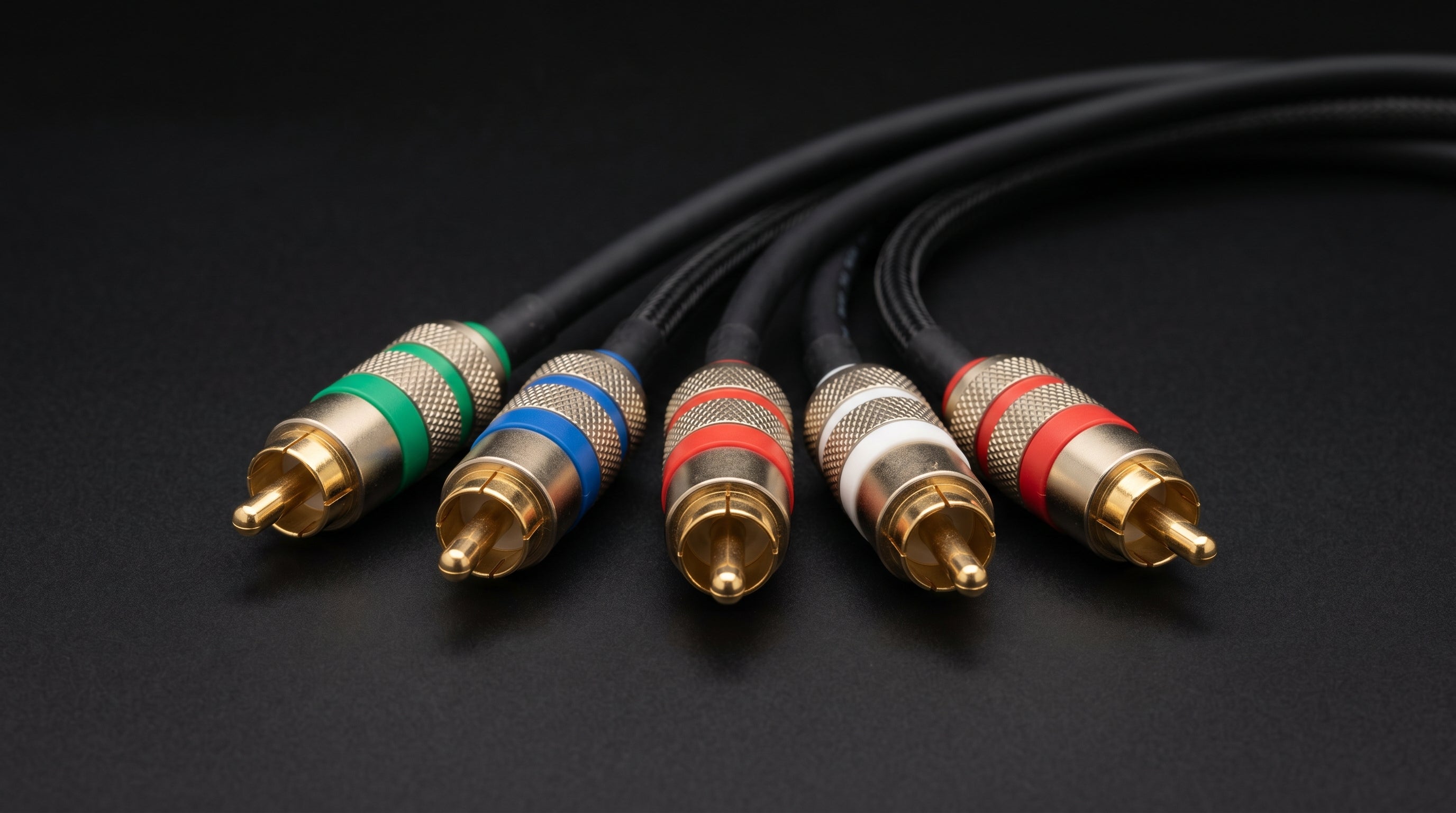
Yes, a PS3 component cable works on a PS2. The two consoles share the same AV Multi Out connector, so the cable plugs in directly and outputs component video (YPbPr) and stereo audio without any modifications or adapters. This compatibility matters because original PS2 component cables have become expensive on the used market, while PS3 component cables are functionally identical and usually much cheaper.
Why the Cables Are Compatible
Sony used the same proprietary AV Multi Out connector across the PlayStation 1, PlayStation 2, and PlayStation 3. The physical form factor did not change between generations. That means any cable built for the AV Multi Out on a PS3 will fit the same port on a PS2 or PS1.
The relevant Sony part number for the PS2 component cable is SCPH-10490. The PS3 component cable shares that same part number because it was the same product. Third-party cables with the correct AV Multi Out plug also work, provided the connector is wired correctly for component video.
This is pure connector compatibility. The PS2 natively outputs component video (YPbPr) through its AV Multi Out on all hardware revisions, both fat (SCPH-1xxxx through SCPH-5xxxx) and slim (SCPH-7xxxx and later). Plugging in a PS3 component cable does not unlock anything new on the console side. The PS2 was already capable of it.
The Price Gap Worth Knowing About
Sony discontinued the component cable years ago. Original PS2 component cables now sell for $60 to $100 on eBay, sometimes more. PS3 component cables use the same connector and are functionally identical for PS2 use, but because PS3 owners moved to HDMI cables in larger numbers, PS3 component cables turned up in used-game stores and online listings in higher volume. They often sell for $15 to $35.
If you are shopping for a component cable to use with your PS2, searching for PS3 component cables opens up more inventory at lower prices. The output is the same. You can also find quality third-party cables with the correct AV Multi Out connector for a similar price range.
For more detail on sourcing and what to check when buying used cables, see the PS2 component cable guide.
What Component Video Gives You on a PS2
The PS2 ships with a composite AV cable. Composite bundles luma (brightness) and chroma (color) into a single signal on one RCA connector. That bundling causes visible artifacts: dot crawl along high-contrast edges and color smearing, especially noticeable on text or fine detail. Composite also locks you to 480i interlaced.
Component video (YPbPr) carries those signals separately: Y for luma, Pb and Pr for the two color difference channels. No chroma subcarrier, no dot crawl, no smearing. The image is sharper and color accuracy is meaningfully better.
Composite output. 480i interlaced only. Luma and chroma combined, which causes dot crawl and color smearing on the PS2's outputs.
Component output (YPbPr). 480i default. 480p progressive scan available for games that support it. Luma and color difference signals carried separately. No dot crawl.
480p availability. Per-game. Not all games support it. Some require a button-hold combination at startup (Square + Triangle + Cross + Circle on most titles) to enable progressive mode.
1080i. Supported on a small number of PS2 titles. Rare and game-specific.
Component is the best analog output the PS2 has natively. For NTSC consoles, it is better than S-Video and significantly better than composite. PAL consoles can also output RGB via SCART, but that option is not available on NTSC units without modification.
For a full comparison of all PS2 video output options, the PS2 best video quality guide covers the signal quality tradeoffs in more depth. The broader context on analog video formats is in the composite vs component vs RGB guide.
Connecting to a Modern TV: The Missing Step
Most televisions sold in the last several years do not have component inputs. A component cable by itself will not connect a PS2 to an HDMI television. The cable outputs YPbPr on RCA connectors, and HDMI TVs have no way to accept that signal directly.
You need a component-to-HDMI converter in the signal chain. The ElectronPulse ($34.99) is designed specifically for this application. It accepts the PS2's component video output (Y, Pb, Pr on three RCA connectors) plus the two stereo audio RCAs, and outputs HDMI with under 1ms of added latency. The full signal path looks like this:
-
1
PS2 AV Multi Out to component cable (PS3 cable, original PS2 cable, or compatible third-party).
-
2
Five RCA connectors (green, blue, red video + white, red audio) into the ElectronPulse input.
-
3
HDMI out from the ElectronPulse to your TV's HDMI input.
If your TV still has component inputs, you can skip the converter and connect the cable directly.
For a full walkthrough of getting the PS2 onto an HDMI TV, the PS2 HDMI adapter guide covers converter options, settings, and common problems in detail.
Which Cable to Buy and What to Watch For
Any of the following will work:
- Original Sony SCPH-10490 (either a PS2 or PS3 listing of the same part)
- Third-party component cables with the correct AV Multi Out connector
When buying used, check that the cable is actually a component cable and not a composite AV cable. Composite AV cables for the PS2 use the same AV Multi Out connector but terminate in three RCA connectors (yellow for video, white and red for audio), not five. A component cable has five connectors: green (Y), blue (Pb), red (Pr) for video, plus white and red for audio.
Also confirm the cable is wired for component video, not RGB. Some third-party cables are marketed for PAL SCART RGB use and are wired differently at the multi-out end. A cable labeled "component" or "YPbPr" is the right choice for NTSC consoles.
What does not work. The PS3's HDMI cable cannot be used on a PS2. The PS2 has no HDMI port. The HDMI cable is proprietary to the PS3's HDMI output and has no physical compatibility with the PS2's AV Multi Out. The component cable compatibility described in this post is specific to the multi-out connector being shared, not HDMI or any other PS3 output.
Frequently Asked Questions
Does the PS3 component cable also work on a PS1? Yes. The original PlayStation shares the same AV Multi Out connector as the PS2 and PS3. A PS3 component cable plugs into a PS1 and outputs component video from that console as well.
Will it enable 480p on every PS2 game? No. 480p progressive scan is a per-game feature on the PS2. The cable provides the signal path, but the game has to be coded to support 480p. Some games enable it automatically, others require holding a button combination at startup (typically Square + Triangle + Cross + Circle), and many titles do not support it at all. The cable does not change what the game outputs.
Do I need a special adapter for the TV end of the cable? Only if your TV lacks component inputs. The cable terminates in standard RCA connectors: five total (three video, two audio). If your TV has component inputs, connect them directly. If your TV only has HDMI inputs, you need a component-to-HDMI converter like the ElectronPulse.
The ElectronPulse converts the PS2's component output to HDMI with under 1ms of latency. Plug your component cable in, plug HDMI into your TV, and you are done.
Get the ElectronPulse ($34.99) Read the PS2 HDMI Adapter Guide
Share:
Best Original Xbox HDMI Adapters in 2026: An Engineer's Honest Comparison
SNES RGB: How to Get the Best Picture From Your Super Nintendo