


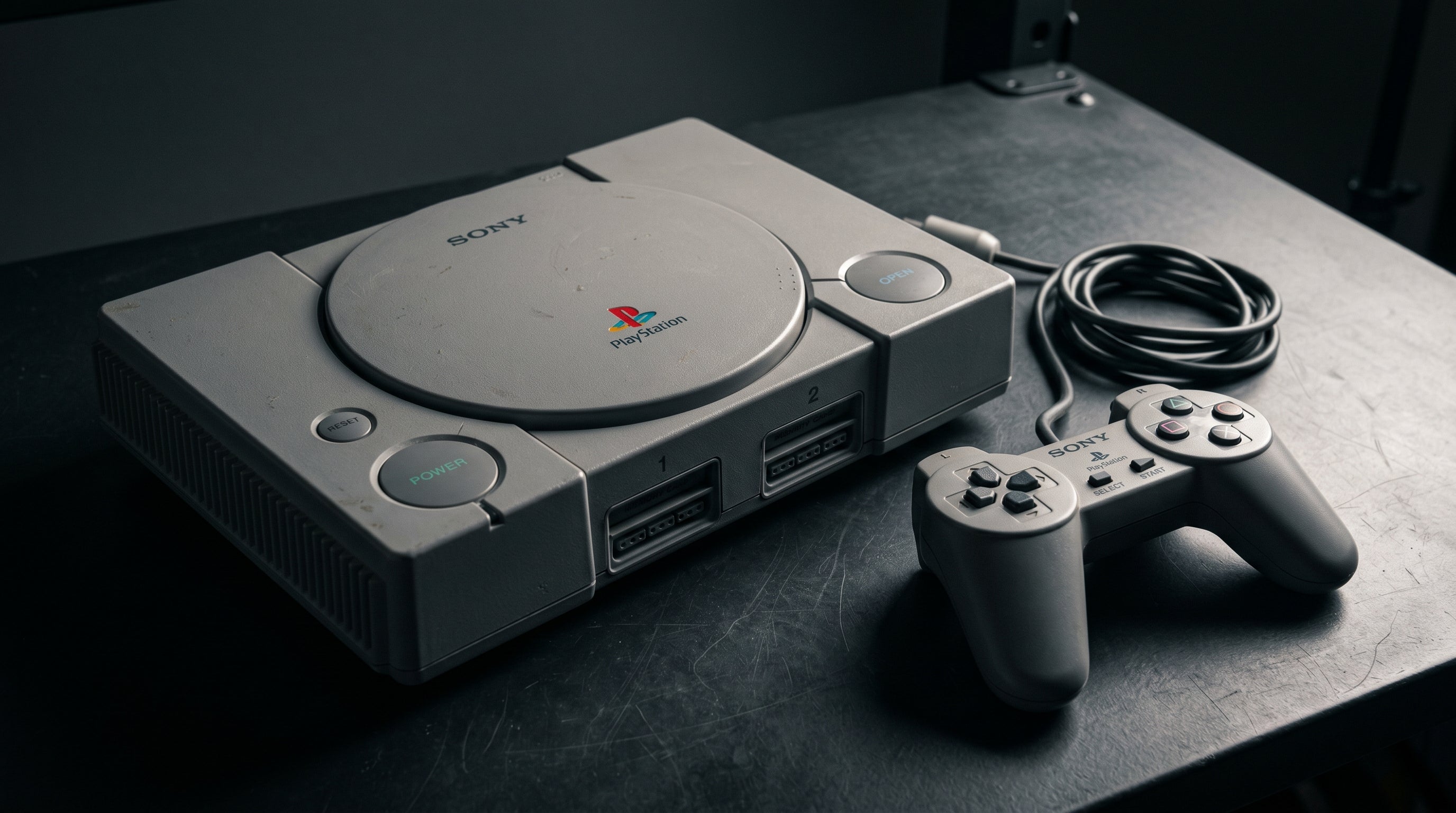
The original PlayStation outputs composite video by default — the same single-signal yellow-cable format that produces soft, smeared images on modern displays. It can do better. The PS1's Multi AV output carries S-Video on most hardware, and the console also outputs RGB in PAL regions or with certain cables in NTSC markets, which is the same clean signal format professional broadcast equipment uses.
Getting any of this to an HDMI TV requires a converter that understands what the PS1 is sending. Here is what the options look like and what each one delivers.
What the PS1 Outputs
The PlayStation 1 uses an AV Multi Out connector — the same proprietary port used across the PlayStation family. The signal types available depend on the hardware revision and the cable.
Composite video (CVBS). The standard cable. One blended signal with all color and brightness information combined. 240p for most games, 480i for some later titles. The weakest output option.
S-Video. Separates luminance and chrominance into two signals. Available on most NTSC PS1 hardware via the AV Multi Out connector. Meaningfully sharper than composite with no color bleed. Requires a PlayStation S-Video cable.
RGB (SCART). Three separate color channels plus sync. The cleanest analog output the PS1 supports. Standard in PAL regions via SCART cables. Available on NTSC hardware via specific cables that extract the RGB signal from the AV Multi Out. Typically used with an OSSC or RetroTINK-5X.
Like the SNES, the PS1 outputs at 240p for most games — a progressive low-resolution signal that some adapters handle incorrectly by treating it as interlaced 480i. A quality converter or upscaler handles 240p as a progressive signal, which produces a sharper result.
For a full explanation of composite, S-Video, and RGB at the signal level, see our retro video signal formats guide.
Option 1: Composite to HDMI
The most common approach. Take the composite cable the PS1 came with, plug it into a composite-to-HDMI converter, plug the converter into your TV. It works.
The image is limited by composite video's characteristics — color smearing at high-contrast edges, visible dot crawl, soft overall image. PS1 games with detailed sprite art or dithered transparency effects look particularly affected by composite quality. Modern TVs upscale this to fill the panel, which makes every artifact larger.
For casual play or a quick setup, composite is fine. As a long-term solution, it is not the best the hardware is capable of.
Option 2: S-Video to HDMI
S-Video is a meaningful improvement over composite on the PS1. The color separation eliminates the smearing and dot crawl that composite produces, and fine sprite detail — the kind of thing that appears in Final Fantasy VII's menus or Castlevania: Symphony of the Night's environments — holds together noticeably better.
You need a PlayStation S-Video cable (the PS1's AV Multi Out uses a different pinout than generic S-Video cables — confirm it is PS1-specific) and an S-Video-to-HDMI converter. This is the best option for most NTSC PS1 owners who do not want to go further into the RGB path.
Option 3: RGB via Upscaler
RGB is the cleanest analog output the PS1 supports, and the console's RGB output is considered one of the better ones in the fifth-generation era. In PAL regions, a standard SCART cable extracts the RGB signal. In NTSC markets, specific cables (Retro Access, HD Retrovision) can extract RGB from the AV Multi Out.
Feeding this RGB signal into an OSSC or RetroTINK-5X produces a sharp, correctly processed HDMI output that handles the PS1's 240p natively rather than deinterlacing it. Dithered transparency effects look cleaner, sprite edges are sharper, and the image has a quality floor closer to what the PS1's hardware was rendering.
This is the ceiling for analog PS1 output without internal modification.
Option 4: Internal HDMI Mods
Internal modifications for the PS1 that add direct digital HDMI output exist, though they are less common than the options for sixth-generation consoles. The PS1Digital and similar mods tap the console's video signal before analog conversion and output via HDMI. Results are excellent, though installation is involved and the hardware is not always in stock.
For most PS1 owners, the RGB-via-upscaler path provides enough quality without the complexity and cost of an internal mod. The PS1's analog output is clean enough that the gap between RGB analog and internal digital is smaller than it is on some other consoles.
What About the PS2?
If you own a PS2, you can play PS1 games on it — the PS2 is backwards compatible with the full PS1 library. The PS2's component output, when connected via an adapter like the ElectronPulse, produces a clean HDMI signal from PS1 games using the PS2's built-in analog signal chain. This is often a simpler path than building a separate PS1 display setup, and the output quality is comparable to S-Video from a standalone PS1.
If you are playing PS1 games on a PS2, the ElectronPulse converts the PS2's component signal to HDMI — a cleaner path than most PS1-specific composite adapters.
Get the ElectronPulse — $34.99 PS2 HDMI Adapter Guide
Share:
Original Xbox AV Connector Guide: What Each Cable Unlocks
Playing PS1 Games on a PS2: Does the Picture Look Better or Worse?