


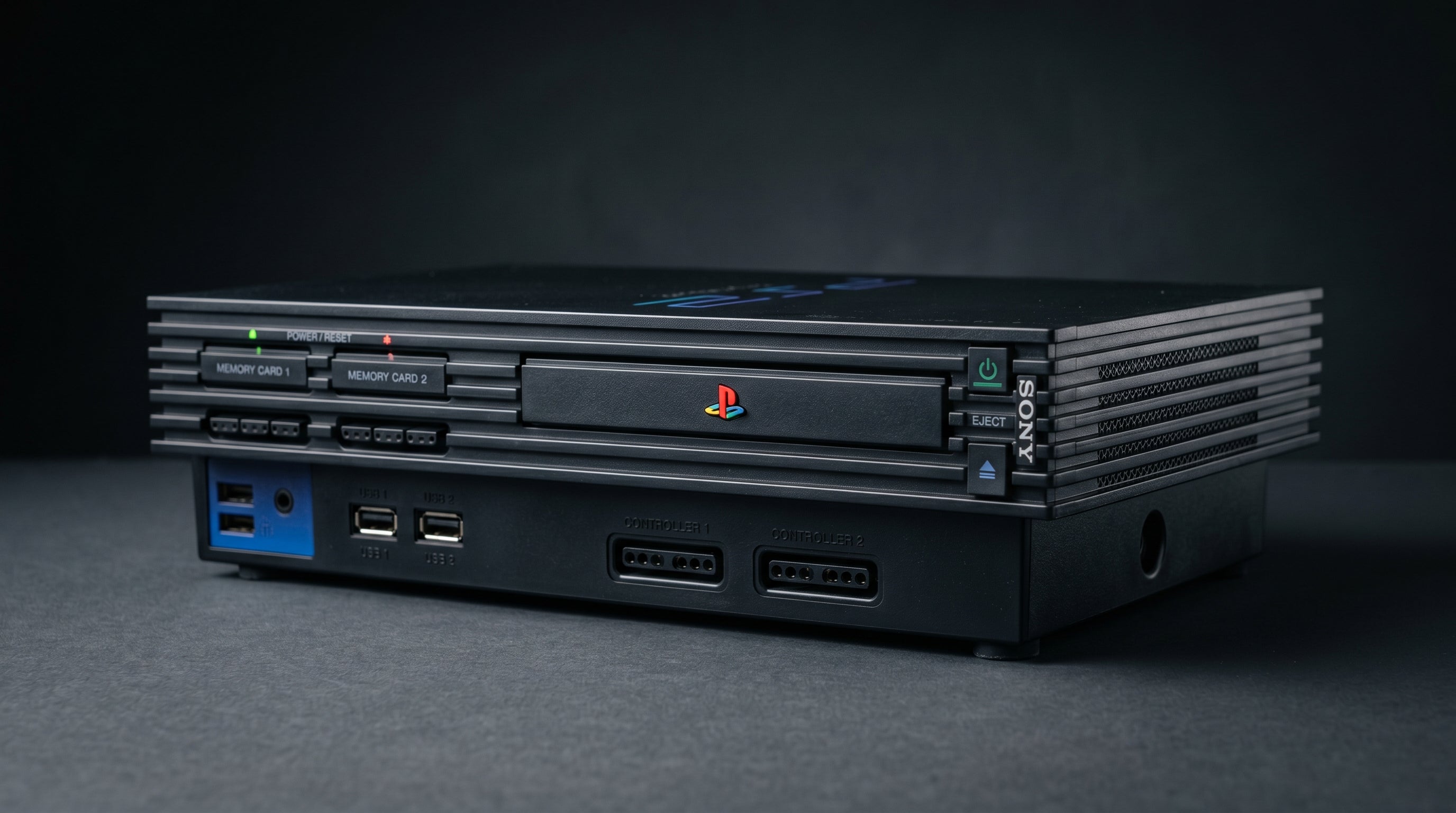
The PS2 plays the entire PS1 library, and most people who grew up with both consoles have used it that way at some point. But the picture quality question is not straightforward. The PS2 does not simply pass the PS1 signal through — it runs PS1 software through its own hardware and outputs the result through its own video path. That matters when you are connecting to a modern TV and trying to get the cleanest picture possible.
How the PS2 Plays PS1 Games
The PS2 uses software emulation to run PS1 titles. It does not contain the original PS1 hardware — no R3000A CPU, no GTE (Geometry Transform Engine), no original PS1 GPU. Instead, the PS2's Emotion Engine processor and Graphics Synthesizer handle the PS1 game by emulating the behavior of that hardware in software.
This is different from how some backwards-compatible systems work. The original Game Boy Player for the GameCube used actual Game Boy Advance hardware inside the adapter. The PS2 takes a different approach: it virtualizes the PS1 environment entirely on its own silicon.
The practical result is that compatibility is very high — Sony put significant engineering effort into this — but the signal you are getting out of the PS2's AV Multi Out is produced by the PS2's own video hardware, not by original PS1 circuitry.
What the Picture Actually Looks Like
For most PS1 games, the output resolution is 240p (progressive scan at roughly half the vertical resolution of a standard definition signal). This is the native resolution of the majority of PS1 2D games, and the PS2 outputs it faithfully at that resolution — it does not upscale the image.
The one optional processing step the PS2 adds is texture smoothing, which you can enable or disable through the PS2 browser settings. Texture smoothing applies bilinear filtering to the PS1 game's rendered output. It softens edges and reduces the pixelated appearance of textures, particularly in 3D games. Whether that looks better or worse is largely a matter of preference and depends heavily on the game. For sprite-based 2D games, smoothing tends to make things look blurry rather than clean. For 3D games it can reduce some of the aliasing that was characteristic of PS1 graphics.
With texture smoothing off, the PS2 outputs PS1 games at native resolution with no added processing. That is usually the right starting point.
Output resolution. 240p for most 2D PS1 games. Some 3D titles use 480i interlaced. The PS2 does not upscale these — it outputs whatever resolution the game targets.
Texture smoothing. Optional bilinear filter applied by the PS2's emulation layer. Enable through PS2 browser settings. Off by default.
Hardware involved. PS2 Emotion Engine (CPU) + Graphics Synthesizer (GPU). No original PS1 silicon is present.
240p and the Modern TV Problem
240p is a signal format that modern TVs almost universally mishandle over composite video. The television receives the signal, decides it looks like 480i (interlaced video), and applies a deinterlacing process that was never needed. The result is a soft, sometimes slightly flickery image instead of the sharp, clean output that 240p produces on a CRT.
This is not a PS2-specific problem. It happens with original PS1 hardware on composite too. The issue is the signal format and how modern TV processing handles it, not which console is producing it. For a thorough explanation of why 240p matters and how different output types handle it, the composite vs component vs RGB guide covers the signal differences in detail.
The path out of this problem is component video, which allows proper 240p handling on TVs that support it, or a component-to-HDMI converter that handles the signal correctly before it reaches the TV.
Composite vs Component on PS2 for PS1 Games
The PS2 outputs component video (YPbPr — the red, green, and blue RCA connectors) natively through its AV Multi Out port. This is the best analog output available from the PS2, and it is the right path for PS1 games as well.
On composite, PS1 games on PS2 have the same 240p handling problem described above. The TV will likely deinterlace incorrectly and the image will be soft.
On component, the situation is better. Some TVs handle 240p correctly over component and display it as the crisp progressive signal it actually is. Others still apply deinterlacing. A component-to-HDMI converter that explicitly supports 240p (rather than just converting whatever comes in) gives you the most reliable result.
The PS1, for comparison, has no component output at all. Its best native NTSC output is S-Video. This is actually one of the practical advantages of running PS1 games on a PS2 — you gain access to component video, which the original hardware cannot produce. For more on the PS2's component output and how to use it, see the PS2 component cable guide.
How PS2 Compares to Original PS1 Hardware for Picture Quality
On a modern TV via composite, there is no meaningful practical difference. Both produce a 240p signal that the TV will likely handle incorrectly, and both will look soft as a result.
Where the PS2 has a genuine advantage is output options. The PS2 can output component video; the PS1 cannot. If you care about picture quality on a modern display, running PS1 games on a PS2 with a component cable gives you a better signal path than you can get from the original hardware without modification.
The PS1's output signal from its own hardware is not inherently worse than what the PS2 produces for PS1 games — they are both rendering the same game content at the same resolution. The difference is in what you can do with that signal on the way to your TV. The PS1 forces you into composite or S-Video for NTSC; the PS2 gives you component as an option.
If you want the absolute purest PS1 experience, original hardware with an internal HDMI mod is the route that bypasses all the analog conversion entirely. The PS1 HDMI connection guide covers that option. But for most people running a stock setup, the PS2 component path is the more practical choice.
The Best Setup: Component Cable + ElectronPulse
If you are playing PS1 games on a PS2 and want the best picture on a modern HDMI TV, the signal chain is straightforward.
-
1
PS2 component cable into the AV Multi Out. Official Sony or a compatible third-party cable. Outputs Y, Pb, Pr on three RCA connectors plus stereo audio.
-
2
ElectronPulse accepts the component signal and converts it to HDMI with near-zero latency. No scaling artifacts, no added lag. Works for PS1 and PS2 games alike.
-
3
HDMI to your TV. Standard HDMI cable into any available input. The TV receives a clean digital signal and does not need to process the analog video at all.
In PS2 system settings, confirm Component Video Output is set to "Y Cb/Pb Cr/Pr" — not RGB. This ensures the component signal is in the correct color space for the cable type.
The ElectronPulse ($34.99) is designed specifically for this signal path. It handles the component-to-HDMI conversion without adding processing delay, which matters for games where timing is important. For PS1 2D games running at 240p, this path avoids the deinterlacing problem entirely because the ElectronPulse handles the 240p signal correctly rather than letting the TV guess what to do with it.
For more on the full PS2 HDMI setup, the PS2 HDMI adapter guide covers the complete picture.
Frequently Asked Questions
Do all PS1 games work on PS2? The vast majority do. Sony's compatibility covers nearly the entire PS1 library, but a small number of titles have known emulation issues on PS2 — timing problems, audio glitches, or graphical artifacts. If you have a specific title in mind, it is worth checking a compatibility list before assuming it will run cleanly.
Should I enable texture smoothing when playing PS1 games on PS2? It depends on the game. Texture smoothing applies bilinear filtering to PS1 game textures, which softens jagged edges but also blurs the intentional pixel art in many 2D games. For 3D games it can look cleaner. For 2D sprite-based games it usually makes things look worse. Try both and decide by eye.
Is the PS3 better than the PS2 for playing PS1 games? The PS3 also runs PS1 games through software emulation and outputs directly over HDMI, which eliminates the component cable step. All PS3 models support PS1 playback. If you already own a PS3 and not a PS2, it is a legitimate way to play PS1 games on a modern TV with no adapter needed. The PS3 HDMI setup guide covers how that connection works.
The ElectronPulse converts PS2 component video to HDMI with near-zero latency. It works for PS1 games on PS2 just as well as it does for PS2 games — same cable, same converter, same clean picture.
Get the ElectronPulse — $34.99 Read the PS2 HDMI adapter guide
Share:
PS1 HDMI: How to Get a Clean Picture From Your PlayStation 1
What Is a Retro Gaming Upscaler and Do You Need One?