


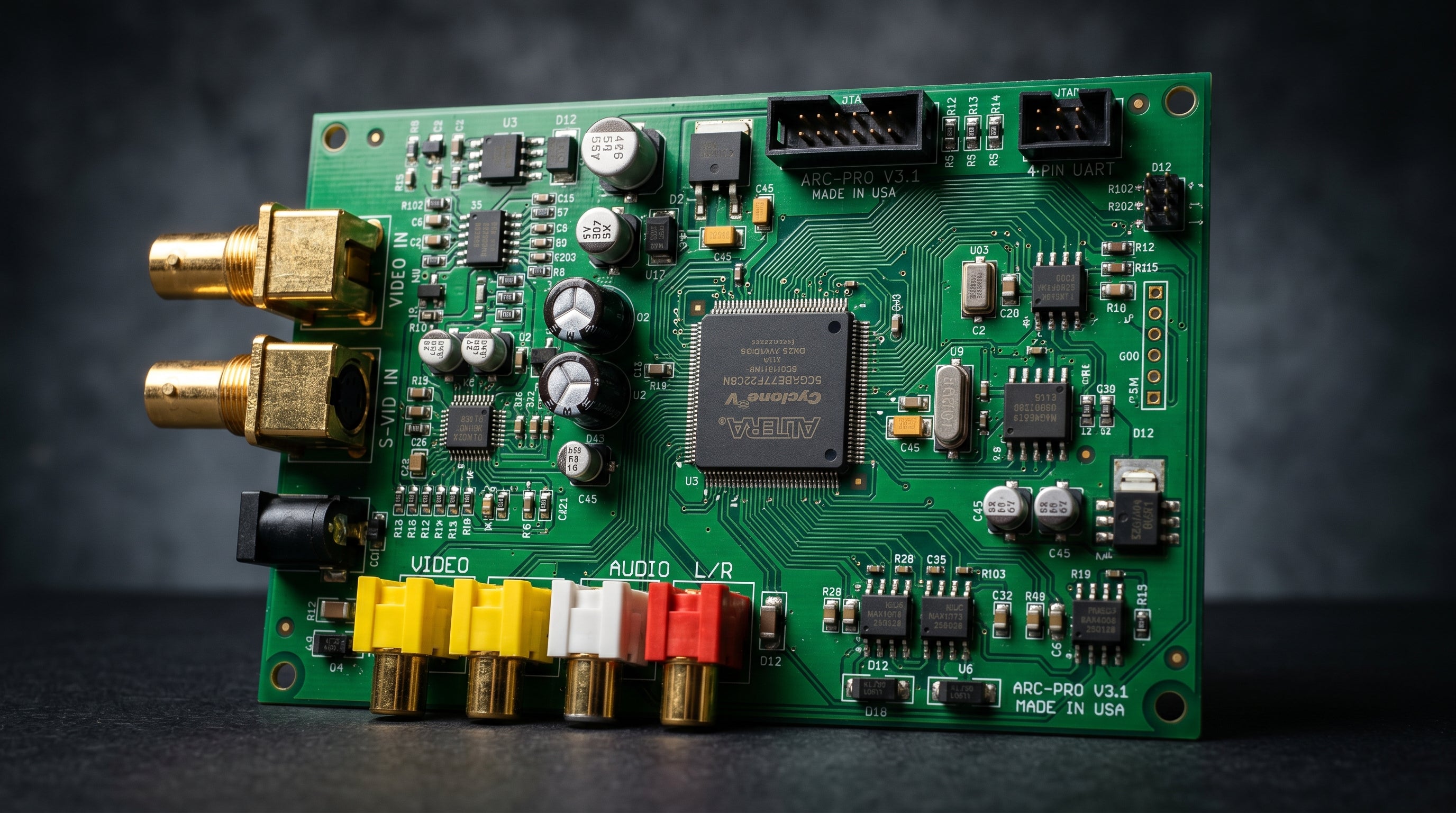
The GBS8200 is a circuit board originally designed for industrial CCTV applications that the retro gaming community has repurposed as a budget upscaler. For $15 to $25 shipped from eBay or AliExpress, it accepts a wide range of analog video inputs and scales them to a usable resolution. The catch is that its output is VGA, not HDMI, and modern TVs have not had VGA inputs for the better part of a decade. This guide covers what the GBS8200 does, where it falls short, and the exact steps to get from its VGA output to an HDMI display.
What the GBS8200 Can and Cannot Do
The GBS8200 is a video scaler, not a converter. It does not simply repackage an analog signal into a digital format. It actively processes the incoming video, deinterlaces it, and outputs a scaled version at a higher resolution. That distinction matters for retro gaming.
On the input side, the GBS8200 accepts composite video, S-Video, component video (YPbPr, the color-difference signal carried on three cables), and RGBS (analog RGB with composite sync). That covers the majority of 8-bit through sixth-generation consoles.
Inputs. Composite (RCA), S-Video (4-pin DIN), component / YPbPr (three RCA), RGBS (DB-9 or BNC depending on board revision).
Output. VGA (DB-15), carrying an upscaled signal at resolutions up to 1024x768 in stock firmware.
240p handling. The GBS8200 correctly identifies 240p as a progressive signal and processes it accordingly, unlike cheap HDMI adapters that mistake it for 480i. This is the primary reason the retro gaming community adopted it.
Audio. The GBS8200 does not process or carry audio. Audio must be routed separately from your console to your TV or receiver.
The primary limitation is the output connector. VGA was the standard monitor interface in the 1990s and early 2000s. Consumer televisions stopped including VGA inputs around 2015. If you want to use the GBS8200 with a modern HDTV, the VGA output requires one more conversion step before it reaches your screen.
For a broader comparison of the underlying signal types the GBS8200 accepts, the composite vs. component vs. RGB guide covers each format in technical detail.
The VGA Problem: Why You Need One More Step for HDMI
VGA is an analog format. HDMI is digital. A modern TV with an HDMI input cannot natively accept a VGA signal, and a passive cable that physically adapts the connectors will not work because the underlying signal formats are incompatible.
What you need is an active conversion device that accepts the GBS8200's VGA output, digitizes it, and packages it as a proper HDMI signal the TV can accept. This is not a cable, it is a powered converter with its own signal processing.
The complication is that the GBS8200 outputs non-standard sync timings, especially at retro resolutions like 240p and 480i. A generic $8 VGA-to-HDMI adapter from an online marketplace may work at some resolutions and silently fail at others. Building a reliable GBS8200 chain requires a converter that understands what the GBS8200 actually sends.
GBS-Control Firmware: What It Does and Whether to Install It
GBS-Control is an open-source firmware replacement for the GBS8200 developed by ramapcsx2 on GitHub. It replaces the stock firmware entirely and requires a small additional microcontroller board (a Wemos D1 Mini or NodeMCU, available for a few dollars) wired to the GBS8200's control header.
The improvements are significant. Stock GBS8200 firmware is adequate but unrefined. GBS-Control adds proper 240p detection, better deinterlacing algorithms, a web-based control interface accessible from a phone or laptop, reduced input lag, and output resolution flexibility up to 1080p. For a total additional cost of around $3 to $5 in hardware and an hour of setup, it meaningfully upgrades the board.
With stock firmware. Works out of the box, no configuration required. Limited output resolution options, coarser deinterlacing, higher latency.
With GBS-Control. Requires a microcontroller add-on and firmware flashing. Significantly better image quality, improved 240p handling, lower latency, web-based tuning interface, output up to 1080p.
If you are comfortable with basic electronics and can follow a GitHub installation guide, GBS-Control is worth installing. If you want a plug-and-play experience without any firmware work, the stock firmware is functional and the core upscaling still works correctly.
Latency is one area where the firmware choice makes a real difference. See the latency section below for specifics.
The DigitalGBS Kit: Adding HDMI Output to a GBS8200
The DigitalGBS Kit ($39.99) is a purpose-built VGA-to-HDMI output module designed specifically for the GBS8200. It connects to the GBS8200's VGA output and converts it to HDMI, adding an audio input jack for stereo audio from your console. It supports output resolutions up to 1080p and requires a separate 5V power supply.
The design intent is important. The DigitalGBS Kit is not a generic VGA adapter relabeled for retro gaming use. It is built to handle the GBS8200's specific output characteristics, including the non-standard sync timings the board produces at retro resolutions. That compatibility is what makes the combination reliable across different console inputs.
-
1
PS2 composite output — RCA cable from the PS2's multi-AV connector to the GBS8200 composite input. Audio cables run separately to the DigitalGBS Kit's audio input.
-
2
GBS8200 — accepts the composite input, detects 240p or 480i correctly, upscales to a VGA-compatible resolution, outputs via DB-15 VGA connector.
-
3
DigitalGBS Kit — accepts VGA from the GBS8200 and stereo audio from the console, outputs a combined HDMI signal up to 1080p.
-
4
TV HDMI input — standard HDMI connection to any modern television.
The GBS8200 handles 240p, 480i, and 480p from any supported input. The DigitalGBS Kit adds the HDMI output that completes the chain.
If you already own a GBS8200 and want to add VGA-to-HDMI conversion for a general-purpose VGA source, the ElectronAnalog ($13.99) is a VGA and component-to-HDMI converter that also works with VGA sources including the GBS8200. The DigitalGBS Kit is the more purpose-built option; the ElectronAnalog is more general-purpose and costs less.
Latency: What to Expect
The GBS8200 is an upscaler, and upscalers introduce latency by design. The chip needs to receive and buffer incoming frames before it can process and output them. Budget upscalers of this class typically add 1 to 3 frames of input lag on top of whatever your display adds.
GBS-Control firmware reduces this noticeably. The open-source firmware has been specifically tuned to minimize processing time while maintaining output quality, and the community reports meaningfully lower lag compared to stock firmware. But it does not reach zero. There is a fundamental floor determined by the hardware's processing pipeline.
Stock firmware latency. Typically in the range of 1 to 3 frames added. Not ideal for timing-sensitive gameplay.
GBS-Control latency. Reduced compared to stock, but still measurable. Better for games where input timing matters, but not a replacement for a zero-latency converter.
Zero-latency alternatives. Dedicated per-console converters that pass through video without frame buffering add under 1ms. The GBS8200 cannot reach this because its upscaling process requires buffering.
For platformers, RPGs, or any game where precise frame-level input timing is not critical, the GBS8200's latency is unlikely to be noticeable in practice. For fighting games, rhythm games, or any title where you are reacting to on-screen events within a few frames, the added lag is a real tradeoff worth thinking through before committing to this chain. The retro gaming input lag guide covers how to measure and evaluate this for your specific setup.
For context on how the GBS8200 fits within the broader category of upscaling options, the retro gaming upscaler guide compares it against other hardware in this space.
Frequently Asked Questions
Can I use a generic VGA-to-HDMI adapter instead of the DigitalGBS Kit? You can try, but most generic adapters cause problems with the GBS8200's output. The board produces non-standard sync timings at retro resolutions that many adapters reject or mishandle. The DigitalGBS Kit is built specifically for the GBS8200's output characteristics. Generic adapters may work at some resolutions and fail at others, which makes the overall experience unreliable. If you want a consistent chain, use a converter that is designed for this board's output.
Does the GBS8200 work with every retro console? It covers a wide range but not everything. Composite, S-Video, component (YPbPr), and RGBS inputs cover most 8-bit through sixth-generation consoles. It does not accept HDMI, standard SCART directly without a sync stripper in some configurations, or the proprietary digital outputs on consoles like the GameCube's Digital AV port. For those cases, a dedicated per-console converter is the correct solution.
Is the GBS8200 worth it compared to a RetroTINK? Depends on what you are optimizing for. The GBS8200 with GBS-Control firmware and a DigitalGBS Kit runs around $55 to $65 total for a capable upscaling chain that handles multiple input types with a single board. The RetroTINK-4K runs several hundred dollars and delivers significantly better image quality, more resolution flexibility, and much lower latency. The GBS8200 is a reasonable choice if you have many console types and a limited budget. It is the wrong tool if image accuracy and input timing both matter to you.
DigitalGBS Kit
Purpose-built VGA-to-HDMI output module for the GBS8200. Accepts the board's VGA output and stereo audio input, delivers HDMI up to 1080p. The correct way to complete a GBS8200 signal chain.
Share:
Original Xbox on a 4K TV: What Works, What Doesn't, and Why
Dreamcast VGA: The Complete Setup Guide