

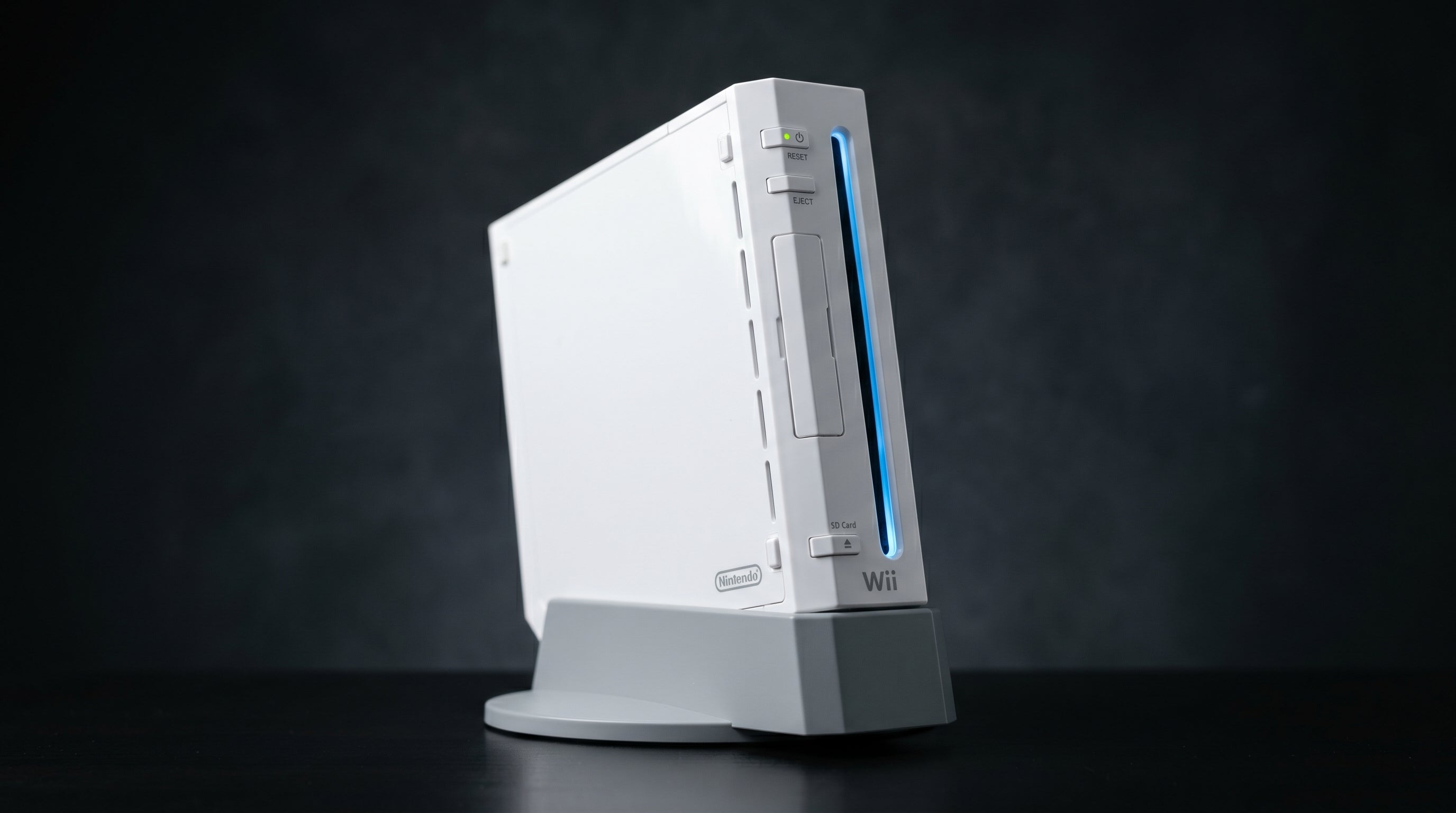
Wii HDMI audio crackling is one of the most common complaints about Wii2HDMI adapters, and almost every case traces back to the same root cause: the adapter's audio input stage, not the Wii's hardware. The Wii's audio output is clean and correctly specified. The problem is that most cheap Wii2HDMI adapters are built with components that cannot handle the signal level the Wii actually sends.
Why Generic Wii HDMI Adapters Distort Audio
The Wii outputs stereo analog audio through its 16-pin AV Multi Out connector on the rear of the console. Pins 1 and 2 carry the left and right audio channels at standard line level, approximately 1V RMS (root mean square, the standard measure of continuous signal voltage). This is the same level used by consumer audio equipment throughout the industry.
When a Wii2HDMI adapter converts this analog audio to digital for HDMI output, it needs an analog input stage that can accept a 1V RMS signal without distortion. The problem with many generic adapters is that the audio conversion chip or the supporting circuit components are sized for lower-level inputs, typically optimized for signals closer to 0.5V RMS or less. This is a cost-cutting decision: lower-spec components are cheaper, and the adapters are assembled to hit a price point, not an engineering standard.
The result is clipping. When the incoming audio signal exceeds what the input stage is designed to handle, the waveform is cut off at the ceiling of the circuit's range. Instead of a smooth peak, you get a squared-off plateau. That distortion shows up as crackling, harshness, and in severe cases a persistent buzz.
Clipping defined. Clipping occurs when an amplifier or input stage receives a signal larger than its maximum input range. The peaks of the audio waveform are "clipped" flat, producing harmonic distortion audible as crackling or harshness.
Wii audio output level. Approximately 1V RMS on pins 1 (L) and 2 (R) of the AV Multi Out connector. This is standard consumer line level.
This issue is well-documented in the retro gaming community. GBAtemp forum threads going back years identify the same pattern across multiple generic adapter brands. The adapters look identical externally and often share the same internal components sourced from the same supply chain, which is why the problem is so consistent across brands.
How to Tell If It Is the Adapter
The symptoms of an overdriving adapter input stage follow a predictable pattern. If you are hearing any of the following, the adapter is almost certainly responsible:
Crackling or popping on loud audio events. Explosions, gunshots, music peaks, and sound effects with high amplitude are the most common triggers. Quieter scenes pass through cleanly because the signal level stays below the clipping threshold.
Harsh or tinny treble. Clipping distortion adds high-frequency harmonic content that was not in the original signal. Audio that should sound warm comes across as thin and grating.
Constant hiss or buzz at idle. Some adapters introduce noise at the input stage even with no signal. This shows up as a background hiss when the game is paused or when you navigate menus.
The most reliable way to confirm the adapter is the source is to bypass it. Connect your Wii to your TV using a component cable (YPbPr, the Nintendo RVL-011 cable) and listen to the same audio. If the crackling disappears, the Wii is fine and the adapter's input circuit is the problem. If the crackling persists over component, the issue is elsewhere, though this is uncommon.
You can also test the attenuation workaround described later in this post. If reducing the Wii's audio output level in system settings eliminates the crackling, that confirms the adapter is overdriving on the Wii's normal output level.
The Wii's Audio Output: What It Can and Cannot Do
Before covering the fix, it is worth being clear about what the Wii actually outputs, because there is persistent confusion on this point.
Audio format. PCM (pulse-code modulation) stereo only. Two channels, left and right.
Dolby Digital / DTS. Not supported. The Wii does not output any surround format. No adapter can add surround sound that the console does not produce.
Optical audio output. Not present. There is no optical (TOSLINK) port on any Wii model. Any adapter claiming to provide optical output is working around this limitation in a non-standard way.
HDMI audio output. Stereo PCM carried over HDMI. This is what every Wii HDMI adapter produces, regardless of packaging claims.
The Wii's audio hardware generates stereo PCM and sends it to the AV Multi Out. That is the full scope of what it does. An adapter that correctly handles the input level will deliver clean, accurate stereo audio. Nothing more is technically possible without significant hardware modification.
If you are seeing "Dolby" or "surround sound" language on a Wii HDMI adapter's product listing, treat that as a marketing error at best. The Wii cannot produce it, and the adapter cannot create it from nothing.
Fixing the Crackling: Your Options
There are two practical approaches: attenuate the signal as a workaround, or use an adapter with a properly designed input stage.
Workaround: lower the Wii's audio output level. Go to Wii System Settings, then Sound, and reduce the audio output level. This attenuates the signal before it reaches the adapter's input stage. If the attenuated signal stays below the adapter's clipping threshold, the crackling will stop or noticeably reduce.
The tradeoff is lower overall volume. You will likely need to compensate by turning your TV's volume up, which can introduce TV-side noise depending on your display. It is a functional fix that costs nothing, and if you are stuck with a generic adapter, it is the first thing to try.
Proper fix: use an adapter with a correctly rated input stage. The cleanest solution is an adapter designed to accept the Wii's actual output level without clipping. This is not a premium feature or a marketing differentiator; it is a basic engineering specification that should be met by any adapter in this category. The fact that so many cheap adapters fail this test is a reflection of the cost cutting that goes into them, not the difficulty of the task.
The ElectronWarp is designed to accept the Wii's 1V RMS line-level output without overdriving. You should not need to reduce the Wii's audio output level to eliminate crackling when using it. If you want more context on how the ElectronWarp compares to other adapters, the Wii to HDMI adapter guide covers the field in more detail.
For reference on how plug-in adapters compare to internal modification options, see Wii HDMI adapter vs. internal mod. If you are experiencing other issues beyond audio, such as no signal or black screen, the Wii2HDMI not working guide covers those separately.
The best Wii HDMI adapters comparison for 2026 also evaluates audio performance alongside video quality if you want a side-by-side view of the available options.
For the broader context on how analog video and audio signals work across retro consoles, the composite, component, and RGB retro gaming guide is a useful reference.
Frequently Asked Questions
Does the Wii support surround sound? No. The Wii outputs stereo PCM audio only. There is no Dolby Digital, DTS, or any surround format available through any cable or adapter. Any Wii HDMI adapter will carry stereo audio regardless of what the adapter's packaging claims.
Why does it only crackle on loud sounds and not all the time? The overdrive clipping in generic adapters is amplitude-dependent. Quiet audio stays below the clipping threshold and passes through cleanly. When the signal level spikes during explosions, music peaks, or loud effects, the waveform hits the ceiling of what the adapter's input stage can handle and clips. It is not random noise; it is the audio signal exceeding a fixed limit.
Does lowering the Wii's audio output in system settings fix the crackling? It can reduce or eliminate the crackling by attenuating the signal before it reaches the adapter's input stage. The tradeoff is lower overall volume from your TV. If you compensate by turning your TV volume up, you may introduce TV-side noise. It is a functional workaround, not a proper fix. The correct solution is an adapter with an input stage rated for the Wii's actual output level.
The ElectronWarp is designed to accept the Wii's line-level audio output without clipping. No volume reduction required, no distortion on loud game audio.
Shop the ElectronWarp Wii to HDMI Adapter Guide
Share:
How to Connect a GameCube to a Modern TV
Analog to HDMI for Retro Consoles: What to Buy and What to Avoid